
Premium service stays premium
The team can handle loyalty without sending the customer to a shared screen or forcing a do-it-yourself step in the middle of a personal service interaction.
Workflow feature page
For salons, spas, restaurants, and personal-service businesses, staff can scan a customer wallet card from any phone or tablet, add stamps quickly, and see reward alerts without forcing a self-service kiosk.
Some businesses do not want loyalty to feel anonymous. They want the customer experience to stay assisted, premium, and controlled by the team. Staff Scanner is the right workflow when personal service matters more than a fully self-service screen at checkout.
Staff Scanner at a glance
The Staff Scanner workflow is not about maximum automation. It is about keeping the loyalty step fast while protecting a more deliberate customer experience.
The team can handle loyalty without sending the customer to a shared screen or forcing a do-it-yourself step in the middle of a personal service interaction.
When a gift, service upgrade, or voucher is due, staff sees the alert and can handle the moment cleanly instead of leaving it entirely to customer self-redemption.
Staff mainly learns one habit: scan the wallet card, confirm the service moment, and add the stamp or process the reward alert.
For businesses where each visit matters more than raw queue speed, a short assisted scan often feels better than a kiosk-first model.
The flow should be fast enough not to interrupt the visit, but guided enough to keep the service experience polished and consistent.
The business introduces loyalty through QR signup or a direct link, and the customer keeps the card in Apple Wallet or Google Wallet for future visits.
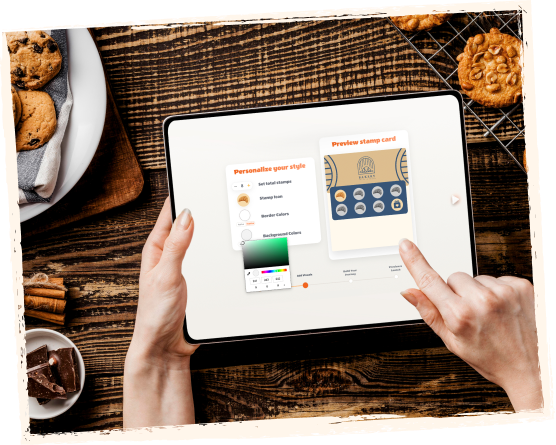
The employee uses the Staff Scanner interface on a familiar device instead of guiding the customer to a kiosk or asking them to install an app.
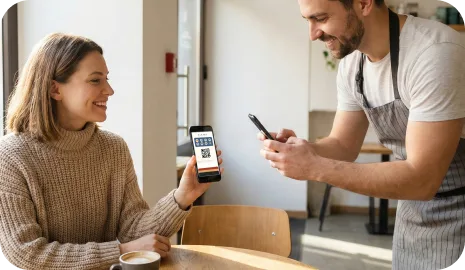
The team validates that the visit, purchase, or service qualifies and adds the stamp immediately.

If the customer reaches the goal, staff can see the reward state and handle the gift, upgrade, or next step appropriately.
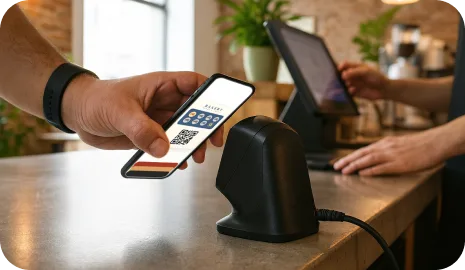
Staff Scanner works best where the service moment is personal, the visit value is meaningful, and the business wants loyalty to feel guided rather than automated.
A team member can confirm the visit and keep the loyalty interaction aligned with a more premium or relationship-led service style.
The workflow lets staff control when loyalty is added or when a reward should be recognized during a seated dining experience.
If the brand wants to avoid a kiosk-first feel, Staff Scanner keeps loyalty assisted while remaining simple for the team.
Both workflows can run the same wallet loyalty card, but they serve different service environments. Staff Scanner is built for guided service. Kiosk mode is built for customer self-service and minimal staff involvement.
Staff Scanner is a loyalty validation workflow where a team member scans the customer wallet card from a phone or tablet and adds the stamp or handles the reward moment directly.
No. The customer still uses the same Apple Wallet or Google Wallet loyalty card. Staff simply uses the scanner workflow on the business device.
Staff Scanner is strongest in salons, spas, barbershops, restaurants, and other personal-service businesses where guided service matters more than a fully self-service loyalty interaction.
Choose Staff Scanner when you want the team to control the loyalty moment. Choose Self-Service Kiosk when the business wants minimal staff involvement and the physical layout supports a customer-facing tablet.
Next step
If your team wants to keep loyalty personal, guided, and controlled, Staff Scanner is usually the best first workflow to activate around a wallet-based card.