
Premium service stays premium
The team can handle loyalty without sending the customer to a shared screen or forcing a do-it-yourself step in the middle of a personal service interaction.
제품특징
팀이 휴대폰이나 태블릿에서 고객 wallet 카드를 스캔하고 스탬프를 빠르게 추가하고 고객 대면 키오스크를 강요하지 않고도 보상 알림을 확인할 수 있습니다.
직원이 스탬프를 추가하고 카운터에서 보상을 나눠주는 팀에 가장 적합합니다. 하나의 명확한 보상, 자연스러운 QR 포인트, 그리고 팀이 매일 유지할 수 있는 루틴으로 시작하세요.
주요 사실
The Staff Scanner workflow is not about maximum automation. It is about keeping the loyalty step fast while protecting a more deliberate customer experience.
The team can handle loyalty without sending the customer to a shared screen or forcing a do-it-yourself step in the middle of a personal service interaction.
When a gift, service upgrade, or voucher is due, staff sees the alert and can handle the moment cleanly instead of leaving it entirely to customer self-redemption.
Staff mainly learns one habit: scan the wallet card, confirm the service moment, and add the stamp or process the reward alert.
For businesses where each visit matters more than raw queue speed, a short assisted scan often feels better than a kiosk-first model.
The flow should be fast enough not to interrupt the visit, but guided enough to keep the service experience polished and consistent.
The business introduces loyalty through QR signup or a direct link, and the customer keeps the card in Apple Wallet or Google Wallet for future visits.
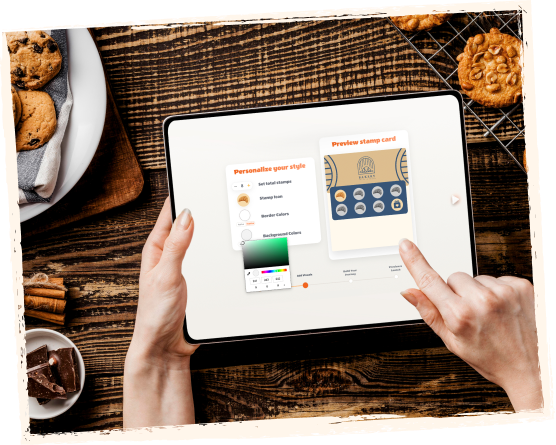
The employee uses the Staff Scanner interface on a familiar device instead of guiding the customer to a kiosk or asking them to install an app.
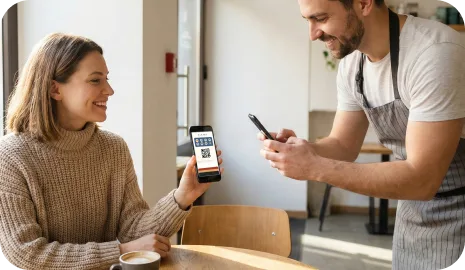
The team validates that the visit, purchase, or service qualifies and adds the stamp immediately.

If the customer reaches the goal, staff can see the reward state and handle the gift, upgrade, or next step appropriately.
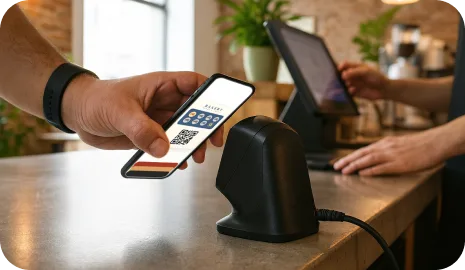
Staff Scanner works best where the service moment is personal, the visit value is meaningful, and the business wants loyalty to feel guided rather than automated.
A team member can confirm the visit and keep the loyalty interaction aligned with a more premium or relationship-led service style.
The workflow lets staff control when loyalty is added or when a reward should be recognized during a seated dining experience.
If the brand wants to avoid a kiosk-first feel, Staff Scanner keeps loyalty assisted while remaining simple for the team.
Both workflows can run the same wallet loyalty card, but they serve different service environments. Staff Scanner is built for guided service. Kiosk mode is built for customer self-service and minimal staff involvement.
Staff Scanner is a loyalty validation workflow where a team member scans the customer wallet card from a phone or tablet and adds the stamp or handles the reward moment directly.
No. The customer still uses the same Apple Wallet or Google Wallet loyalty card. Staff simply uses the scanner workflow on the business device.
Staff Scanner is strongest in salons, spas, barbershops, restaurants, and other personal-service businesses where guided service matters more than a fully self-service loyalty interaction.
Choose Staff Scanner when you want the team to control the loyalty moment. Choose Self-Service Kiosk when the business wants minimal staff involvement and the physical layout supports a customer-facing tablet.
Next step
대부분의 비즈니스에 먼저 필요한 것은 복잡한 로열티 시스템이 아닙니다. 자기 매장의 카운터, 서비스 데스크, 배달 흐름에 맞는 운영 방식이 필요합니다. 거기서 시작해 재방문 습관이 자리 잡은 뒤에 확장하세요.