Marketing automation feature

Geo-Fenced วอลเล็ต ไม่tifications

7stamp can remind ลูกค้า when they are near your ธุรกิจ, helping turn nearby foot traffic into repeat การเข้าชม without a separate ลูกค้า แอป.

Geo-fenced วอลเล็ต reminders work best when the ลูกค้า already saved the ความภักดี การ์ด and the message is tied to a ล้าง reason to กลับมา, such as visible แสตมป์ progress, a ready รางวัล, or a limited-time local offer.

Near-store วอลเล็ต reminders ไม่ separate ลูกค้า แอป Built for local repeat traffic Works with saved ความภักดี การ์ด

Key facts

Trigger
A การแจ้งเตือน appears when a ลูกค้า with a saved วอลเล็ต การ์ด is near the ธุรกิจ
Best fit
Neighborhood cafes, salons, car washes, takeaway counters, and other local repeat-visit businesses
Main job
Bring the ลูกค้า กลับ at the right moment instead of sending a broad untimed promotion
นโยบายความเป็นส่วนตัว note
Use it as a helpful กลับมา cue, not a high-frequency message stream that feels invasive
อัปเดตล่าสุด

Why near-store reminders work when ความภักดี is already saved

The วอลเล็ต การ์ด does not just hold progress. It also gives the ธุรกิจ a better surface for timely กลับมา nudges when the ลูกค้า is already nearby.

01

They reach ลูกค้า close to the decision point

A การแจ้งเตือน is more useful when a ลูกค้า is already near the location than when it lands hours later in a crowded inbox.

02

They work best with visible progress

When a ลูกค้า can reopen the วอลเล็ต การ์ด and see they are two แสตมป์ away from the รางวัล, the การแจ้งเตือน has a ล้าง reason to matter.

03

They สนับสนุน habit-driven businesses

Morning coffee, neighborhood beauty services, lunch counters, and routine errands benefit most when the การแจ้งเตือน matches an existing กลับมา pattern.

04

They reduce blanket discount pressure

Instead of discounting everyone, the ธุรกิจ can reactivate saved-การ์ด ลูกค้า who are already near the location and more likely to convert.

How geo-fenced วอลเล็ต reminders work in practice

The best ตั้งค่า is เรียบง่าย: get the การ์ด saved แรก, give the ลูกค้า visible progress, and use reminders to bring them กลับ when they are already close to the store.

  1. Step 1 01

    The ลูกค้า saves the วอลเล็ต ความภักดี การ์ด

    Everything starts with the same QR or link-based เข้าร่วม flow. The ลูกค้า keeps the การ์ด in Apple Wallet or Google Wallet after the แรก visit.

    ลูกค้า side
    The ลูกค้า saves one การ์ด and can reopen it later to check progress or รางวัล.
    ธุรกิจ side
    The ธุรกิจ creates the ความภักดี asset once, then adds reminders around the same saved การ์ด instead of building a separate แคมเปญ channel.
    The ลูกค้า saves the วอลเล็ต ความภักดี การ์ด
  2. Step 2 02

    The ธุรกิจ sets the right การแจ้งเตือน logic

    The message should match a real reason to กลับมา, such as an almost-complete รางวัล, a ready voucher, or a time-sensitive local visit opportunity.

    ลูกค้า side
    The การแจ้งเตือน feels relevant because it connects to what the ลูกค้า already earned or can unlock ถัดไป.
    ธุรกิจ side
    The team avoids high-noise messaging and uses geo reminders as a focused repeat-visit nudge.
    The ธุรกิจ sets the right การแจ้งเตือน logic
  3. Step 3 03

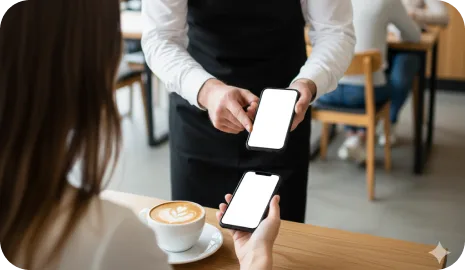
    The การแจ้งเตือน appears when the ลูกค้า is nearby

    Instead of a generic blast, the ความภักดี message surfaces when the ลูกค้า is physically close enough for the visit to feel realistic.
    ลูกค้า side
    The การ์ด is easier to act on because it appears close to the moment of intent.
    ธุรกิจ side
    Nearby traffic becomes more valuable because the กลับมา invitation is timely instead of speculative.
    The การแจ้งเตือน appears when the ลูกค้า is nearby
  4. Step 4 04

    The กลับมา visit converts into progress or redemption

    Once the ลูกค้า comes กลับ, the ธุรกิจ can validate the visit with พนักงาน, kiosk, Autopilot Mode, or another เวิร์กโฟลว์ already connected to the การ์ด.

    ลูกค้า side
    The การแจ้งเตือน leads directly into the same ความภักดี experience the ลูกค้า already knows.
    ธุรกิจ side
    The reactivation layer works with existing แสตมป์, voucher, or แคมเปญ logic rather than becoming a separate operational system.
    The กลับมา visit converts into progress or redemption

Where geo-fenced notifications fit best

This feature is strongest when the ธุรกิจ depends on local foot traffic, existing ลูกค้า habits, and a saved วอลเล็ต การ์ด that already carries progress or รางวัล state.

01

คาเฟ่, bakeries, and เร็ว neighborhood การเข้าชม

A saved วอลเล็ต การ์ด plus a nearby การแจ้งเตือน is a strong combination when the offer is tied to daily or weekly routine purchases.

02

Salons, beauty, and personal-service repeat การเข้าชม

Local service businesses can use reminders to bring ลูกค้า กลับ when they are already nearby and close to the ถัดไป รางวัล.

03

Car washes, retail, and errand-based traffic

When ลูกค้า pass by during regular errands, the location-aware การแจ้งเตือน helps convert proximity into a กลับมา visit.

Geo-fenced วอลเล็ต reminders vs generic ความภักดี blasts

Both have a place, but they solve different problems. Geo-fenced reminders are strongest when timing and physical proximity matter more than message volume.

01

Best use

Geo-fenced วอลเล็ต การแจ้งเตือน
Bring saved-การ์ด ลูกค้า กลับ when they are already close to the location
Generic ความภักดี blast
Broadcast one แคมเปญ to a wider audience regardless of current location
02

Message timing

Geo-fenced วอลเล็ต การแจ้งเตือน
Near the decision point for a realistic repeat visit
Generic ความภักดี blast
Scheduled by calendar date or แคมเปญ timing only
03

Strongest for

Geo-fenced วอลเล็ต การแจ้งเตือน
Routine, local, and neighborhood businesses with repeat traffic
Generic ความภักดี blast
Broader announcements, menu updates, or non-location-dependent promotions
04

Operational risk

Geo-fenced วอลเล็ต การแจ้งเตือน
Works well when used sparingly and tied to a ล้าง รางวัล or progress signal
Generic ความภักดี blast
Can become easy to ignore when every แคมเปญ looks the same

Geo-fenced วอลเล็ต notifications FAQ

Do ลูกค้า need a separate แอป to receive geo-fenced วอลเล็ต reminders?

ไม่. The ความภักดี model stays วอลเล็ต-แรก. The ลูกค้า saves the ความภักดี การ์ด to Apple Wallet or Google Wallet and the การแจ้งเตือน works around that saved การ์ด.

What businesses benefit most from geo-fenced reminders?

They work best for local businesses with repeat การเข้าชม and neighborhood traffic, such as cafes, bakeries, salons, car washes, takeaway counters, and similar routines.

How often should geo-fenced reminders be used?

Use them carefully. A การแจ้งเตือน should feel useful, timely, and tied to a ล้าง กลับมา reason. High-frequency reminders usually reduce trust instead of increasing การเข้าชม.

Should geo-fenced reminders replace email or other แคมเปญ?

ไม่. They are strongest as one layer inside a broader retention system. Email, วอลเล็ต updates, birthday รางวัล, and timed แคมเปญ can still play different roles.

ถัดไป step

Turn this page into a live วอลเล็ต ความภักดี ตั้งค่า

เปิดตัว one วอลเล็ต การ์ด, one ล้าง รางวัล, and one validation เวิร์กโฟลว์ แรก. 7stamp can เริ่ม เรียบง่าย, then grow into บัตรกำนัล, reminders, แคมเปญ, and no-code integrations when the ธุรกิจ is ready.