
They reach customers close to the decision point
A reminder is more useful when a customer is already near the location than when it lands hours later in a crowded inbox.
Marketing automation feature
7Stamp can remind customers when they are near your business, helping turn nearby foot traffic into repeat visits without a separate customer app.
Geo-fenced wallet reminders work best when the customer already saved the loyalty card and the message is tied to a clear reason to return, such as visible stamp progress, a ready reward, or a limited-time local offer.
Key facts
The wallet card does not just hold progress. It also gives the business a better surface for timely return nudges when the customer is already nearby.
A reminder is more useful when a customer is already near the location than when it lands hours later in a crowded inbox.
When a customer can reopen the wallet card and see they are two stamps away from the reward, the reminder has a clear reason to matter.
Morning coffee, neighborhood beauty services, lunch counters, and routine errands benefit most when the reminder matches an existing return pattern.
Instead of discounting everyone, the business can reactivate saved-card customers who are already near the location and more likely to convert.
The best setup is simple: get the card saved first, give the customer visible progress, and use reminders to bring them back when they are already close to the store.
Everything starts with the same QR or link-based join flow. The customer keeps the card in Apple Wallet or Google Wallet after the first visit.
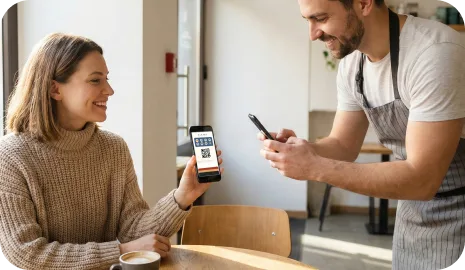
The message should match a real reason to return, such as an almost-complete reward, a ready voucher, or a time-sensitive local visit opportunity.

Instead of a generic blast, the loyalty message surfaces when the customer is physically close enough for the visit to feel realistic.
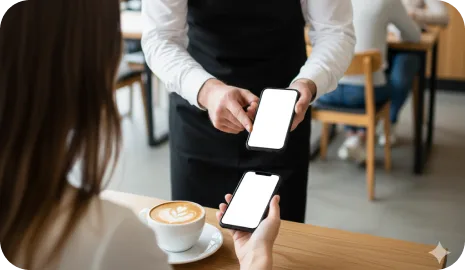
Once the customer comes back, the business can validate the visit with staff, kiosk, Autopilot, or another workflow already connected to the card.
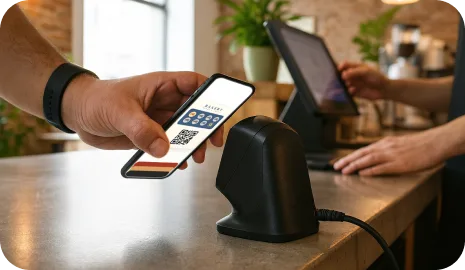
This feature is strongest when the business depends on local foot traffic, existing customer habits, and a saved wallet card that already carries progress or reward state.
A saved wallet card plus a nearby reminder is a strong combination when the offer is tied to daily or weekly routine purchases.
Local service businesses can use reminders to bring customers back when they are already nearby and close to the next reward.
When customers pass by during regular errands, the location-aware reminder helps convert proximity into a return visit.
Both have a place, but they solve different problems. Geo-fenced reminders are strongest when timing and physical proximity matter more than message volume.
No. The loyalty model stays wallet-first. The customer saves the loyalty card to Apple Wallet or Google Wallet and the reminder works around that saved card.
They work best for local businesses with repeat visits and neighborhood traffic, such as cafes, bakeries, salons, car washes, takeaway counters, and similar routines.
Use them carefully. A reminder should feel useful, timely, and tied to a clear return reason. High-frequency reminders usually reduce trust instead of increasing visits.
No. They are strongest as one layer inside a broader retention system. Email, wallet updates, birthday rewards, and timed campaigns can still play different roles.
Next step
Launch one wallet card, one clear reward, and one validation workflow first. 7Stamp can start simple, then grow into vouchers, reminders, campaigns, and no-code integrations when the business is ready.