
Step 1 01
Create a normal promo code in your POS
Set up a code such as FREECOFFEE, GIFT100, or BDAY25 in the register or checkout system just as you would for a normal promotion or reward.
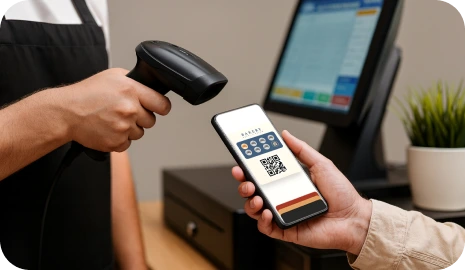
Operations feature
7Stamp works with many POS systems without custom development: create a promo code in the POS and staff scan or enter it at checkout.
This is the fastest way to connect loyalty rewards to checkout when you do not want to start with API work or a custom POS integration. The customer still uses the same wallet card and reward logic, but redemption happens through a code your existing register can already understand.
The Zero-POS setup is intentionally simple. You use the tools your checkout team already understands and let 7Stamp handle the loyalty side through Smart Vouchers and Redeem Codes.
Set up a code such as FREECOFFEE, GIFT100, or BDAY25 in the register or checkout system just as you would for a normal promotion or reward.
Customers join through the normal QR and wallet flow, collect stamps, and receive a 7Stamp reward voucher when the goal is reached.

7Stamp can present the redeem code as text, QR code, or barcode so the reward stays visible and easy to use at checkout.

The team redeems the reward using the same code already configured in the POS instead of switching to a custom loyalty integration project.

If later you need richer event sync, API actions, webhooks, or tighter POS logic, you can evolve past the zero-development start.
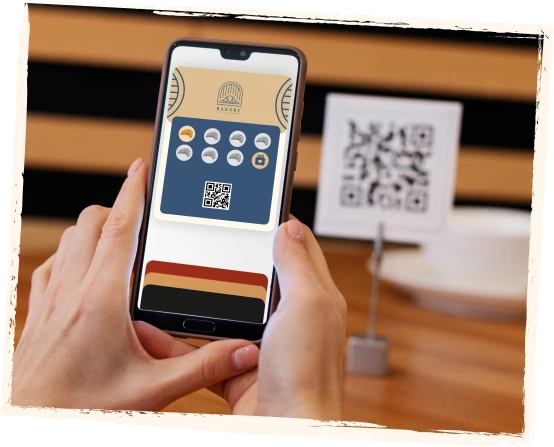
The code inside the voucher does not need to be exotic. It should be something your team can recognize and your register can already accept inside the normal reward or discount flow.
A customer finishes the stamp goal, opens the voucher, and staff applies the free coffee using the same code already configured in the POS.
Useful when the reward is not a specific item, but a fixed checkout benefit that should be entered consistently by staff.
A simple example for seasonal or triggered rewards where the loyalty system issues the voucher and the POS only needs to recognize the matching code.
Redeem Codes are ideal for fast launch and low integration cost, but they are not the right answer for every technical scenario. The best path depends on whether you want a simple reward handoff or a deeper system connection.
Zero-POS Integration is intentionally practical, not magical. It solves the reward handoff problem without promising a full POS sync on day one.
The safe promise is that Redeem Codes can work alongside many POS systems through normal promo-code behavior. It is not the same as saying every POS has instant native loyalty integration.
The checkout team must know when to scan or enter the code, otherwise the process can become inconsistent even if the setup itself is simple.
If you need loyalty events to drive complex POS-side logic, product mapping, or automatic transaction handling, API or direct integration may be the better next step.
A Zero-POS launch lets you validate the loyalty program in the real business first, then decide whether deeper automation is worth the cost and complexity.
Direct integrations
Zero-POS Integration means 7Stamp can work with any POS through redeem codes. For a few popular systems, we also built deeper direct integrations that remove even the manual redeem-code step.
Receipt QR mode, staff-scan mode, a voucher engine, and delivery inserts on top of the Poster checkout flow.
See Poster integrationDirect stamp issuance on every closed check with the loyalty layer staying outside the POS redesign project.
Talk to usIf your POS has a realistic API path, we can build the integration free of charge when the technical conditions fit.
Contact usZero-POS Integration means connecting loyalty rewards to checkout without custom POS development. You create a normal code in your POS, and 7Stamp shows the same code inside the reward voucher for staff to scan or enter.
No. Redeem Codes are specifically designed for the opposite scenario: launch loyalty without waiting for a custom POS integration project.
7Stamp can show the same redeem code as plain text, QR code, or barcode, depending on how your checkout team prefers to work.
API is better when you need deeper automation, richer transaction context, tighter system-to-system logic, or less staff involvement at redemption time. Redeem Codes are better for fast launch and low technical overhead.
The main limitations are that staff still follows a manual redemption habit, the setup is focused on reward handoff rather than deep POS sync, and some advanced automation cases may still justify API or direct integration later.
Next step
If your main goal is to start a wallet-based loyalty program without waiting on a POS development cycle, Redeem Codes give you a practical bridge between rewards and checkout.