Why most loyalty software fails for small businesses
Most loyalty software was built for chains with IT teams. Local businesses got the same complexity without the resources to run it.

7stamp — No App. No Staff. Just Loyalty.
7stamp turns paper punch cards into digital loyalty cards in Apple Wallet and Google Wallet. Customers join in 15 seconds by scanning a QR code. Staff does nothing — that's Zero Level Integration.

Most loyalty software was built for chains with IT teams. Local businesses got the same complexity without the resources to run it.
7stamp removes everything a small business doesn't need: the customer app, the POS integration, and the staff training. That's what we mean by Zero Level Integration — loyalty that runs in the background of an existing business.
7stamp is not just a prettier punch card. It changes how loyalty fits into the daily rhythm of a local business without asking the team to behave like a software company.
Customers do not create another account, download another app, or remember a new password. They scan one QR code, save one pass to Apple Wallet or Google Wallet, and keep the same card for every future visit.
The business can start with Staff Scanner, switch to Self-Service Kiosk at a busy counter, add Autopilot Mode for faster queues, and still stay inside Zero Level Integration until deeper POS or API automation is truly worth the effort.
That keeps loyalty visible to customers and manageable for the team. Stamps can unlock Smart Vouchers, Redeem Codes, birthday rewards, and return-visit reminders on the same saved card instead of scattering the experience across separate tools.
Here are the key facts about 7stamp for businesses comparing digital loyalty options.
7stamp is built with independent local businesses across Central and Eastern Europe. Today's customers include cafes, beauty salons, and small retail stores in Slovakia, Poland, and Ukraine.
The product stays focused on wallet-first loyalty: QR signup, Apple Wallet and Google Wallet cards, repeat-visit stamps, and reward redemption without forcing customers into another app or owners into a heavy POS project on day one.
7stamp is operated by PayForSay s.r.o. in Bratislava, and customer support runs through WhatsApp, Telegram, and Viber because those are the channels many local owners already use in daily work.
More about 7stamp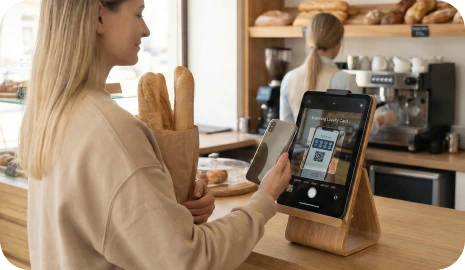
What guests actually keep
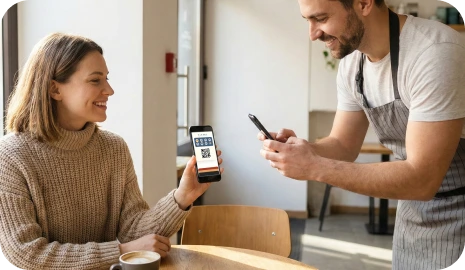
Guests scan a QR code, save one branded pass, collect stamps, and come back through wallet-native reminders instead of downloading one more loyalty app.
A branded pass stays in Apple Wallet or Google Wallet instead of asking the guest to install another customer app.
Teams can add stamps through staff scanning, kiosk mode, or assisted checkout before any POS or API work starts.
Wallet updates, birthday offers, and geo reminders keep the same card useful after the first visit.
Most local businesses do not need a complicated loyalty app. They need a simple way to bring customers back without slowing the queue, training the team, or losing the customer relationship to delivery platforms.
Customers lose paper cards, ignore one more app, and forget to return. Staff improvises reward rules, queues slow down, and businesses still have no clean channel to reactivate the same customer later.
A wallet pass keeps progress visible, validation controlled, and reminders tied to the same card customers already saved on their phone. You launch faster, keep the customer relationship, and avoid a heavy POS project on day one.
Place a QR code at checkout, on a receipt, on packaging, or on a delivery insert so customers can join in the moment.
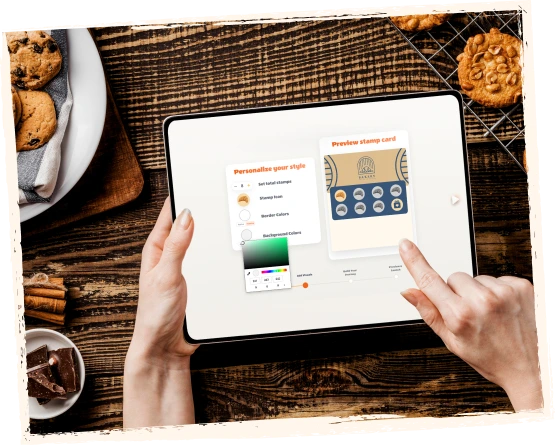
The digital card saves to Apple Wallet or Google Wallet, so the customer keeps the same loyalty card for every future visit.
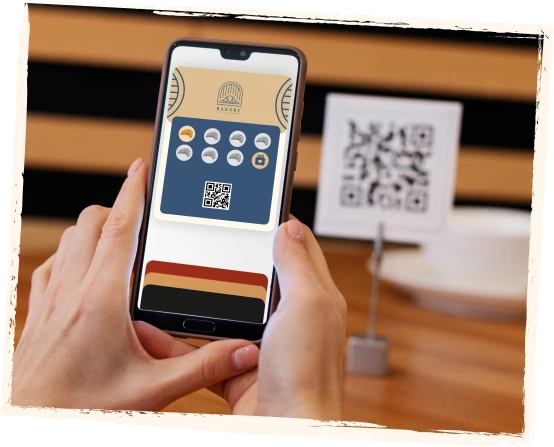
Customers earn stamps through staff scanning, self-service kiosk flows, Autopilot Mode, redeem codes, or assisted checkout.
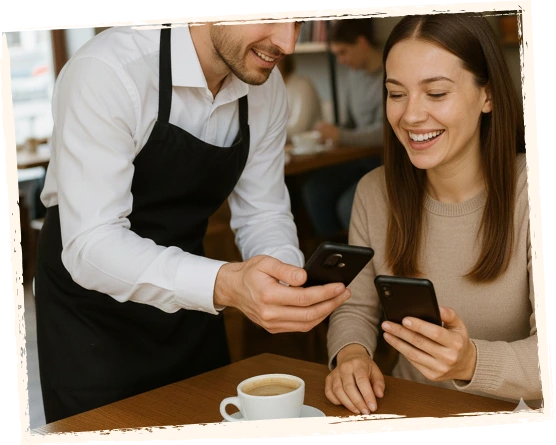
When progress, rewards, birthdays, or nearby reminders matter, the wallet pass gives the customer a clear reason to come back.

Customers see a simple wallet card. Your team sees a browser-based control layer for launch, validation, rewards, and growth.
Watch the walkthrough here or open it on YouTube to see the live wallet flow, browser tools, reward logic, and return-visit journey from the real 7stamp product.
See the product from both sides
Customers see a simple wallet card. Your team sees a browser-based control layer for launch, validation, rewards, and growth.
Customer video review
Olena
Evolve beauty salon
Customer proof
Start with a short video from Olena at Evolve beauty salon, then scan the kinds of feedback that usually matter most when businesses compare 7stamp with paper cards or app-based loyalty.
7stamp works for premium service, busy counters, self-service stations, high-speed queues, and businesses that want to start now and integrate later.
Best for salons, spas, restaurants, and service-led businesses. Staff scans the wallet card from a phone or tablet, adds stamps quickly, and sees reward alerts at the right moment.
Best for cafes, bakeries, counters, and busy retail. Place a tablet near checkout so customers can scan their own card, collect stamps, and redeem rewards with little or no staff involvement.
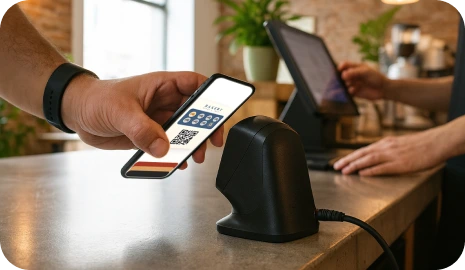
Best for rush hours, queues, and high-volume counters. Customers scan with an external scanner and 7stamp adds the stamp in the background so the line keeps moving.
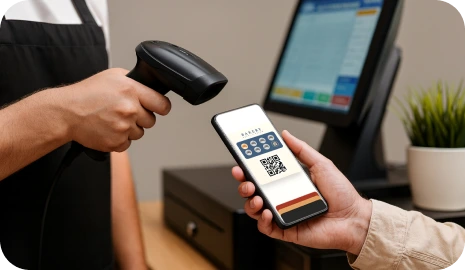
Start with browser tools and redeem codes first. Add POS, API, or webhook automation later when the loyalty loop is already proving demand in the real business.
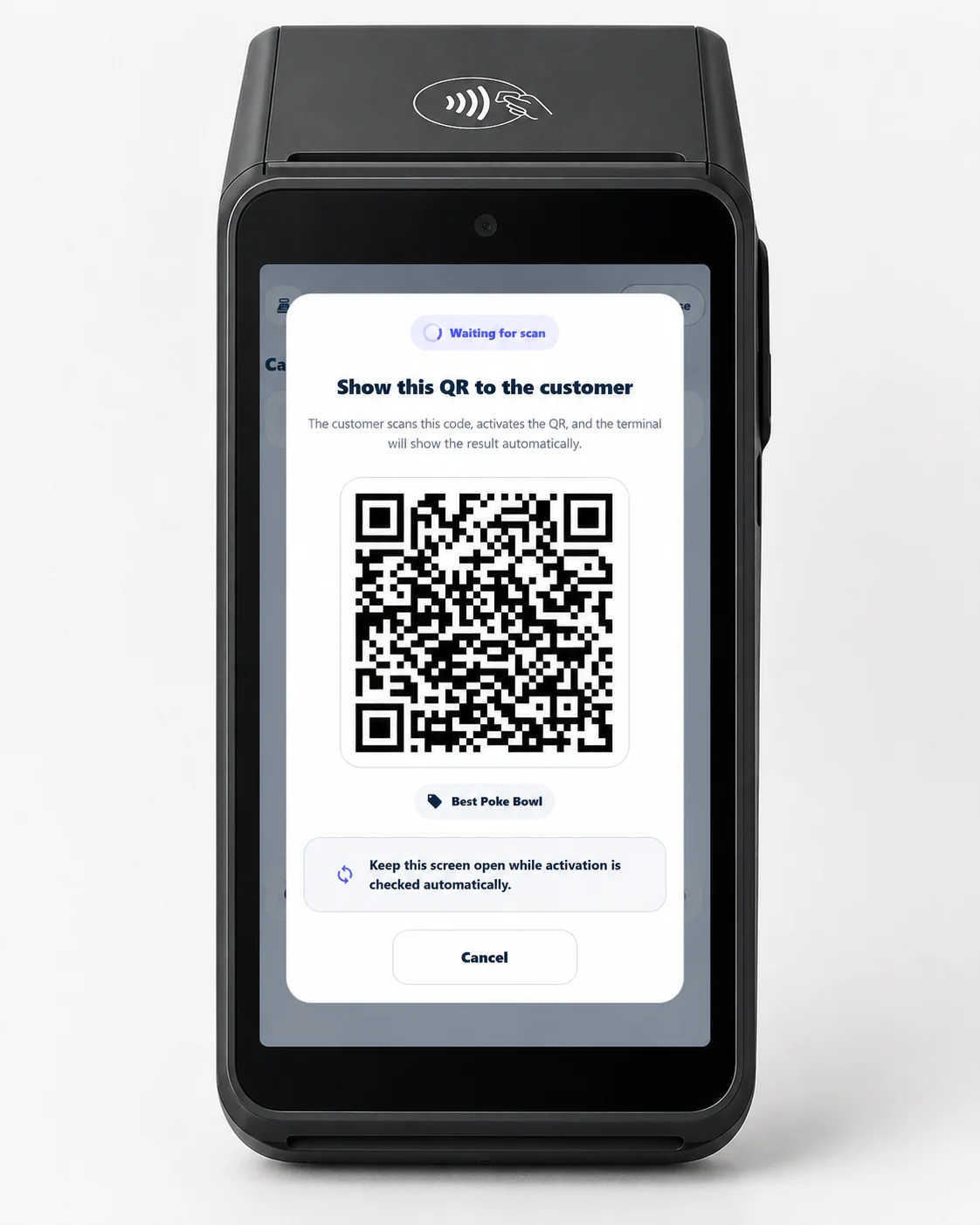
Best for acquirers, processors, and any merchant with a payment terminal. Run loyalty on the existing Android terminal — the customer scans a QR on the terminal screen and collects stamps in their wallet.
Terminal ModeKeep loyalty as simple as a paper stamp card, or add stricter voucher redemption when your business needs more control at checkout.
Use a familiar buy-X-get-1-free mechanic. Customers see progress on the same wallet card and staff knows exactly when the reward should be given.
Example
Buy 9 coffees, get 1 free.
When a customer reaches the goal, 7stamp can issue a digital voucher that opens from the pass and keeps the reward separate from the stamp-collection phase.
Example
Unlock a free drink, a service add-on, or a birthday gift.
Show a text code, QR code, or barcode inside the voucher so staff can enter or scan the reward without custom POS development.
Example
FREECOFFEE, GIFT100, or a POS-ready barcode.
Add a game layer when a customer completes a cycle, so the reward moment feels memorable instead of purely transactional.
Example
Spin for a prize on a kiosk or staff device.
7stamp can work alongside almost any POS system through redeem codes. Start with QR join, browser validation, and voucher codes first. Add deeper automation only when it becomes worth the effort.
Integration layer
7stamp connects to your existing point-of-sale, CRM, and automation tools, but only when you decide it is worth it. Most businesses launch first and integrate later.
Install in 2 clicks from the Poster marketplace. Two stamping modes, a voucher layer, and delivery inserts on top of your existing checkout flow.
See Poster integrationDirect integration for Serve POS, where every closed check can issue a stamp automatically.
Talk to usConnect 7stamp to 6000+ apps without writing code and keep loyalty events synced with the rest of your stack.
See integrationsWorks with any POS through redeem codes, staff scanning, or Receipt QR before you commit to custom development.
Read Zero-POS Integration7stamp is more than a digital stamp card. It gives your business a direct channel to customers through wallet reminders, birthday rewards, geo triggers, and campaign tools.
Progress, rewards, and card changes stay in Apple Wallet and Google Wallet, where customers already look.
Prompt repeat visits when the customer is near your location instead of sending a generic message at the wrong time.
Automatically issue a birthday gift, voucher, or staff alert so the business can re-engage without manual follow-up.
Reach loyalty customers with one-off promotions or win-back messages through wallet push, email, or both.
7stamp works best where customers return often, staff stays busy, and loyalty has to be easy to explain in one sentence.

Run buy-X-get-1-free loyalty without paper cards, queue friction, or a separate customer app.

Reward repeat visits or free-item redemptions without slowing down service or forcing app installs.

Give frequent customers a simple reason to return while the team keeps one clear validation flow.
Use fast stamp logic for businesses that need quick repeat traffic and visible reward progress.
Replace plastic NFC cards with one-tap wallet IDs for vending, laundromats, car washes, and unattended stations.
Turn marketplace orders into direct-order retention with QR codes on bags, receipts, and packaging.
Run one loyalty program across every location under your own brand. No app to build, Apple Wallet and Google Wallet, central control.
Resell no-app Apple Wallet and Google Wallet loyalty to local businesses. Buy Access Codes, set your own price, keep the margin.
Offer white-label loyalty as a value-added service on the terminals you already manage.
Use loyalty where aggregators stop
Delivery marketplaces can bring orders, but they often keep the customer relationship. 7stamp QR codes on bags, receipts, and packaging inserts help customers save your wallet loyalty card and come back directly.
7stamp keeps the familiar stamp-card habit, but removes the biggest barriers: app downloads, lost paper cards, staff workload, and heavy POS development.
Customers join by QR code and save the loyalty card directly to Apple Wallet or Google Wallet.
Choose staff scanning, self-service kiosk, Autopilot Mode, or browser-assisted checkout depending on how your counter works.
Start without custom development, then add redeem codes, API, webhooks, Zapier, or POS integrations when the business case is already proven.
Start free, prove the loyalty loop in one location, and move to paid plans only when you need more scale, more automation, or more daily usage.
$0
For testing 7stamp, launching your first loyalty card, or running a small digital stamp card program.
$35 / month
For active businesses that want to run loyalty every day and upgrade beyond the Free Forever usage limit.
Start GrowthFor Ireland, Malta, Bulgaria, and other euro-area countries, see euro pricing.
For Ukraine, prices in UAH are shown on the Ukrainian-language pricing page.
Owned terminology
These are the branded workflow terms you will see on the home page, in wallet onboarding, and in 7stamp setup conversations.
7stamp is a no-app digital stamp card system for Apple Wallet and Google Wallet. It helps local businesses replace paper punch cards, collect repeat visits, issue rewards, and send loyalty campaigns without a custom customer app.
No. Customers scan a QR code or open a link and save the loyalty card directly to Apple Wallet or Google Wallet. They do not need to download a separate loyalty app.
Customers can usually join in about 15 seconds by scanning a QR code and saving the card to their phone wallet. This is designed for busy counters where staff does not have time to explain a complex app flow.
Zero Level Integration is 7stamp's term for running a loyalty program with nothing added to the existing business setup. There is no customer app to download, no POS connection to configure, and no new role for staff. Customers self-stamp through their wallet pass, and the business runs the program from a browser.
Yes. 7stamp has a Free Forever plan with up to 100 Card Operations, unlimited Wallet push notifications, and 100 Emails per month. It is designed for testing, small loyalty programs, and first-time digital stamp card launches. Paid plans are available when you need more usage or a daily operating setup.
No. 7stamp can work without a POS integration through Staff Scanner, Self-Service Kiosk, Autopilot Mode, Receipt QR, Delivery Inserts, or Redeem Codes. Supported POS and API workflows can be added later when a business wants deeper automation.
7stamp is built for local businesses that rely on repeat visits, including cafes, coffee shops, bakeries, restaurants and takeaway businesses, salons, barbershops, car washes, retail stores, and similar service businesses. If a business used paper punch cards before, 7stamp is usually a strong fit.
A custom loyalty app asks the customer to download, register, and remember to open another app. 7stamp uses the wallet that is already on the customer's phone, so onboarding starts with a QR code and the loyalty card stays visible in Apple Wallet or Google Wallet without extra app maintenance.
No. Registration is not required to save the loyalty card. The customer scans a QR code and adds the card to their wallet. Details like name, email, or birthday can be requested optionally when a business wants campaigns or birthday rewards.
The public 7stamp interface and customer-facing pages are currently available in 54 languages. New public languages are added only after translation and SEO review.
Setup can start in minutes, and most businesses can configure a stamp card and QR code within a single shift. There is no installation, no separate customer app, and no required POS project before launch.
Create your first no-app digital stamp card today. Customers scan, save, collect, and return without paper cards or app downloads.