
Kodėl dauguma lojalumo sprendimų žlunga mažiems verslams
Dauguma lojalumo sistemų buvo kuriamos tinklams su IT komandomis. Vietos verslai gavo tą patį sudėtingumą be resursų tam valdyti.
7Stamp — be atskiros programėlės. Be papildomo darbo komandai. Tik loyalty.
7Stamp paverčia popierines korteles į skaitmenines loyalty korteles Apple Wallet ir Google Wallet. Klientas prisijungia per QR per ~15 sekundžių. Komandai nereikia papildomo darbo — tai Zero Level Integration.

Dauguma lojalumo sistemų buvo kuriamos tinklams su IT komandomis. Vietos verslai gavo tą patį sudėtingumą be resursų tam valdyti.
7Stamp pašalina tai, ko mažam verslui nereikia: klientų programėlę, POS integraciją ir sudėtingą darbuotojų apmokymą. Tai ir vadiname Zero Level Integration — lojalumas, kuris veikia esamo verslo fone.
7Stamp nėra tik gražesnė antspaudų kortelė. Ji keičia, kaip lojalumas įsilieja į kasdienį vietos verslo ritmą, neprašydama komandos veikti kaip programinės įrangos įmonės.
Klientai nekuria dar vienos paskyros, nesisiunčia dar vienos programėlės ir neprisimena naujo slaptažodžio. Jie nuskaito vieną QR kodą, išsaugo vieną kortelę Apple Wallet arba Google Wallet ir naudoja tą pačią kortelę kiekvienam kitam apsilankymui.
Verslas gali pradėti nuo Staff Scanner, pereiti prie Self-Service Kiosk judrioje vietoje, pridėti Autopilot Mode greitesnėms eilėms ir vis tiek likti Zero Level Integration lygyje tol, kol gilesnė POS ar API automatika iš tiesų verta pastangų.
Taip lojalumas išlieka matomas klientams ir valdomas komandai. Antspaudai gali atrakinti Smart Vouchers, Redeem Codes, birthday rewards ir grįžimo priminimus toje pačioje išsaugotoje kortelėje, užuot išskaidžius patirtį per atskirus įrankius.
Štai pagrindiniai faktai apie 7Stamp verslams, lyginantiems skaitmeninio lojalumo sprendimus.
7Stamp kuriama kartu su nepriklausomais vietos verslais Vidurio ir Rytų Europoje. Tarp dabartinių klientų yra kavinės, grožio salonai ir mažos parduotuvės Slovakijoje, Lenkijoje ir Ukrainoje.
Produktas išlieka sutelktas į Wallet-first lojalumą: prisijungimą per QR, Apple Wallet ir Google Wallet korteles, pakartotinių apsilankymų antspaudus ir atlygio išdavimą neverčiant kliento diegti dar vienos programėlės ar savininko nuo pirmos dienos pradėti sunkų POS projektą.
7Stamp valdo PayForSay s.r.o. Bratislavoje, o klientų pagalba teikiama per WhatsApp, Telegram ir Viber, nes tai kanalai, kuriuos daugelis vietos verslų jau naudoja kasdieniame darbe.
Daugiau apie 7Stamp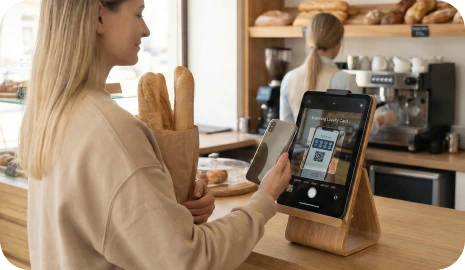
Ką klientai iš tiesų pasilieka
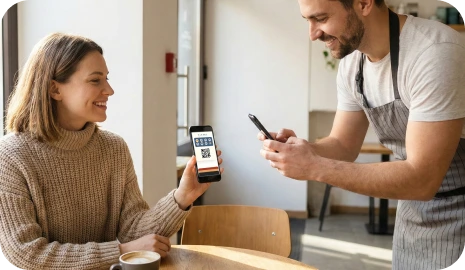
Klientai nuskaito QR kodą, išsaugo vieną firminę kortelę, renka antspaudus ir grįžta per Wallet priminimus, užuot atsisiuntę dar vieną lojalumo programėlę.
Firminė kortelė lieka Apple Wallet arba Google Wallet vietoje to, kad klientas turėtų diegti dar vieną programėlę.
Komanda gali pridėti antspaudus per darbuotojo skenavimą, kiosk režimą ar asistuojamą atsiskaitymą dar prieš bet kokius POS ar API darbus.
Wallet atnaujinimai, gimtadienio pasiūlymai ir vietos priminimai leidžia tai pačiai kortelei išlikti naudinga ir po pirmojo apsilankymo.
Daugumai vietos verslų nereikia sudėtingos lojalumo programėlės. Jiems reikia paprasto būdo sugrąžinti klientą nesulėtinant eilės, nemokant komandos papildomai ir neprarandant ryšio su klientu pristatymo platformoms.
Klientai pameta popierines korteles, ignoruoja dar vieną programėlę ir pamiršta sugrįžti. Darbuotojai improvizuoja atlygio taisykles, eilės lėtėja, o verslas vis tiek neturi švaraus kanalo vėliau iš naujo aktyvuoti tą patį klientą.
Wallet kortelė išlaiko pažangą matomą, patvirtinimą kontroliuojamą, o priminimus susieja su ta pačia kortele, kurią klientas jau išsaugojo telefone. Paleidžiate greičiau, išlaikote ryšį su klientu ir išvengiate sunkaus POS projekto pirmą dieną.
Padėkite QR kodą prie kasos, ant kvito, ant pakuotės ar į pristatymo įdėklą, kad klientas galėtų prisijungti tuo pačiu momentu.
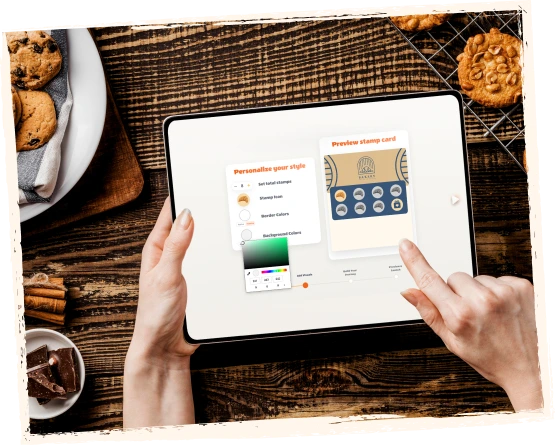
Skaitmeninė kortelė išsaugoma Apple Wallet arba Google Wallet, todėl klientas kiekvienam kitam apsilankymui naudoja tą pačią lojalumo kortelę.
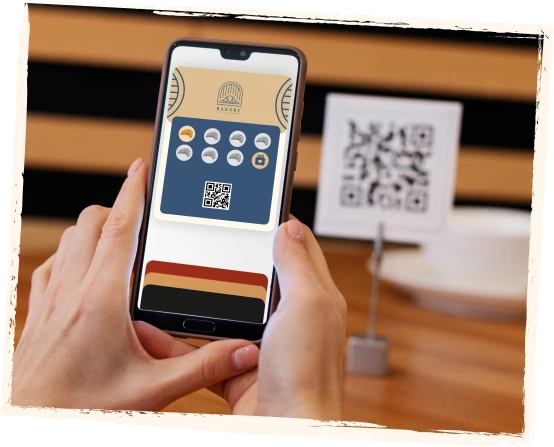
Klientai renka antspaudus per Staff Scanner, Self-Service Kiosk, Autopilot Mode, Redeem Codes arba asistuojamą atsiskaitymą.
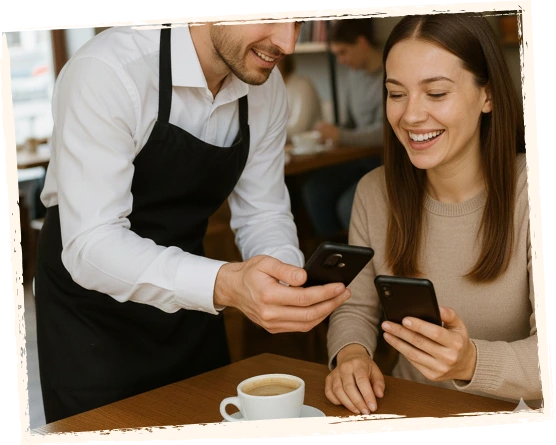
Kai svarbi pažanga, atlygis, gimtadienis ar priminimas netoliese, Wallet kortelė duoda klientui aiškią priežastį grįžti.

Klientai mato paprastą Wallet kortelę. Jūsų komanda mato naršyklėje veikiančią valdymo aplinką paleidimui, patvirtinimui, atlygiui ir plėtrai.
Peržiūrėkite demonstraciją čia arba atidarykite YouTube, kad pamatytumėte gyvą Wallet eigą, naršyklės įrankius, atlygio logiką ir pakartotinio apsilankymo kelią iš realaus 7Stamp produkto.
Pamatykite produktą iš abiejų pusių
Klientai mato paprastą Wallet kortelę. Jūsų komanda mato naršyklėje veikiančią valdymo aplinką paleidimui, patvirtinimui, atlygiui ir plėtrai.
Kliento video
Olena
Evolve beauty salon
Klientų atsiliepimai
Pradėkite nuo trumpo vaizdo įrašo su Olena iš Evolve grožio salono, tada peržvelkite tokius atsiliepimus, kurie dažniausiai svarbiausi lyginant 7Stamp su popierinėmis kortelėmis ar programėlių pagrindu veikiančiu lojalumu.
7Stamp tinka aukštesnio lygio aptarnavimui, judriems prekystaliams, savitarnos taškams, greitoms eilėms ir verslams, kurie nori pradėti dabar, o integruoti vėliau.
Geriausiai tinka salonams, SPA, restoranams ir paslaugų verslams. Darbuotojas nuskaito Wallet kortelę telefonu ar planšete, greitai prideda antspaudus ir mato atlygio perspėjimus tinkamu metu.
Geriausiai tinka kavinėms, kepykloms, prekystaliams ir judriai mažmeninei prekybai. Padėkite planšetę prie kasos, kad klientai patys nuskaitytų savo kortelę, rinktų antspaudus ir atsiimtų atlygį su minimaliu darbuotojų įsitraukimu.
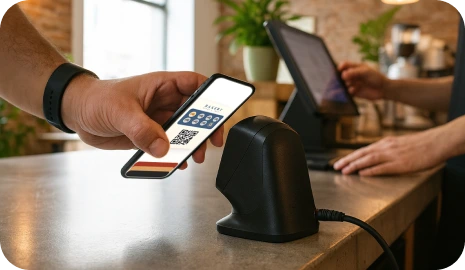
Geriausiai tinka piko valandoms, eilėms ir didelio srauto vietoms. Klientai nuskaito išoriniu skaitytuvu, o 7Stamp prideda antspaudą fone, kad eilė judėtų toliau.
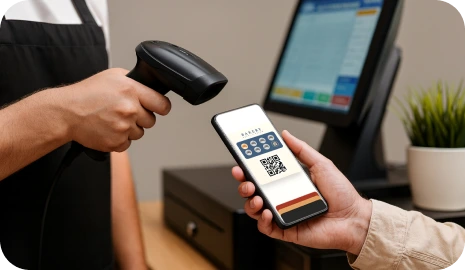
Pirmiausia startuokite su naršyklės įrankiais ir Redeem Codes. POS, API ar webhook automatizaciją pridėkite vėliau, kai lojalumo ciklas jau parodys realią paklausą versle.
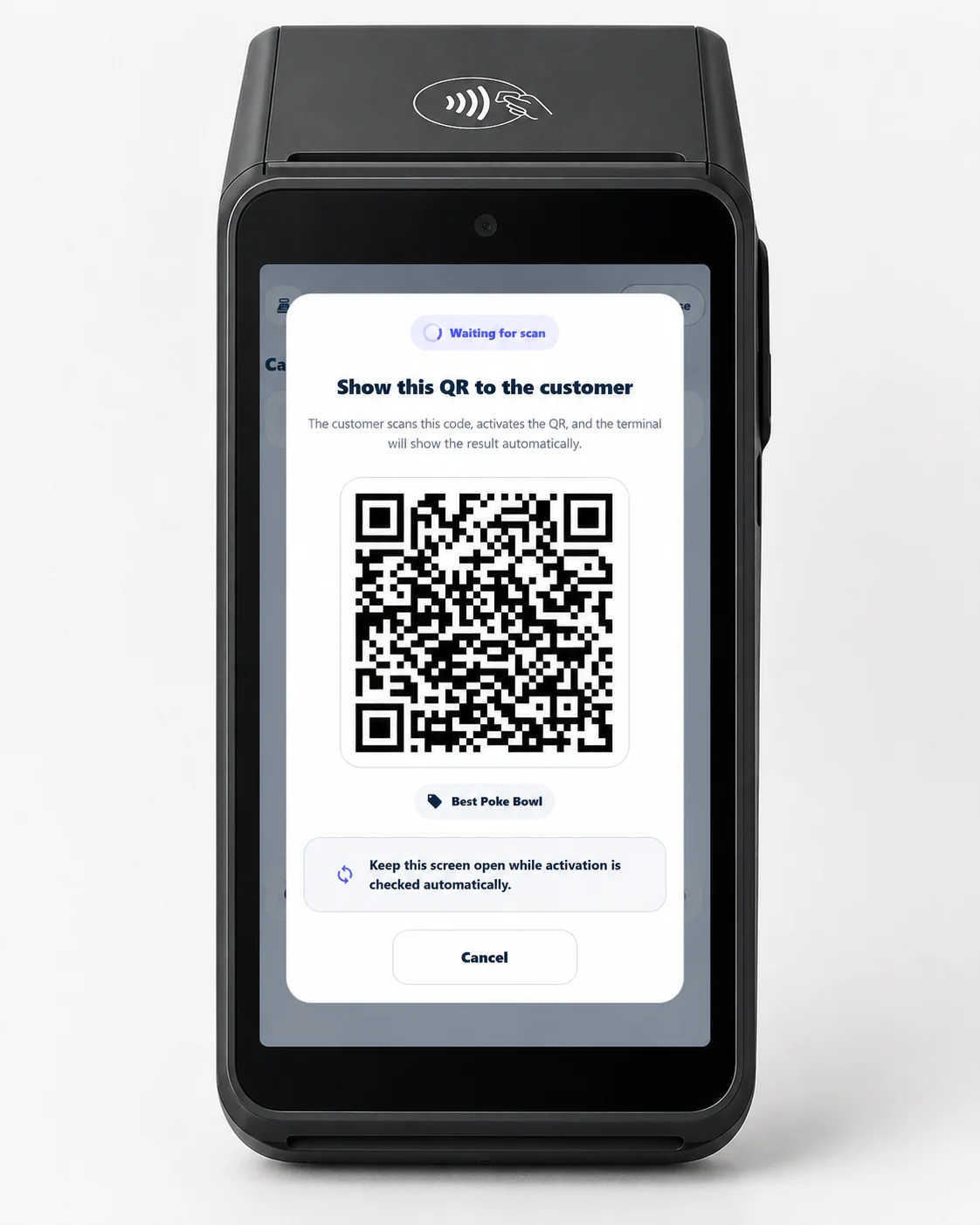
Geriausiai tinka pirkėjams, perdirbėjams ir bet kuriam prekybininkui, turinčiam mokėjimo terminalą. Vykdykite lojalumą esamame Android terminale – klientas nuskaito QR terminalo ekrane ir surenka antspaudus savo piniginėje.
Terminal Mode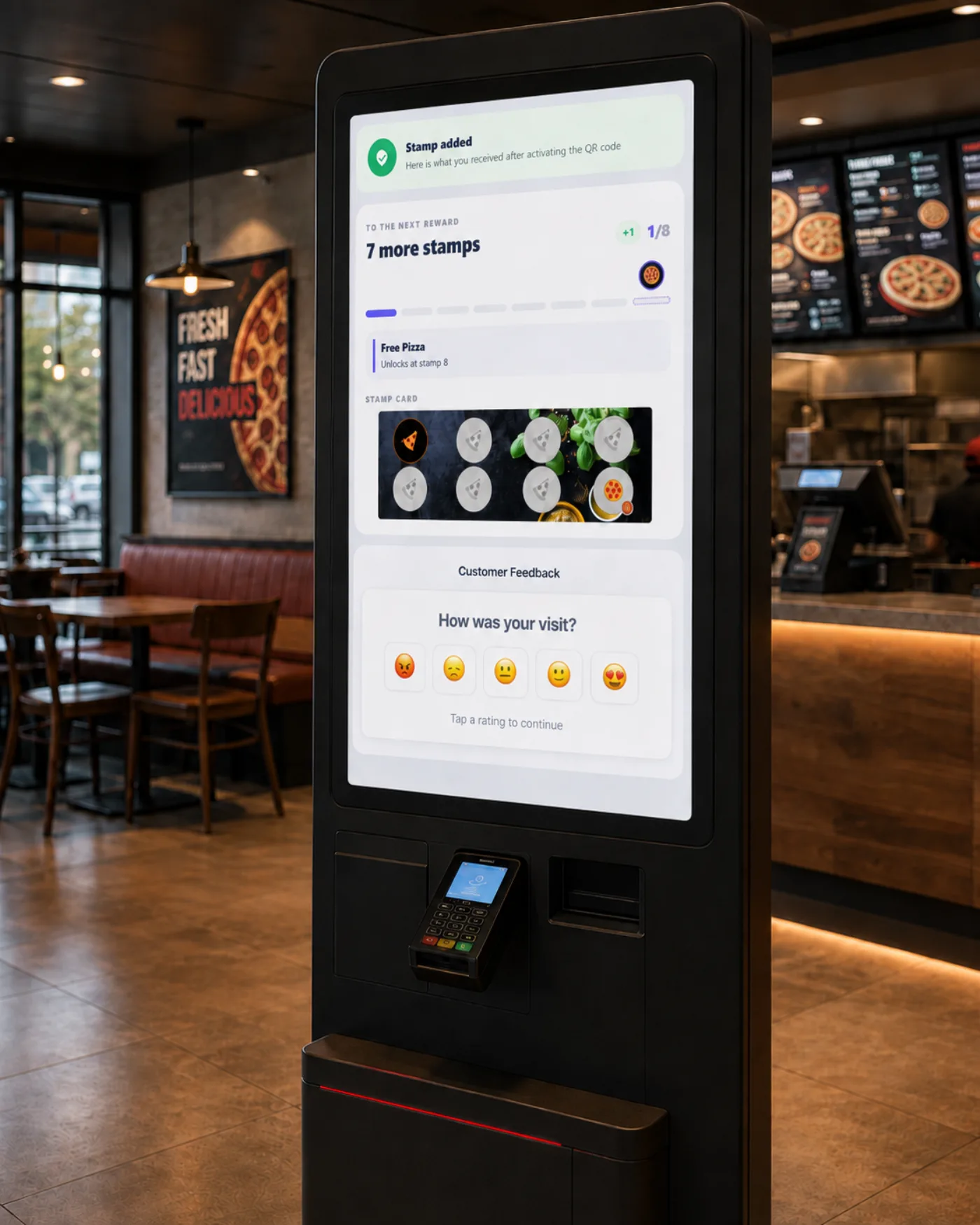
Surinkite klientų atsiliepimus iš lentelės QR, kvito, mokėjimo terminalo, Self-Service Kiosk ir pokalbių roboto – visa tai viename Customer Feedback page. Privati linija į įmonę, esanti šalia viešos peržiūros parinkties, visiems rodoma vienodai.
Customer FeedbackPalikite lojalumą tokį paprastą kaip popierinė antspaudų kortelė arba pridėkite griežtesnį voucher išpirkimą, kai jūsų verslui reikia daugiau kontrolės prie kasos.
Naudokite pažįstamą pirk X, gauk 1 nemokamai modelį. Klientas mato pažangą toje pačioje Wallet kortelėje, o darbuotojai tiksliai žino, kada atlygis turi būti suteiktas.
Pavyzdys
Pirkite 9 kavas, 10-a nemokamai.
Kai klientas pasiekia tikslą, 7Stamp gali išduoti skaitmeninį voucher, kuris atsidaro iš kortelės ir atskiria atlygį nuo antspaudų rinkimo etapo.
Pavyzdys
Atrakinkite nemokamą gėrimą, paslaugos priedą ar gimtadienio dovaną.
Rodykite tekstinį kodą, QR kodą ar brūkšninį kodą voucher viduje, kad darbuotojas galėtų įvesti ar nuskaityti atlygį be individualios POS plėtros.
Pavyzdys
FREECOFFEE, GIFT100 arba POS paruoštas brūkšninis kodas.
Pridėkite žaidybinį sluoksnį, kai klientas užbaigia ciklą, kad atlygio momentas būtų įsimintinas, o ne tik transakcijos pabaiga.
Pavyzdys
Sukite prizų ratą kiosk režime arba darbuotojo įrenginyje.
7Stamp gali veikti greta beveik bet kurios POS sistemos per Redeem Codes. Pirmiausia startuokite su prisijungimu per QR, patvirtinimu naršyklėje ir voucher kodais. Gilesnę automatiką pridėkite tik tada, kai tai tampa verta pastangų.
Integration layer
7Stamp connects to your existing point-of-sale, CRM, and automation tools, but only when you decide it is worth it. Most businesses launch first and integrate later.
Install in 2 clicks from the Poster marketplace. Two stamping modes, a voucher layer, and delivery inserts on top of your existing checkout flow.
See Poster integrationDirect integration for Serve POS, where every closed check can issue a stamp automatically.
Talk to usConnect 7Stamp to 6000+ apps without writing code and keep loyalty events synced with the rest of your stack.
See integrationsWorks with any POS through redeem codes, staff scanning, or Receipt QR before you commit to custom development.
Read Zero-POS Integration7Stamp yra daugiau nei skaitmeninė antspaudų kortelė. Ji suteikia verslui tiesioginį kanalą klientams per Wallet priminimus, gimtadienio atlygį, geo trigerius ir kampanijų įrankius.
Pažanga, atlygis ir kortelės pokyčiai lieka Apple Wallet ir Google Wallet, kur klientai jau žiūri.
Paskatinkite klientą sugrįžti tada, kai jis yra netoli jūsų vietos, vietoje bendrinės žinutės netinkamu metu.
Automatiškai išduokite gimtadienio dovaną, voucher arba perspėjimą darbuotojams, kad galėtumėte iš naujo įtraukti klientą be rankinio sekimo.
Pasiekite lojalumo klientus vienkartiniais pasiūlymais arba grąžinimo žinutėmis per Wallet push, el. paštą arba abu kanalus kartu.
7Stamp geriausiai veikia ten, kur klientai grįžta dažnai, darbuotojai yra užimti, o lojalumą reikia paaiškinti vienu sakiniu.

Vykdykite pirk X, gauk 1 nemokamai lojalumą be popierinių kortelių, papildomos trinties eilėje ar atskiros klientų programėlės.

Apdovanokite pakartotinius apsilankymus ar nemokamo produkto atsiėmimą nesulėtindami aptarnavimo ir neversdami diegti programėlės.

Duokite dažniems klientams paprastą priežastį sugrįžti, kol komanda dirba pagal vieną aiškią patvirtinimo eigą.
Naudokite greitą antspaudų logiką verslams, kuriems reikia greito pakartotinio srauto ir matomos atlygio pažangos.
Pakeiskite plastikines NFC korteles vienu prisilietimu išsaugomu Wallet ID sprendimu vending, skalbykloms, automobilių plovykloms ir neprižiūrimoms stotims.
Paverskite marketplace užsakymus tiesioginių grįžtančių klientų srautu su QR kodais ant maišelių, kvitų ir pakuočių.
Vykdykite vieną lojalumo programą visose vietose su savo prekės ženklu. Nereikia kurti programėlės, veikia Apple Wallet ir Google Wallet, valdymas centralizuotas.
Perparduokite vietos verslams lojalumo programas Apple Wallet ir Google Wallet be programėlės, savo prekės ženklu. Kainą nustatote patys ir mokate fiksuotą partnerio tarifą.
Siūlykite „white-label“ lojalumą kaip pridėtinės vertės paslaugą jau valdomuose terminaluose.
Suteikite klientams tiesioginę liniją į įmonę vienu paspaudimu ir sąžiningą, reikalavimus atitinkantį kvietimą į viešą peržiūrą.
Naudokite lojalumą ten, kur sustoja agregatoriai
Pristatymo platformos gali atnešti užsakymus, bet jos dažnai pasilieka ryšį su klientu. 7Stamp QR kodai ant maišelių, kvitų ir pakuočių padeda klientui išsaugoti jūsų Wallet lojalumo kortelę ir sugrįžti tiesiogiai.
7Stamp išlaiko pažįstamą antspaudų kortelės įprotį, bet pašalina didžiausias kliūtis: programėlių atsisiuntimus, pamestas popierines korteles, darbuotojų apkrovą ir sunkų POS vystymą.
Klientai prisijungia per QR kodą ir išsaugo lojalumo kortelę tiesiai į Apple Wallet arba Google Wallet.
Rinkitės darbuotojų skenavimą, savitarnos kiosk, Autopilot Mode ar naršyklėje asistuojamą atsiskaitymą pagal tai, kaip dirba jūsų vieta.
Pradėkite be individualios plėtros, o Redeem Codes, API, webhookus, Zapier ar POS integracijas pridėkite tik tada, kai verslo nauda jau įrodyta.
Pradėkite nemokamai, įrodykite lojalumo ciklą vienoje vietoje ir pereikite prie mokamų planų tik tada, kai reikia daugiau darbuotojų prisijungimų, daugiau kasdienio naudojimo ar mokamų Add-ons. Free Forever turi visas mokamo plano funkcijas.
Nemokama
Visos mokamo plano funkcijos. Iki 25 Stamps per mėnesį.
€29 / mėn.
Už vietą.
Pasirinkti mėnesinįOwned terminology
These are the branded workflow terms you will see on the home page, in wallet onboarding, and in 7Stamp setup conversations.
7Stamp yra be programėlės skaitmeninių antspaudų kortelių sistema, skirta Apple Wallet ir Google Wallet. Tai padeda vietinėms įmonėms pakeisti popierines perforavimo korteles, rinkti pakartotinius apsilankymus, išduoti atlygius ir siųsti lojalumo kampanijas be tinkintos klientų programos.
Ne. Klientai nuskaito QR kodą arba atidaro nuorodą ir išsaugo lojalumo kortelę tiesiai į Apple Wallet arba Google Wallet. Jiems nereikia atsisiųsti atskiros lojalumo programos.
Klientai paprastai gali prisijungti per maždaug 15 sekundžių, nuskaitydami QR kodą ir išsaugodami kortelę savo telefono piniginėje. Tai skirta užimtiems prekystaliams, kuriuose darbuotojai neturi laiko paaiškinti sudėtingo programų srauto.
Zero Level Integration yra 7Stamp terminas, skirtas vykdyti lojalumo programą, nieko nepridedant prie esamos verslo sąrankos. Nėra kliento programos, kurią būtų galima atsisiųsti, nėra POS ryšio, kurį būtų galima konfigūruoti, ir nėra naujo personalo vaidmens. Klientai patys pažymi savo piniginės leidimą, o įmonė paleidžia programą iš naršyklės.
Taip. 7Stamp turi Free Forever planą su iki 25 Card Operations, neribotais Wallet push notifications ir 100 Emails per mėnesį. Jis skirtas testavimui, mažoms lojalumo programoms ir pirmosioms skaitmeninėms antspaudų kortelėms paleisti. Jis turi visas mokamo plano funkcijas; skiriasi tik limitai. Mokami planai prieinami, kai reikia daugiau naudojimo, daugiau darbuotojų prisijungimų ar mokamų Add-ons.
Ne. 7Stamp gali veikti be POS integracijos per Staff Scanner, Self-Service Kiosk, Autopilot Mode, Receipt QR, Delivery Inserts arba Redeem Codes. Palaikomos POS ir API darbo eigos gali būti pridėtos vėliau, kai verslas nori gilesnio automatizavimo.
7Stamp sukurtas vietinėms įmonėms, kurioms reikia pasikartojančių apsilankymų, įskaitant kavines, kavines, kepyklas, restoranus ir išsinešimo įmones, salonus, kirpyklas, automobilių plovyklas, mažmeninės prekybos parduotuves ir panašias paslaugų įmones. Jei įmonė anksčiau naudojo popierines perforavimo korteles, 7Stamp paprastai puikiai tinka.
Pasirinktinėje lojalumo programėlėje kliento prašoma atsisiųsti, užsiregistruoti ir nepamiršti atidaryti kitos programos. 7Stamp naudoja piniginę, kuri jau yra kliento telefone, todėl prisijungimas prasideda nuo QR kodo, o lojalumo kortelė lieka matoma Apple Wallet arba Google Wallet be papildomos programėlės priežiūros.
Ne. Norint išsaugoti lojalumo kortelę, registruotis nereikia. Klientas nuskaito QR kodą ir įdeda kortelę į savo piniginę. Išsamios informacijos, pvz., vardo, el. pašto adreso ar gimtadienio, galima paprašyti pasirinktinai, kai įmonė nori kampanijų ar gimtadienio apdovanojimų.
Viešoji 7Stamp sąsaja ir klientams skirti puslapiai šiuo metu pasiekiami 54 kalbomis. Naujos viešosios kalbos pridedamos tik po vertimo ir SEO peržiūros.
Sąranka gali prasidėti per kelias minutes, o dauguma įmonių gali sukonfigūruoti antspaudo kortelę ir QR kodą per vieną pamainą. Prieš paleidžiant nėra įdiegimo, nėra atskiros kliento programos ir nereikia projekto POS.
Sukurkite šiandien pirmą skaitmeninę Stamp kortelę be programėlės. Klientas skenuoja, išsaugo, renka Stamps ir grįžta — be popieriaus ir be programėlės atsisiuntimo.