
Send loyalty events into the tools you already use
CRM, analytics, support, and internal dashboards become more useful when they can react to real loyalty milestones instead of manual exports.
Integration feature page
When a customer receives a stamp, reaches a reward, or redeems a voucher, 7Stamp can trigger a webhook or connect to external systems through API and automation tools.
Not every business needs custom integration on day one. The practical value of API, Webhooks, and Zapier is that a brand can start with zero-integration loyalty first, then connect loyalty events to CRM, reporting, support, or campaign systems only when it is worth the extra complexity.
Key facts
The core loyalty loop still works without development. Integrations matter when the business wants loyalty data to influence other systems or workflows.
CRM, analytics, support, and internal dashboards become more useful when they can react to real loyalty milestones instead of manual exports.
The customer still saves one wallet card. The integration layer works in the background after stamp, voucher, or redemption events happen.
Many businesses can learn what they need from simple webhook or Zapier flows before deciding whether a deeper integration is necessary.
Integration should follow traction, not block launch. 7Stamp lets the business test loyalty first and wire systems together after the value is proven.
The simplest path is to launch loyalty first, choose one event that matters, and connect that event to one downstream action. Over-engineering too early usually slows the rollout.
Start with the live reward, the join point, and the validation flow. Make sure the business and customer experience already work before adding automation on top.
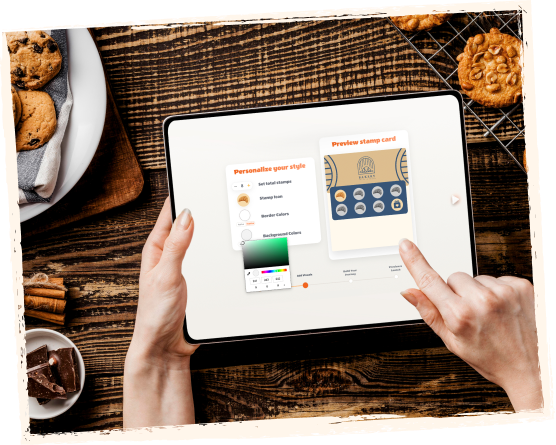
Examples include a customer reaching a reward, redeeming a voucher, or crossing a milestone that should trigger a CRM segment or staff alert.

Pick the right level of effort for the team. No-code automation works for many use cases, while direct API work fits more custom system logic.

Once the event lands in the downstream tool, the business can trigger a follow-up message, enrich customer records, or measure loyalty performance with less manual work.
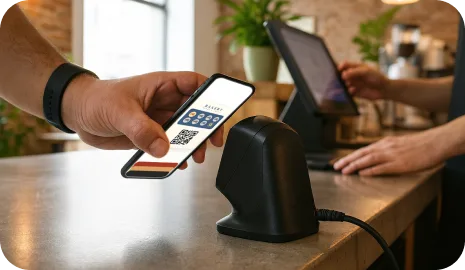
This feature is most valuable when the business already uses a second system that should react to loyalty events, or when a partner manages loyalty inside a wider customer stack.
A webhook or Zapier flow can push loyalty milestones into a place where customer follow-up is already happening.
Partners can connect loyalty events to dashboards, reporting, or campaign systems without rebuilding the wallet loyalty setup itself.
Loyalty data becomes easier to compare or segment when it can flow into a central reporting layer after launch.
Manual workflows can be enough when volume is tiny. Integrations become more valuable when loyalty should influence reporting, CRM, or triggered communication consistently.
No. The core loyalty setup can run without custom development. API, Webhooks, and Zapier are optional layers for businesses that want loyalty events to feed other tools or workflows.
Yes. That is often the most practical first step. Many teams learn what they actually need from simple automation before deciding whether deeper API work is worth it.
Useful examples include a stamp being earned, a reward being reached, a voucher being issued, a voucher being redeemed, or another loyalty milestone that should change reporting or follow-up.
Usually no. It is safer to prove the reward, join flow, and counter workflow first, then connect only the downstream events that will clearly improve operations or retention.
Next step
Launch one wallet card, one clear reward, and one validation workflow first. 7Stamp can start simple, then grow into vouchers, reminders, campaigns, and no-code integrations when the business is ready.