
No extra app to install or remember
Customers join with a QR code or link and save the loyalty card to the wallet already on their phone instead of downloading another branded app.
Fitur produk
Stempel ditambahkan di latar belakang saat pelanggan memindai kartu mereka sendiri. Antriannya terus bergerak.
Terbaik untuk konter sibuk di mana loyalty tidak boleh memperlambat antrian. Mulailah dengan satu hadiah yang jelas, poin QR alami, dan rutinitas yang dapat dilakukan tim setiap hari.
Fakta-fakta penting
The goal is not to impress customers with more software. The goal is to remove friction while keeping the loyalty card accessible after the first visit.
Customers join with a QR code or link and save the loyalty card to the wallet already on their phone instead of downloading another branded app.
The card is less likely to disappear in a pocket, get damaged, or be forgotten at home because it lives in the customer phone wallet.
Staff can describe the join flow in one short sentence: scan the QR code, save the card, and collect stamps on the next visit.
Once the card is saved, the business can update progress, show reward state, and later run birthday or return-visit reactivation flows.
The customer experience should stay simple from the first scan to the reward moment. A wallet card is useful because the same saved card can support multiple business workflows later.
The join trigger can live on a poster, table tent, receipt, packaging insert, delivery bag, website, or staff device during assisted onboarding.
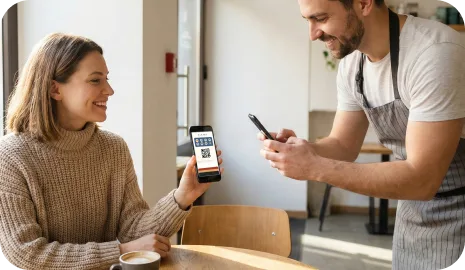
Instead of creating another login-heavy app habit, the customer stores the card in the wallet environment that already holds payment cards and passes.
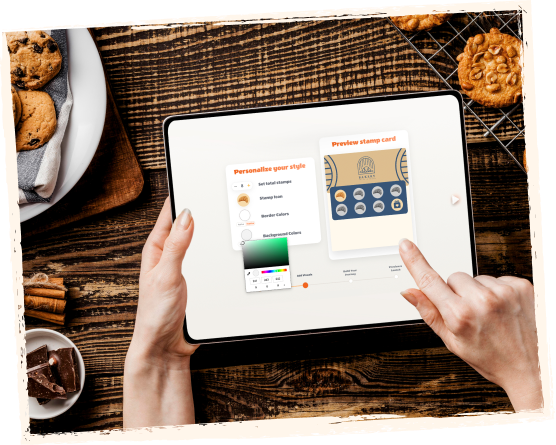
One saved wallet card can work with Staff Scanner, Self-Service Kiosk, Autopilot Mode, receipt QR, delivery QR, or voucher redemption flows.
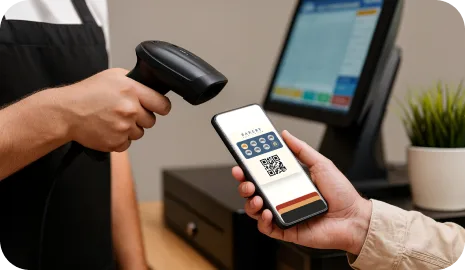
Customers can reopen the card and see stamp progress, reward readiness, or voucher state without re-entering a separate loyalty app.
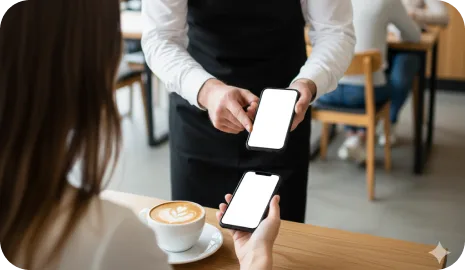
Wallet cards are especially effective when the offer is easy to explain and the business wants a low-friction way to keep the loyalty asset active after the visit.
A simple buy-X-get-1-free offer works better when the customer does not lose the card and can save it in seconds.
Wallet cards keep the loyalty experience polished while still allowing staff-assisted scanning and birthday or return-visit rewards later.
A wallet card is easier to distribute through receipts, inserts, and delivery bags than a physical card or another downloadable app.
Both models are digital, but they ask the customer for a different kind of commitment. Wallet loyalty is usually lighter to join and easier to revisit for small local businesses.
No. Customers scan a QR code or open a direct link and save the loyalty card to Apple Wallet or Google Wallet. The loyalty experience stays digital without another app download.
Yes. The core wallet-card model is built around Apple Wallet and Google Wallet so both iPhone and Android customers can save the loyalty card to the wallet on their phone.
Yes. The same saved card can work with Staff Scanner, Self-Service Kiosk, Autopilot Mode, receipt QR, delivery QR, Smart Vouchers, and Redeem Code flows depending on the business setup.
Wallet loyalty cards work best for businesses with repeat visits and simple reward logic, such as cafes, bakeries, salons, car washes, takeaway brands, delivery businesses, and local retail.
Next step
Kebanyakan bisnis tidak butuh sistem loyalitas rumit lebih dulu. Mereka butuh alur kerja yang tepat untuk konter, meja layanan, atau alur pengantaran mereka sendiri. Mulailah dari sana, lalu kembangkan setelah kebiasaan kunjungan ulang berjalan.