
Three types of Reward
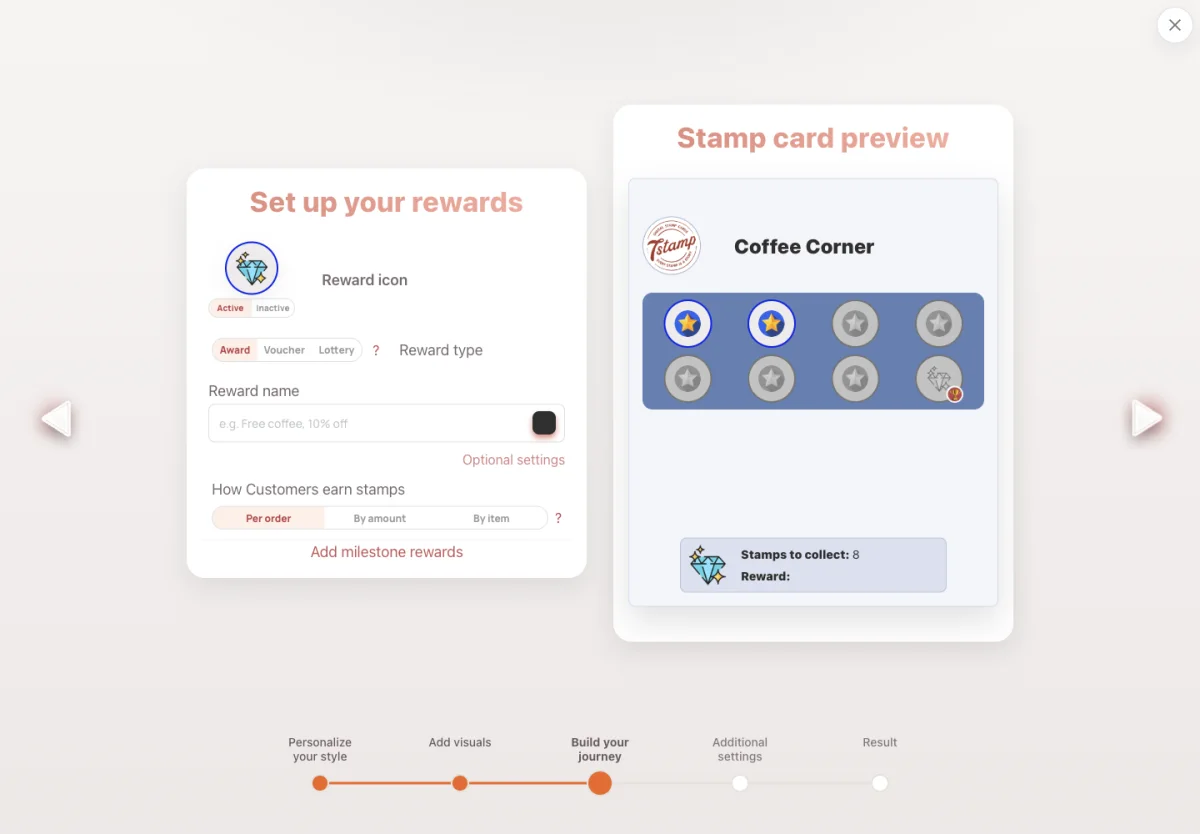
A Reward is what a Customer gets on a stamp of a Stamp card. You set it in the Stamp card wizard, in Build your journey. It is one of three types:
- Award — an instant Reward: when the stamp is reached, the Customer and the staff see it on screen and staff hand it over at once.
- Voucher — a Reward the Customer keeps and redeems later.
- Lottery — a wheel of fortune on a stamp, with variants you set.
One stamp carries at most one Reward, and that Reward has one type, never a mix. Every Reward needs a Reward name before the Stamp card can be saved; a Lottery needs a Lottery name.
What is the difference between an Award, a Voucher and a Lottery?
An Award is handed over at once, when staff see it on screen. A Voucher stays with the Customer and is redeemed on a later visit. A Lottery is a wheel of fortune on a stamp, with variants and probabilities you set.
Can one stamp give both an Award and a Voucher?
No. One stamp carries at most one Reward, of one type.
Why can’t I save my Stamp card?
A Reward has no name. Every Reward needs a Reward name, and a Lottery a Lottery name, before the card can be saved.
Award
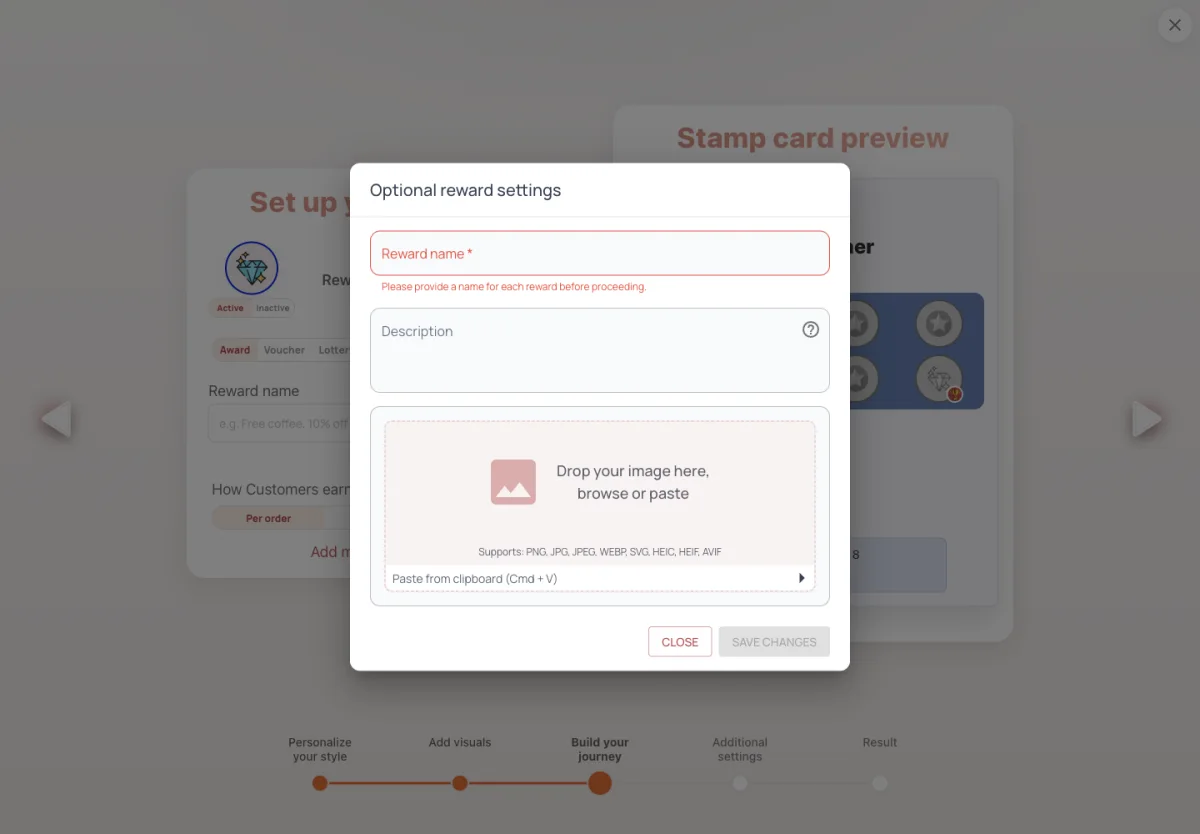
An Award has a Reward name, an optional description and an optional image, set under Optional settings. When the stamp is reached, the Customer and the staff see it on screen, and staff hand it over at once.
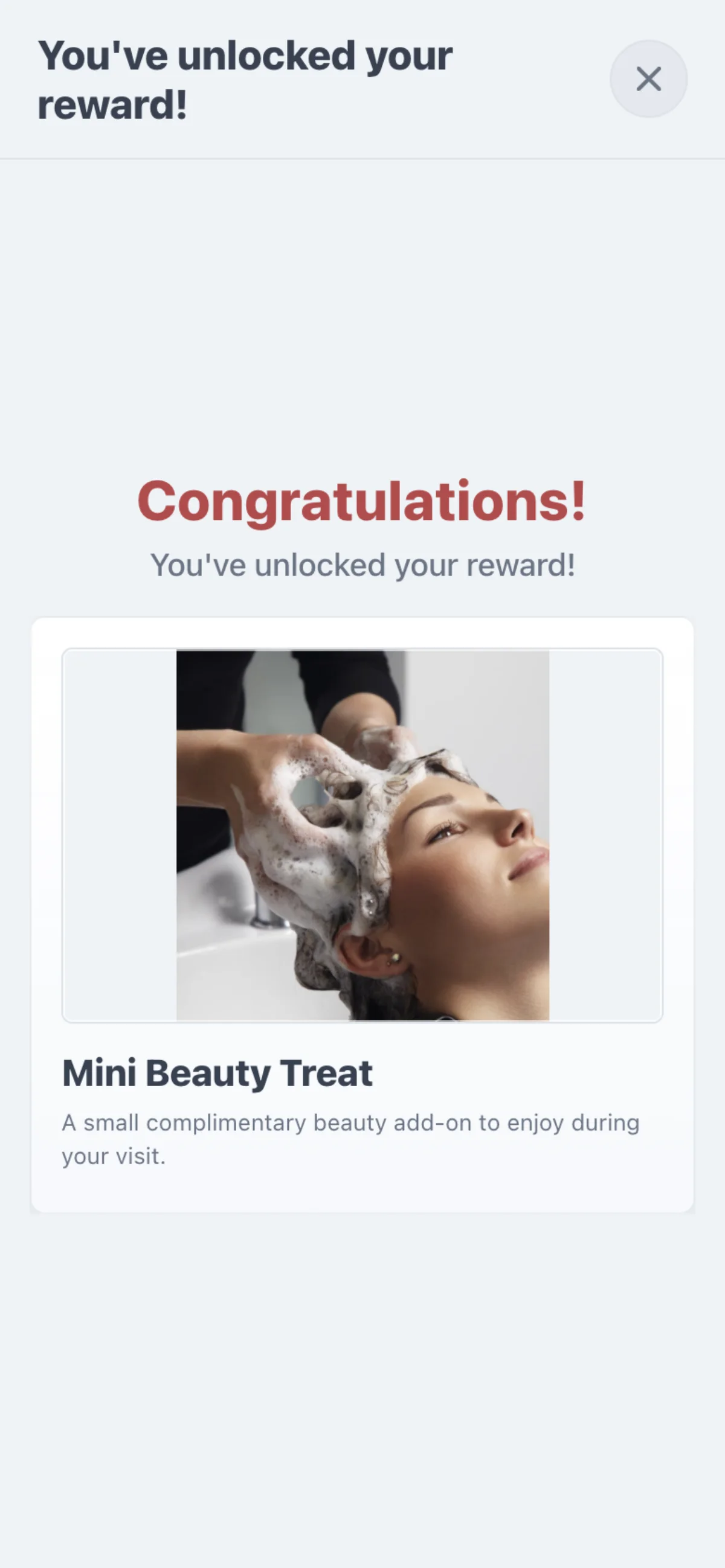
An Award has nothing to redeem in the system: no code, no Validity and no Redeemed state. It is recorded on the Customer’s card when it is earned and counted on the Dashboard. An earned Award keeps the name, text and image it had at that moment; editing the Stamp card later does not change it.
How do staff give an Award?
When the stamp is reached, the Award shows on screen for the Customer and the staff, and staff hand it over at once. There is nothing to redeem in the system.
Does an Award expire?
No. An Award has no code, no Validity and no Redeemed state.
Where can I see the Awards given?
Each Award is recorded on the Customer’s card when it is earned and counted on the Dashboard.
Voucher
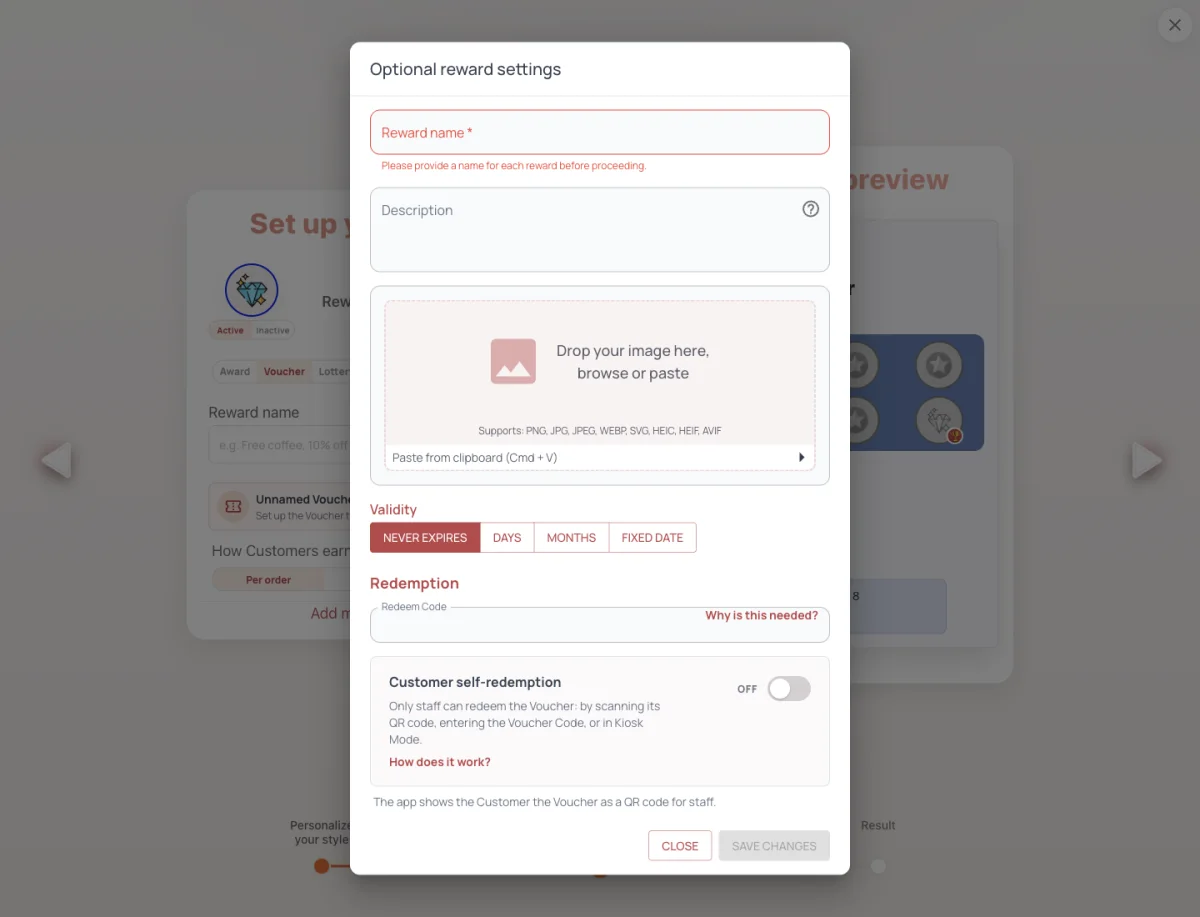
A Voucher is a Reward the Customer keeps and redeems later. It has a Reward name, an optional description and image, a Validity, an optional Redeem Code and the Customer self-redemption option.
Every issued Voucher gets its own Voucher Code, twelve digits long. The Customer sees it in My Vouchers, and staff use it to find and redeem the Voucher. A Voucher is Active, Redeemed or Expired.
Every Voucher is a gift Voucher. There is no gift certificate with a money balance, and a Voucher does not change a receipt total by itself: staff apply what it gives.
Redeem Code. A Voucher can carry a Redeem Code that you set: usually a discount code for the till, or a digital product such as a key. The Customer gets it when the Voucher is redeemed, as text and as a QR code. The Redeem Code belongs to the Voucher’s settings, so every Customer who gets that Voucher gets the same one; the Voucher Code is the one that is unique.
What is the difference between the Voucher Code and the Redeem Code?
The Voucher Code is twelve digits, unique to each issued Voucher, and staff use it to find and redeem the Voucher. The Redeem Code is set by you in the Voucher’s settings, is the same for every Customer, and is shown to the Customer once the Voucher is redeemed.
Can a Voucher hold a money balance, like a gift card?
No. Every Voucher is a gift Voucher, with no money balance. Staff apply what it gives.
What can I put in a Redeem Code?
Usually a discount code for the till, or a digital product such as a key. The Customer gets it as text and as a QR code when the Voucher is redeemed.
Description and image
The image of a Reward or a Voucher can be PNG, JPG, WEBP, SVG, HEIC, HEIF or AVIF, from a file, dropped in or pasted from the clipboard. A HEIC or HEIF photo is turned into a JPG, and a large image is made smaller in the browser before it is uploaded. A GIF is not accepted.
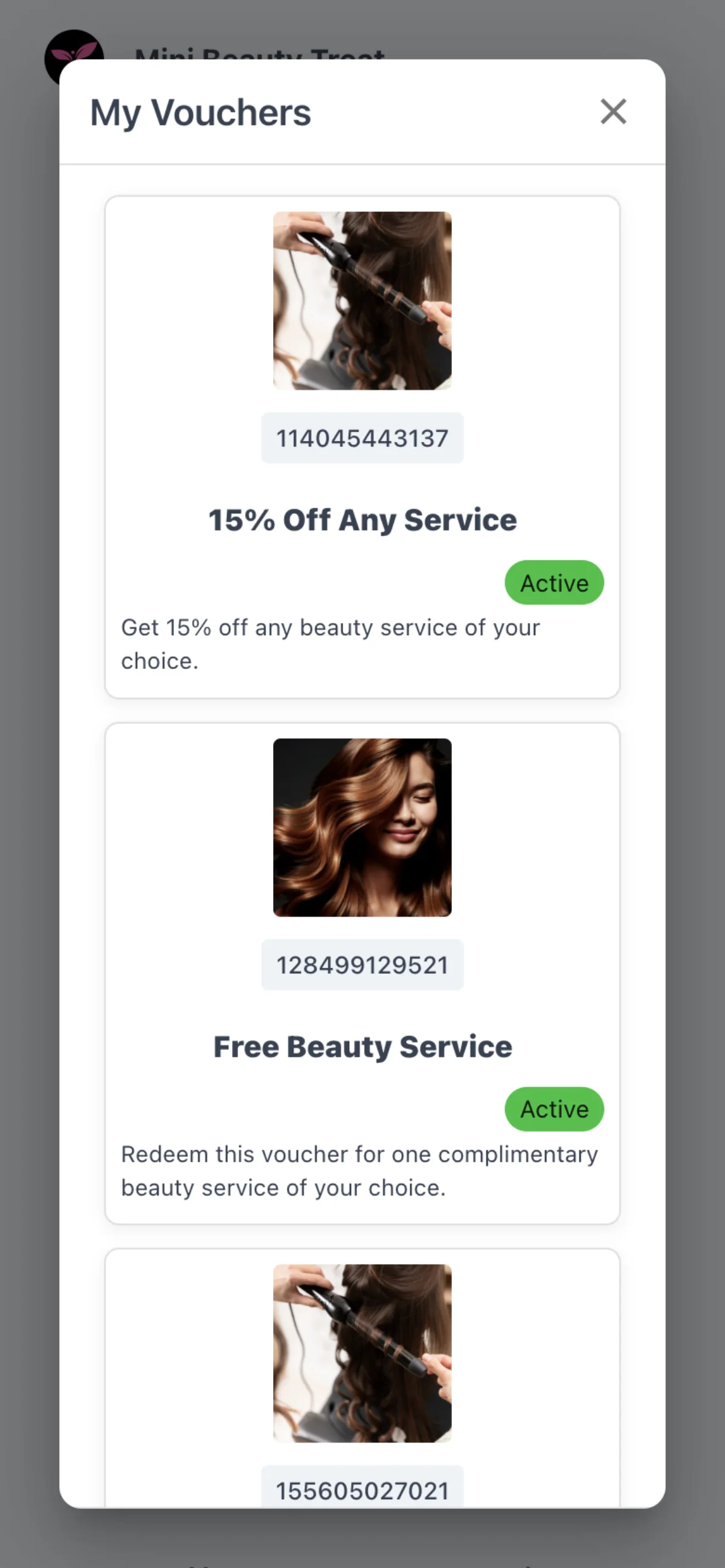
The Customer sees a Voucher’s description and image in My Vouchers on the card page and when the Voucher is redeemed.
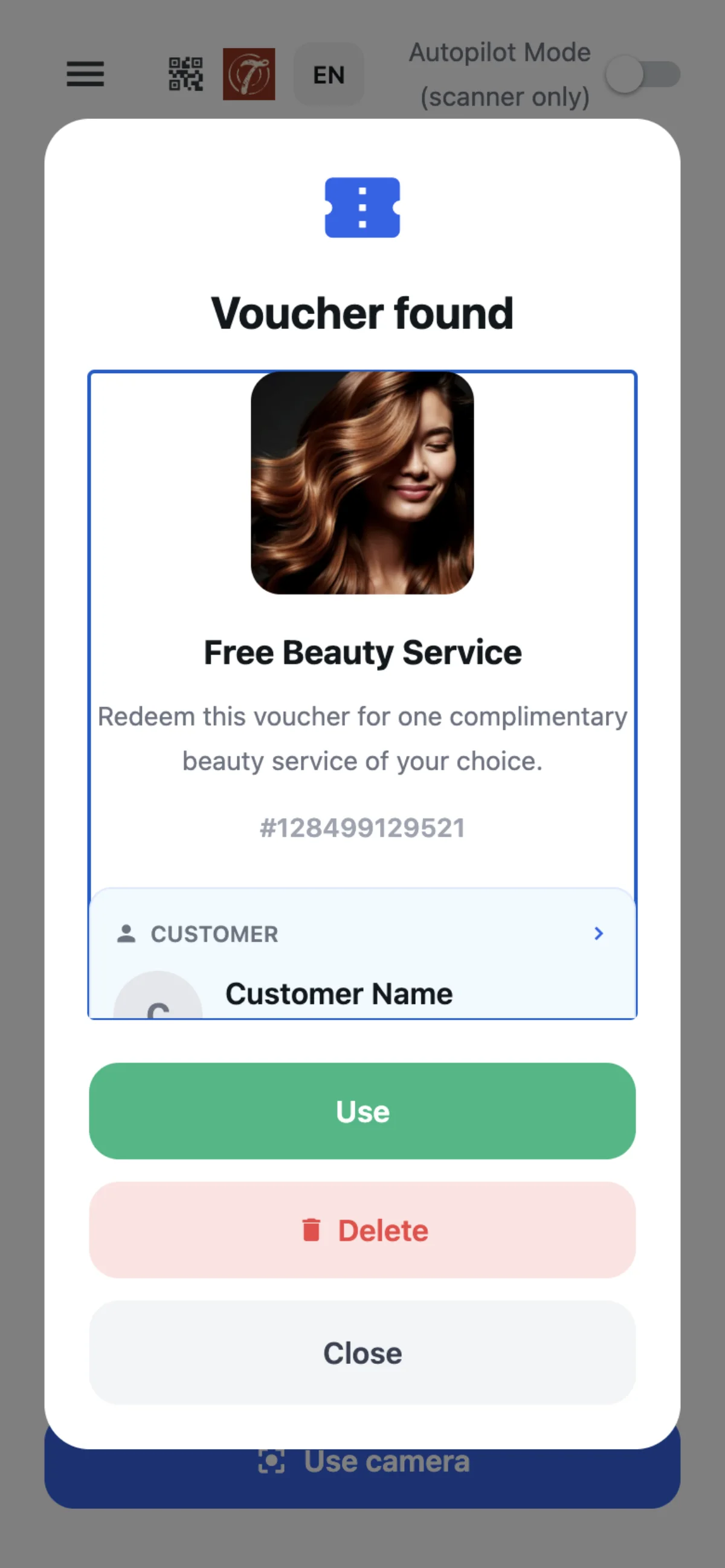
Staff see them in 7Stamp Scanner when the Voucher is unlocked, scanned or found by its code. The wallet pass shows neither: a pass update names only the Voucher.
A Voucher without an image of its own is shown with the icon of the reward stamp it was earned on. A Voucher not earned on a stamp — from a Campaign, Issue Voucher, the birthday greeting or with the card — is shown with the Stamp card’s logo.
Which image formats can I use for a Reward?
PNG, JPG, WEBP, SVG, HEIC, HEIF or AVIF. A HEIC or HEIF photo is turned into a JPG, and a large image is made smaller before it is uploaded. A GIF is not accepted.
Where does the Customer see the Voucher’s description?
In My Vouchers on the card page and when the Voucher is redeemed. The wallet pass shows only the Voucher’s name in its update.
Do staff see the Voucher’s image when they scan it?
Yes. 7Stamp Scanner shows the description and image when a Voucher is unlocked, scanned or found by its code.
My Voucher has no image. What do Customers see?
The icon of the reward stamp it was earned on. A Voucher from a Campaign, Issue Voucher, the birthday greeting or with the card shows the Stamp card’s logo.
Edit a Voucher already issued
A Voucher already issued shows its Voucher’s current name, description, image and Redeem Code, and follows its current Customer self-redemption setting. So editing a Voucher Reward of a Stamp card changes them for the Vouchers your Customers already hold, too.
The end date does not change: it is set when each Voucher is issued, counted from that day for days and months. A new Validity applies only to Vouchers issued after the change. An earned Award, unlike a Voucher, keeps the name, text and image it had when it was earned.
I fixed a typo in my Voucher’s name. Will Customers who already have it see the fix?
Yes. A Voucher already issued shows its Voucher’s current name, description, image and Redeem Code.
I changed the Validity of a Voucher. Does it change the Vouchers already issued?
No. Each Voucher’s end date is set when it is issued. The new Validity applies to Vouchers issued after the change.
If I switch on Customer self-redemption later, can Customers redeem Vouchers they already have?
Yes. A Voucher already issued follows its Voucher’s current Customer self-redemption setting.
Does editing an Award change the Awards already earned?
No. An earned Award keeps the name, text and image it had when it was earned.
Validity
A Voucher’s Validity is one of four options: Never expires, a number of days, a number of months, or a fixed date. Never expires is the default.
Days and months are counted from the day each Voucher is issued, so two Customers’ Vouchers from the same Reward can end on different dates. A fixed date is the same for every Voucher. A Voucher stays valid until the end of its last day in UTC, not in your Business’s time zone.
An expired Voucher cannot be redeemed, by staff or by the Customer, and it leaves the Customer’s My Vouchers list. Stamps never expire: only a Voucher can have an end date.
Do stamps expire?
No. Stamps never expire; only a Voucher can have an end date.
Why do two Customers’ Vouchers from the same Reward end on different dates?
A Validity in days or months is counted from the day each Voucher is issued. Only a fixed date is the same for every Voucher.
Until what time is a Voucher valid on its last day?
Until the end of that day in UTC, not in your Business’s time zone.
Can staff redeem an expired Voucher?
No. An expired Voucher cannot be redeemed by staff or by the Customer.
Customer self-redemption
Customer self-redemption is Off by default. Then only staff can redeem the Voucher, by scanning its QR code or entering the Voucher Code, and the Customer’s app shows the Voucher as a QR code for staff. The Customer has no button to redeem it.
Switched On, it lets the Customer redeem the Voucher themselves in My 7Stamp or in the Chatbot, and then get the Redeem Code.
Kiosk Mode redeems as staff do: the Customer taps Use on the tablet and the Voucher is redeemed whether Customer self-redemption is On or Off.
Can Customers redeem a Voucher themselves?
Only with Customer self-redemption switched On. Then they redeem it in My 7Stamp or in the Chatbot and get the Redeem Code.
Self-redemption is Off, but a Customer redeemed a Voucher on the kiosk. Why?
Kiosk Mode redeems as staff do, so the Voucher is redeemed whether Customer self-redemption is On or Off.
What does the Customer see when self-redemption is Off?
The Voucher as a QR code for staff, with no button to redeem it.
Redeem a Voucher
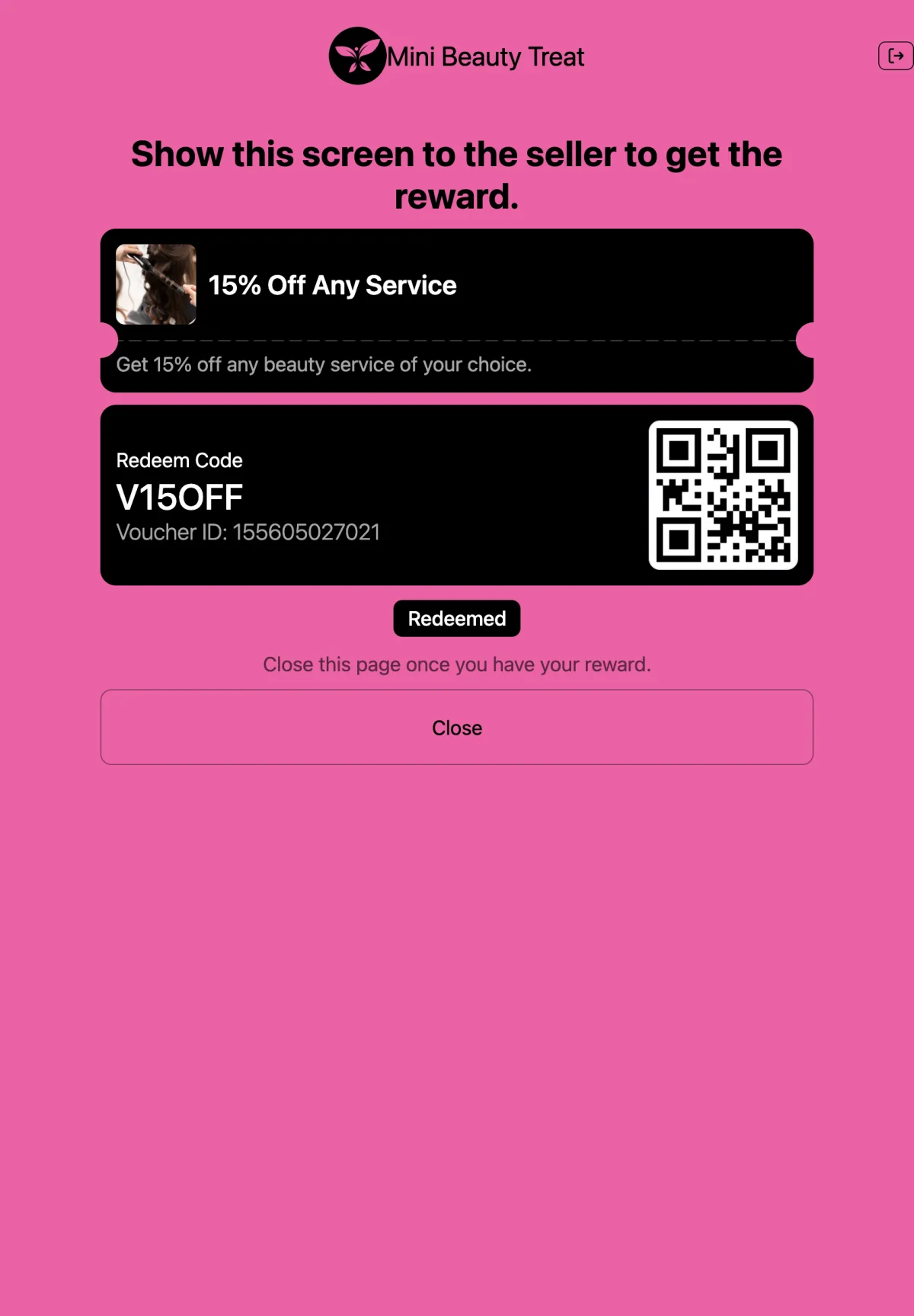
Staff redeem a Voucher in 7Stamp Scanner in one of three ways: scan its QR code, enter the Voucher Code, or open the Vouchers tab of the Customer’s card. Outside Terminal Mode the scanner asks to confirm before marking it used. In Terminal Mode there is no confirmation step; the screen tells staff to apply the discount and hand the reward to the Customer.
Redeeming marks the Voucher Redeemed with the time, the Staff Login that redeemed it and, for an API call, the order it was applied to. A Voucher the Customer redeemed has no Staff Login. The Customer’s pass in the wallet is updated and, when the Business has a Chatbot, the Customer gets a confirmation there.
Redeeming a Voucher is not a Card Operation and costs nothing. Through the API a Voucher is redeemed by its Voucher Code; a call that names its order and is repeated after a lost answer gets the same success back.
How do staff redeem a Voucher?
In 7Stamp Scanner — scan the Voucher’s QR code, enter its Voucher Code, or open the Vouchers tab of the Customer’s card. Outside Terminal Mode the scanner asks to confirm first.
Does redeeming a Voucher use a Card Operation?
No. Redeeming a Voucher is not a Card Operation and costs nothing.
Can I see which Staff Login redeemed a Voucher?
Yes. A redeemed Voucher records the time and the Staff Login that redeemed it. One the Customer redeemed has no Staff Login.
Our till’s API call timed out. If we repeat it, will the Voucher be refused as already redeemed?
Not when the call names its order. The repeated call gets the same success back.
When a Voucher can’t be redeemed
A Voucher can be redeemed once. Two redemptions arriving at the same moment cannot both pass: the second is refused as already redeemed. Staff can redeem only Vouchers of their own Business, and nobody can redeem an expired Voucher.
Staff can delete a Customer’s Voucher in 7Stamp Scanner; it cannot be undone, and a deleted Voucher can no longer be redeemed. When an admin deletes a Customer’s card, its unredeemed Vouchers can no longer be redeemed, while redeemed ones keep their history. Deleting a whole Stamp card is different: Vouchers already issued from it can still be redeemed by staff until they expire.
Can a Voucher be used twice if two tills scan it at the same moment?
No. A Voucher can be redeemed once; the second redemption is refused as already redeemed.
Can staff of another Business redeem my Customer’s Voucher?
No. Staff can redeem only Vouchers of their own Business.
I deleted a Customer’s card. Can they still use its Vouchers?
No. Unredeemed Vouchers of a deleted Customer’s card can no longer be redeemed. Redeemed ones keep their history.
Lottery
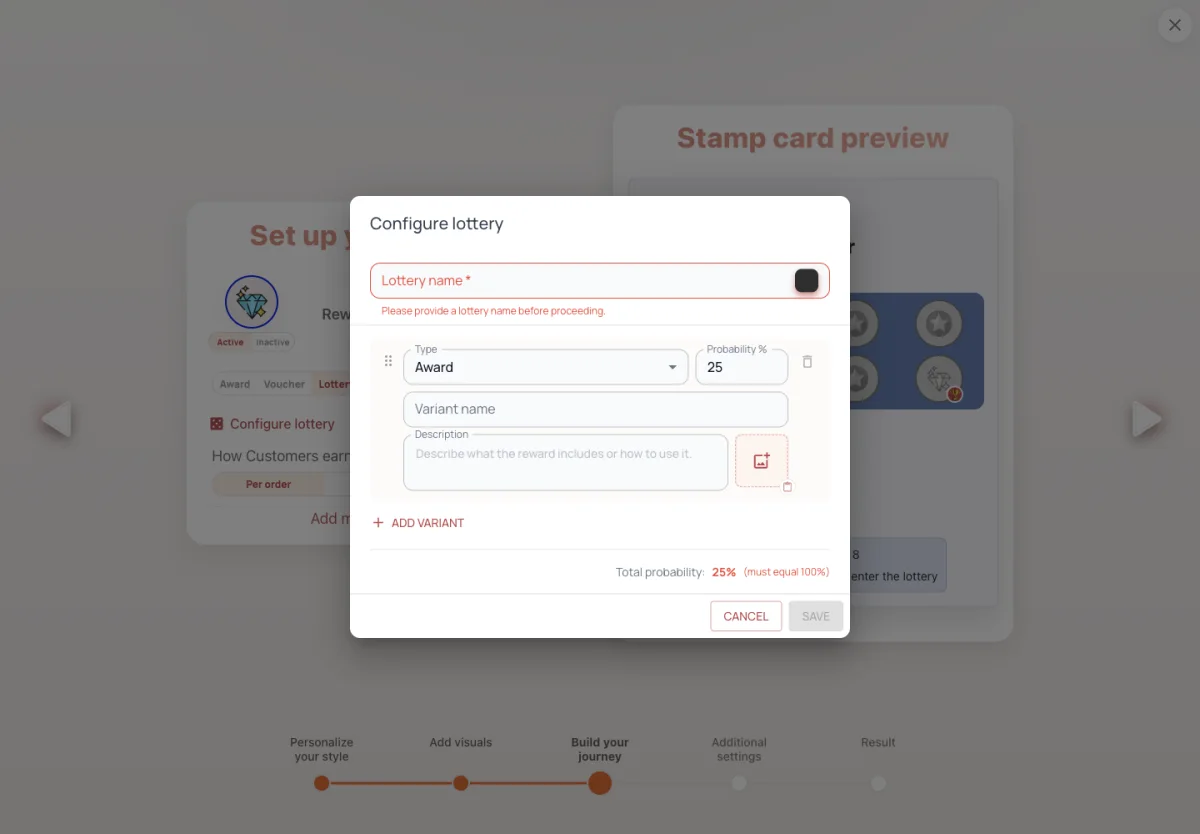
A Lottery is a wheel of fortune on a stamp. Choose Lottery as the Reward type and press Configure lottery: give it a Lottery name and add its variants. Each variant has a type and a probability in percent, and the probabilities must add up to exactly a hundred percent before the Lottery can be saved.
A variant is one of four types:
- Award — handed over at once;
- Voucher — with its own Validity, Redeem Code and Customer self-redemption;
- Spin Again — the wheel spins once more; after ten Spin Again results in a row, the next result is a no-win;
- no-win — the Lottery ends with a message that there is no prize this time, and the Customer gets nothing for that stamp.
Why can’t I save the Lottery?
The probabilities of its variants must add up to exactly a hundred percent, and the Lottery needs a Lottery name.
What can a Lottery variant be?
An Award, a Voucher, Spin Again or a no-win. A Voucher variant has its own Validity, Redeem Code and Customer self-redemption.
Can Spin Again repeat forever?
No. After ten Spin Again results in a row, the next result is a no-win.
When the wheel is spun
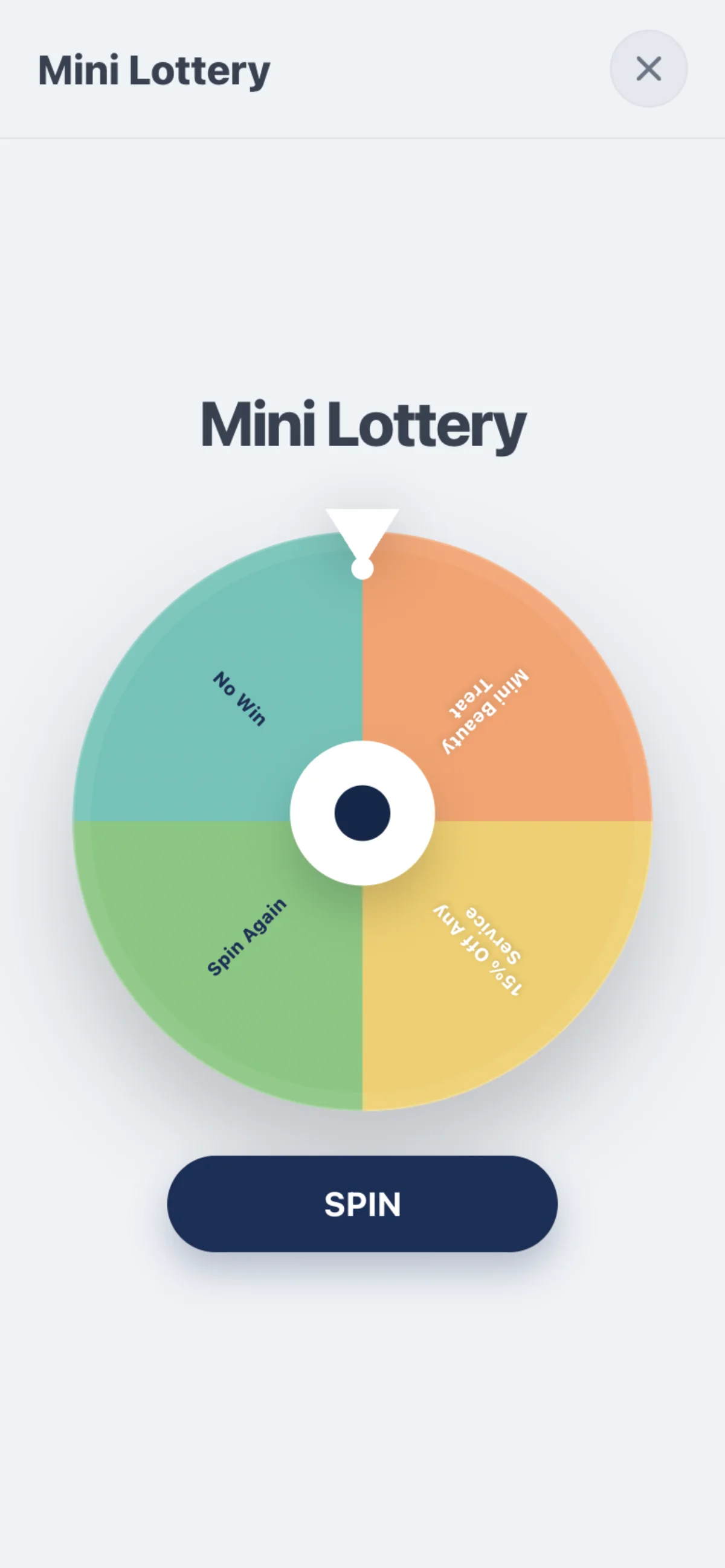
The result is drawn by the server when the stamp is added; the wheel only shows it.
A single Lottery reached by a stamp waits to be spun: in 7Stamp Scanner or Kiosk Mode on the screen, or by the Customer on their card page. Its prize is issued when the wheel stops. A wheel nobody spins is not lost — the Customer is invited to spin it later.
When one stamping reaches several Lotteries, all of them are spun at once by the server and their prizes are issued straight away; the Customer sees the result of each. A POS or API integration can ask for every wheel to be spun at once in the same way, so the cashier tells the Customer the prize and the Customer finds it on the card.
Spinning the wheel is not a separate Card Operation: only the stamp that reached the Lottery is counted.
A stamping by amount reached several rewards, including Lotteries. What happens?
The Customer gets every reward reached. If the stamping reached several Lotteries, the server spins them all at once and issues the prizes; a single Lottery waits to be spun in 7Stamp Scanner, Kiosk Mode or by the Customer on the card page.
Is the Lottery result decided by the spin?
No. The server draws the result when the stamp is added; the wheel only shows it.
Nobody spun the wheel. Is the prize lost?
No. The Customer is invited to spin it later, and the prize is issued when the wheel stops.
Does spinning the wheel use another Card Operation?
No. Only the stamp that reached the Lottery is counted.
Milestone rewards and several rewards at once
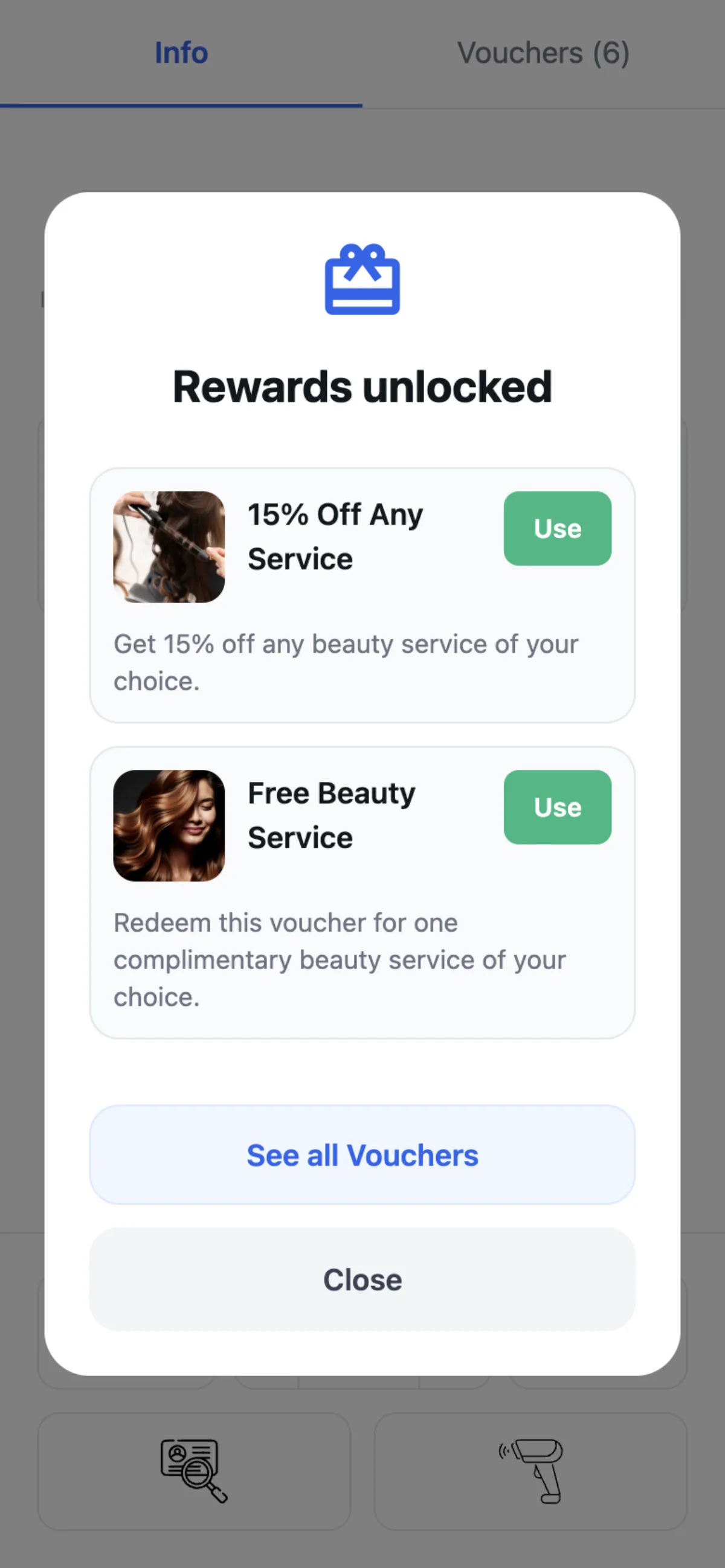
Besides the Reward on the last stamp, a Stamp card can have milestone rewards on earlier stamps, any type, one per stamp. One card can so lead the Customer through several reward goals. There are no Customer tiers or levels: every Customer of a Stamp card moves along the same stamps and rewards. 7Stamp counts stamps, not points; with stamps By amount and a Voucher Reward you can come close to a points program, and a real one is 7Bonuses.
One stamping that passes several reward stamps gives every Reward it passes, and the Customer and staff see the whole list at once.
A full card stays full until the next stamp. That stamp starts a new round from the first stamp, and every Reward on the card can be earned again in each round. Stamps added past the last stamp carry over into the next round, and the Rewards passed in both rounds are all given. Removing stamps takes no Reward back.
Are there Customer tiers, like silver and gold?
No. Instead, one Stamp card can have milestone rewards on several stamps and lead the Customer from goal to goal.
We need points, not stamps.
7Stamp counts stamps. You can come close with stamps By amount and a Voucher Reward; for a real points program there is 7Bonuses.
What happens after the last stamp?
The card stays full until the next stamp, which starts a new round. Every Reward can be earned again in each round.
If I remove stamps, does the Customer lose the Rewards?
No. Awards and Vouchers already earned stay with the Customer.
Vouchers outside the stamps
Three kinds of Voucher are not tied to a stamp:
- Vouchers with the card, set in Additional settings of the Stamp card, are issued together with the Customer’s card, once. A new round does not repeat them, and switching them on later gives nothing to Customers who already hold the card.
- Birthday Voucher is issued with the birthday greeting, on the Customer’s birthday or the number of days before it set in “Send before the birthday”. It needs the greeting switched On and a date of birth the Customer has given.
- Issue Voucher in Marketing tools gives one Voucher to a chosen Customer’s card, as compensation or a goodwill gesture, and the Customer is notified as for any other Voucher. Without a Customer it creates a Voucher tied to no card, to print or download as a PDF with its QR code; only staff can redeem it.
None of them is a Card Operation.
Can I give a Voucher to one Customer by hand?
Yes. Issue Voucher in Marketing tools gives one Voucher to a chosen Customer’s card, and the Customer is notified as for any other Voucher.
I switched on Vouchers with the card. Do Customers who already have the card get them?
No. Vouchers with the card are issued together with the Customer’s card, once; Customers who already hold it get nothing.
Why didn’t a Customer get the Birthday Voucher?
It needs the birthday greeting switched On and a date of birth the Customer has given.
Do these Vouchers use Card Operations?
No. Vouchers with the card, Birthday Vouchers and Vouchers from Issue Voucher are not Card Operations.