
Channels
A Channel is one of three: Email, Chatbot and Wallet push. Settings → Channels has one tab for each.
Each Campaign and each Auto-message trigger goes out on the channels chosen for it, and only to the Customers each channel can reach. A Campaign always includes Wallet push; Email and Chatbot are added to it when the Business has them.
Through the API a Business can send one Customer a Wallet push, an email or both. The API has no Chatbot channel.
How emails are counted against your plan is in Plans and billing, under Emails and messages.
Does every Campaign go out through all my connected channels?
No. Each Campaign and each Auto-message trigger goes out only on the channels chosen for it, and only to the Customers each channel can reach.
Where are the channels set up?
In Settings → Channels, which has a tab for Email, Chatbot and Wallet push.
Can I send a message to a Customer through the API?
Yes — a Wallet push, an email or both. The API has no Chatbot channel.
Wallet push
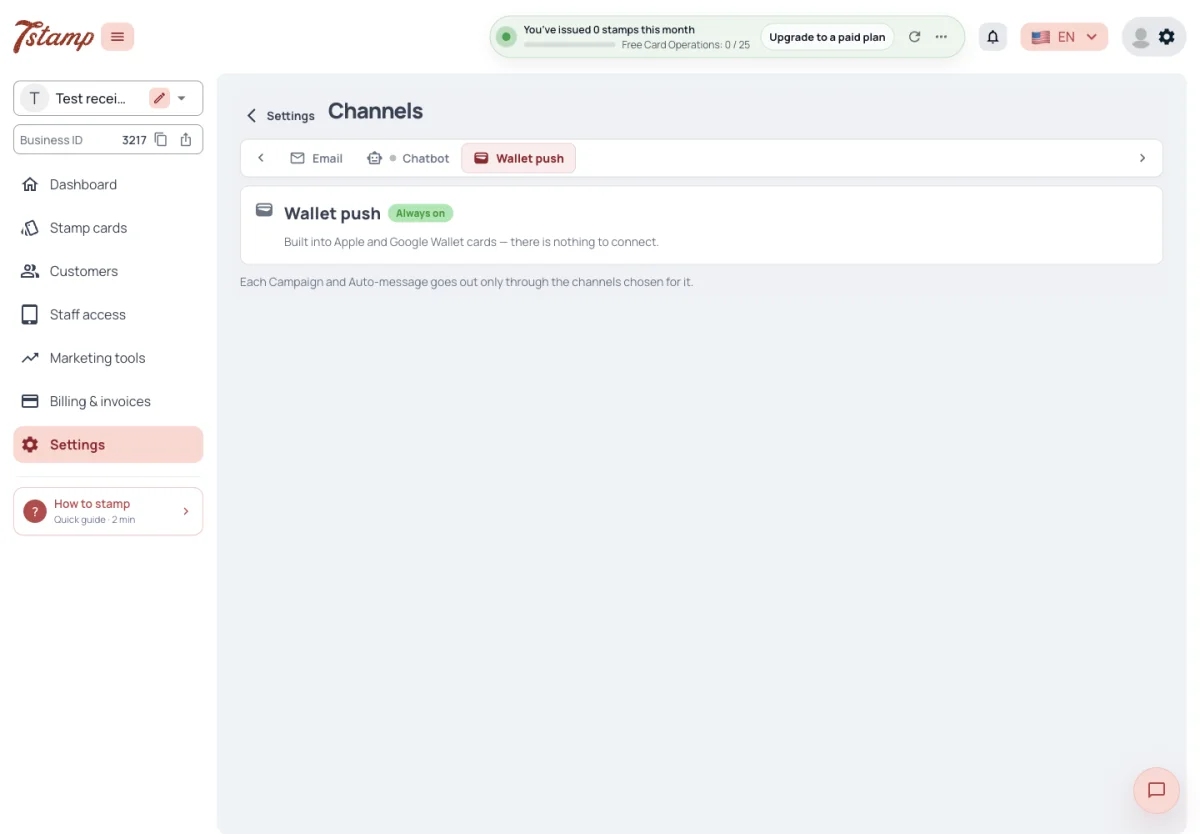
Wallet push is always on and has nothing to connect: Settings → Channels shows it as Always on, and switching emails off does not stop it. A Customer’s Stamp card gets one pass, with an Apple Wallet download and a Google Wallet save link; Apple Wallet and Google Wallet are not switched on or off one by one.
A Wallet push reaches only a Customer whose card is in Apple Wallet or Google Wallet. 7Stamp learns from the wallets when a pass is added or removed.
The pass is updated, and the Customer gets a Wallet push, when stamps are added, a reward or Voucher is unlocked, a lottery is settled, a Voucher is issued from the admin, redeemed or deleted, and for birthday greetings, Campaigns, Auto-messages and messages sent through the API.
When the Customer deletes their account or the Business deletes the Customer’s card, the pass is voided: Apple Wallet greys it out and Google Wallet marks it expired. After that the card gets no updates and no Wallet push.
Do I need to set up Wallet push?
No. Wallet push is always on and has nothing to connect.
Can I offer Apple Wallet but not Google Wallet?
No. Every card gets one pass with both an Apple Wallet download and a Google Wallet save link; they are not switched on or off one by one.
Why didn’t a Customer get the Wallet push of my Campaign?
A Wallet push reaches only a Customer whose card is in Apple Wallet or Google Wallet. A card that was never added to a wallet, or was removed from it, gets none.
What happens to the pass when I delete a Customer’s card?
It is voided — Apple Wallet greys it out and Google Wallet marks it expired — and gets no more updates or Wallet push.
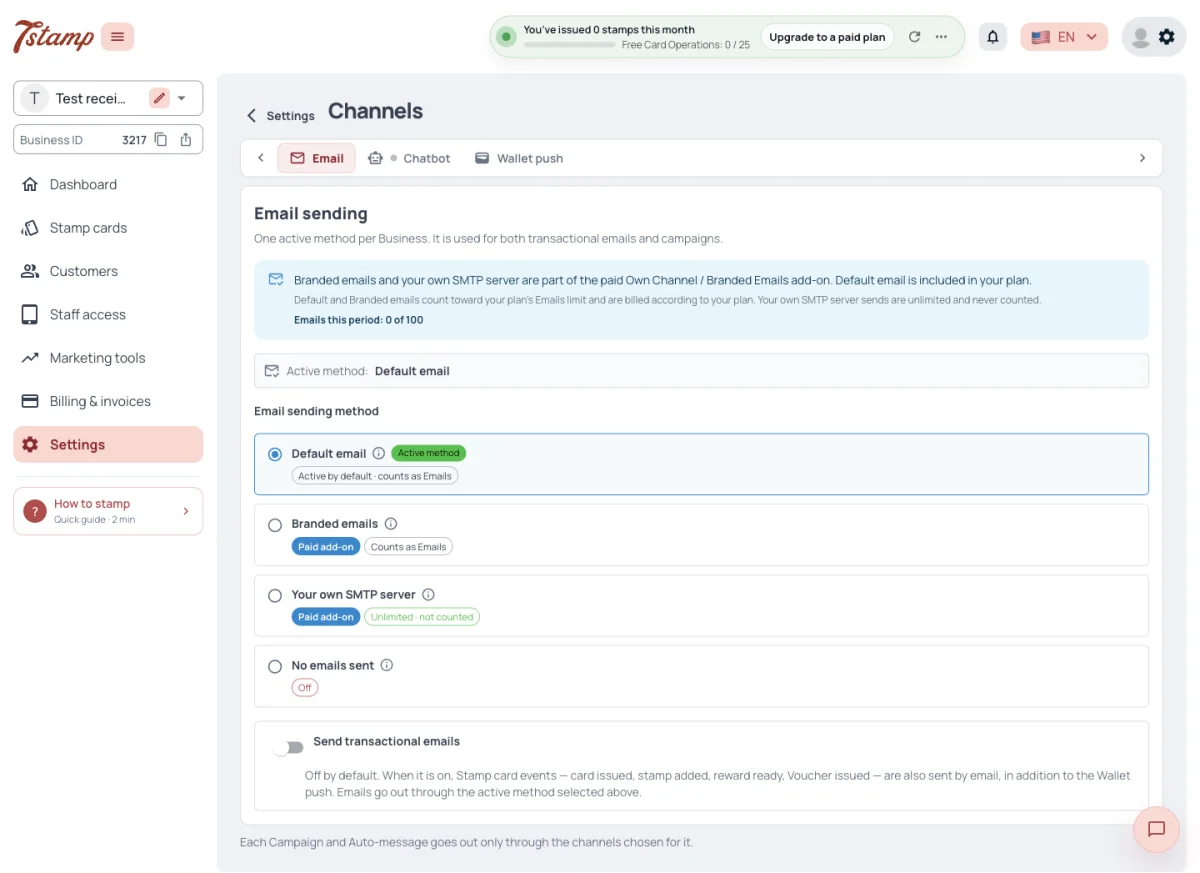
A Business has one active email method, used for every email to its Customers, transactional and marketing alike: Default email, Branded emails, its own SMTP server, or emails switched off.
With emails switched off, no email goes to the Business’s Customers, marketing or transactional. System emails and Wallet push keep going.
Email reaches the Customer at the address of the Google or Apple account they signed in with. A Customer who joined only in the bot may have no email address.
Can I send Campaigns through one method and card-event emails through another?
No. One active method is used for every email to your Customers, transactional and marketing alike.
If I switch emails off, do Customers still get Wallet push?
Yes. Switching emails off stops every email to your Customers; system emails and Wallet push keep going.
Which address do Customer emails go to?
The address of the Google or Apple account the Customer signed in with. A Customer who joined only in the bot may have no email address.
Branded emails and your own SMTP server
Branded emails go from your Business’s own domain through 7Stamp’s servers. With your own SMTP server, the emails go through your server.
Both methods need the Own Channel / Branded Emails add-on, or White Label. Branded emails also need a verified sending domain, and your own SMTP server a successful test send.
A Business on an LTD Access Code without a paid plan sends emails to Customers only through its own SMTP server.
How each method counts against the Emails allowance is in Plans and billing, under Emails and messages; the add-on’s price is there under Add-ons.
What are Branded emails, and how does Own Channel work?
The Own Channel / Branded Emails add-on gives two methods. Branded emails go from your own domain through 7Stamp’s servers; with your own SMTP server the emails go through your server. White Label gives both without the add-on. How each one is counted is in Plans and billing.
Why can’t I choose Branded emails?
Branded emails need the Own Channel / Branded Emails add-on or White Label, and a verified sending domain.
My own SMTP server can’t be made the active method. Why?
Your own SMTP server needs the Own Channel / Branded Emails add-on or White Label, and a successful test send.
I’m on an LTD Access Code without a paid plan. Which email method can I use?
Only your own SMTP server.
Card-event emails
Send transactional emails is off by default. When it is on, a Customer with a confirmed email gets an email about card events, with a button that opens the card page.
A card-event email is sent when a new Stamp card is issued (with the voucher pack that came with it), for stamps and rewards given through 7Stamp Scanner, for a Voucher issued from the admin and for a Campaign’s Voucher. There is none for stamps from fiscal receipts or Stamp Codes.
Do Customers get an email when they get a new Stamp card?
Yes, while Send transactional emails is on — it is off by default. The email has a button that opens the card page.
Do stamps from fiscal receipts or Stamp Codes send an email?
No. Card-event emails cover a new card, stamps and rewards given through 7Stamp Scanner, a Voucher issued from the admin and a Campaign’s Voucher.
Who gets card-event emails?
Customers with a confirmed email, while Send transactional emails is on.
Consent and unsubscribing
On the web, before a card is issued, the Customer ticks “I agree to the Terms of Use and Privacy Policy”, which is required, and may tick “Receive offers and rewards”, which is optional and starts unticked. In the bot the Customer accepts the terms before using it: the quick button accepts the terms and receiving offers together; the other button lets the Customer continue with or without offers.
Campaign emails and birthday greeting emails go only to Customers who agreed to receive offers. Agreeing or not, and unsubscribing, affect emails only: Wallet push and Chatbot messages of Campaigns, Auto-messages and birthday greetings reach a Customer either way.
Campaign emails and card-event emails carry a one-click unsubscribe link and a link to the email preferences page, where the Customer switches marketing and transactional emails off separately for each Business.
Auto-message emails work differently. An Auto-message whose trigger includes Email reaches every Customer it is sent to who has an email address, whether or not they agreed to receive offers or unsubscribed, and the email carries no unsubscribe link. The same holds for an email sent to a Customer through the API. To stop Auto-message emails, take Email off the trigger.
How is consent collected, and how do Customers unsubscribe?
On the web the terms and the offers are two separate boxes, and the offers box starts unticked. In the bot the quick button accepts both together; the other button lets the Customer continue without offers. Campaign emails and card-event emails carry a one-click unsubscribe link.
A Customer unsubscribed. Will they still get Wallet push?
Yes. Consent and unsubscribing affect emails only; Wallet push and Chatbot messages reach the Customer either way.
Can a Customer stop offers but keep card-event emails?
Yes. On the email preferences page marketing and transactional emails are switched off separately, for each Business.
Do Auto-message emails respect unsubscribing?
No. An Auto-message email reaches every Customer it is sent to who has an email address, whether or not they agreed to receive offers or unsubscribed, and it carries no unsubscribe link. To stop them, take Email off the trigger.
Do emails sent through the API check consent?
No. An email sent to a Customer through the API, like an Auto-message email, does not check consent and carries no unsubscribe link.
Chatbot
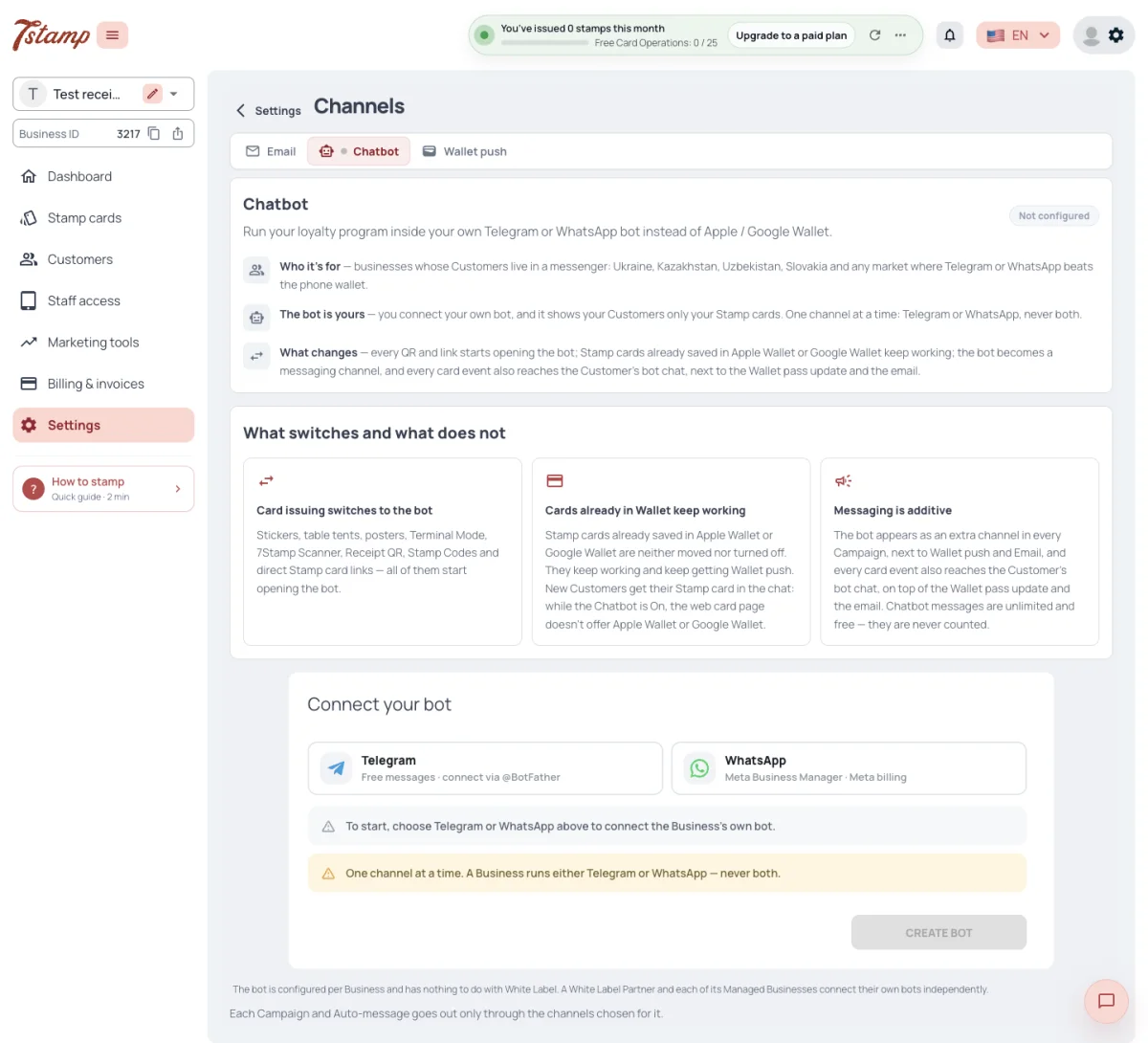
The Chatbot is your Business’s own bot: a Telegram bot connected with the token from @BotFather, or a WhatsApp number connected through your Meta Business Manager. 7Stamp has no shared bot for Customers, and there is no Viber Chatbot.
A Business has one Chatbot at a time, in Telegram or in WhatsApp, never both. It is set up per Business: a White Label partner and each of its Managed Businesses connect their own bots.
Settings → Channels → Chatbot shows Not configured until a bot is connected, then On or Off. Off pauses the bot and keeps its connection and settings; it can be switched back on at any time. Deleting the bot connection removes its webhook and saved credentials and cannot be undone.
7Stamp never counts or charges for Chatbot messages. On WhatsApp, Meta bills the Business directly for marketing template messages under its own pricing; Telegram messages are free.
Can I connect both Telegram and WhatsApp?
No. A Business has one Chatbot at a time, in Telegram or in WhatsApp, never both.
Is there a Viber Chatbot?
No. The Chatbot runs in Telegram or WhatsApp.
Do Chatbot messages cost anything?
7Stamp never counts or charges for them. On WhatsApp, Meta bills your Business directly for marketing template messages; Telegram messages are free.
What is the difference between switching the bot Off and deleting it?
Off pauses the bot and keeps its connection and settings, so you can switch it back on. Deleting removes its webhook and saved credentials and cannot be undone.
Stamp cards with the Chatbot
While the Chatbot is On, the Business’s join QRs and links open the bot, and its web card pages offer neither Apple Wallet nor Google Wallet: a new Customer’s card lives in the chat and on the web card page. Stamp cards already in Apple Wallet or Google Wallet are not moved or switched off: they keep updating and keep getting Wallet push.
In the bot the card is issued right in the chat: a message with the stamps picture and the card’s name, a button that shows the card’s QR and a button that opens the web card page. The bot lists only its own Business’s Stamp cards.
Every card event that updates the pass is also sent to the Customer’s bot chat: stamps, rewards, Vouchers, lottery results, birthday greetings, Campaign messages and redeemed Vouchers. Only Customers who have a chat with the Business’s bot get them, and nothing goes out while the bot is Off.
This is what the Chatbot tab means by the bot becoming the default carrier for transactional messages: card events reach the chat by themselves, with nothing to switch on. They come in addition to the pass update and the card-event email, not instead of them. In a Campaign the Chatbot is only offered: it is used when you tick it.
While the Chatbot is Off, QRs and links open the web card page again and the wallets are offered again. Cards issued in the bot are kept. A wallet, the web card page and the chat are ways of carrying one card with one card number, not different cards.
Do cards work without Apple Wallet and Google Wallet?
Yes. With the Chatbot On, a new Customer’s card lives in your Telegram or WhatsApp chat and on the web card page. The web card page also works on its own — Show my card opens the QR for staff to scan.
Will turning on the Chatbot move cards that are already in Apple Wallet or Google Wallet?
No. They are not moved or switched off; they keep updating and keep getting Wallet push.
If I switch the Chatbot Off, what happens to cards issued in the bot?
They are kept. QRs and links open the web card page again and the wallets are offered again.
Is the card in the chat a different card from the one in the wallet?
No. These are ways of carrying one card with one card number.
Does the Chatbot replace Wallet push for card updates?
No. Card events reach the bot chat by themselves, in addition to the pass update and the card-event email.
Does a Campaign go to the Chatbot automatically?
No. In a Campaign the Chatbot is only offered; it is used when you tick it.
In WhatsApp, when the Customer last wrote to the bot more than twenty-four hours ago, a message is not sent as it is: it waits, and the Customer gets an approved notice template with a button. The waiting messages arrive once the Customer taps it. The notice goes out at most once an hour.
A Campaign’s Chatbot message goes to WhatsApp only as the approved template chosen in the Campaign form, with every template variable filled in; a WhatsApp message without a template is marked Failed. An Auto-message goes as the approved template chosen on its trigger; a trigger without a template sends nothing to WhatsApp. A Campaign’s test send is offered only when the Campaign includes the Chatbot.
The WhatsApp welcome text in the bot’s texts is sent only in reply to Meta’s “first contact” event. Meta no longer sends that event, so Customers do not get this text.
Why do WhatsApp Customers get a notice with a button instead of my message?
The Customer last wrote to the bot more than twenty-four hours ago. The message waits, and arrives once the Customer taps the button of the notice.
Can a Campaign go to WhatsApp as plain text?
No. It goes only as the approved template chosen in the Campaign form, with every variable filled in; without a template the message is marked Failed.
Do Auto-messages reach WhatsApp?
Yes, as the approved template chosen on the trigger. A trigger without a template sends nothing to WhatsApp.
Why don’t Customers get the WhatsApp welcome text?
It is sent only in reply to Meta’s “first contact” event, and Meta no longer sends that event.