
Guide
Branded emails let you send loyalty campaigns from your own verified domain without buying or running a separate email service.
Branded emails let your loyalty messages go out from your own verified domain while 7Stamp handles the email delivery layer. This is useful when customers should see your brand in the sender identity, but you do not want to buy, configure, and maintain a separate email service.
How Branded emails work
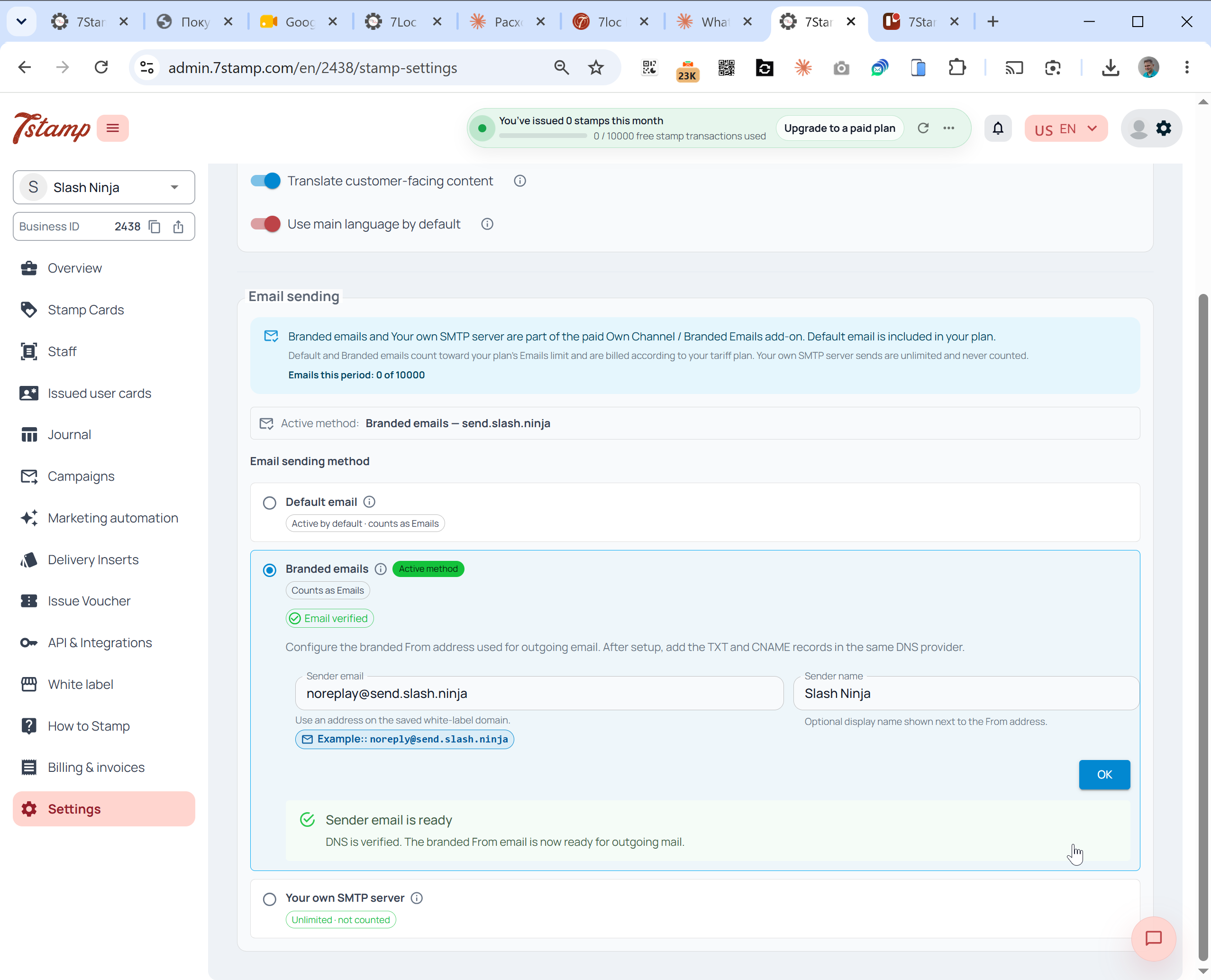
- Open Settings -> Email sending.
- Choose Branded emails.
- Enter the domain or subdomain you want to use, such as
send.yourbrand.com. - Add the DNS records shown by 7Stamp, including SPF and DKIM records.
- Wait until the domain is verified.
- Send a test email.
- Switch the method live.
Billing behavior
Branded emails count toward your plan’s Emails limit because 7Stamp handles delivery. Free Forever includes 100 Emails per month. Growth and Growth Annual include 2,500 Emails per month. Extra Emails on Growth or Growth Annual are billed as overage.
Wallet push notifications are different: they are unlimited and free on every plan. Your own SMTP server is also different: email sent through your own SMTP provider is unlimited and never counted.
White-label and franchises
White-label requires Own Channel / Branded Emails so the branded account has a sender method available. Under White-label, Managed Businesses inherit the parent brand’s email configuration by default. A franchise can use Branded emails to send from the franchise domain while 7Stamp handles delivery.
If the network already has its own email provider, use Your own SMTP server instead.