
Guide
Compare Default email, Branded emails, and Your own SMTP server so you can choose the right sending method for loyalty campaigns.
7Stamp can send marketing email to loyalty customers for campaigns, win-back flows, birthday rewards, broadcasts, and follow-up messages. You choose how that email is sent in Settings -> Email sending. There are three sending methods, and only one method is active at a time.
The three methods at a glance
| Method | From address | Delivery | Counts as Emails? | Add-on needed? |
|---|---|---|---|---|
| Default email | 7Stamp shared sender | 7Stamp | Yes | No - included in your plan |
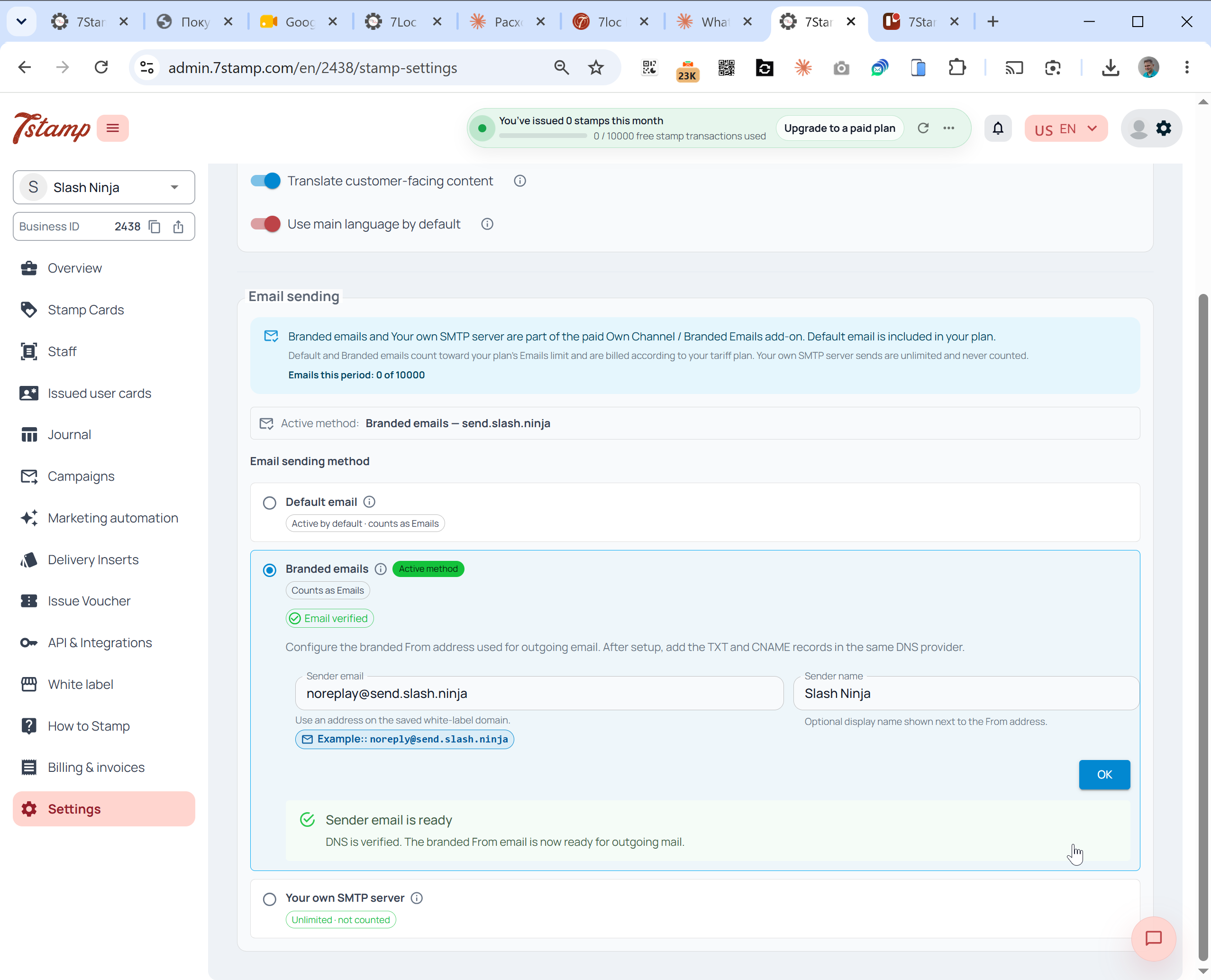
| Branded emails | Your verified domain | 7Stamp | Yes | Own Channel / Branded Emails |
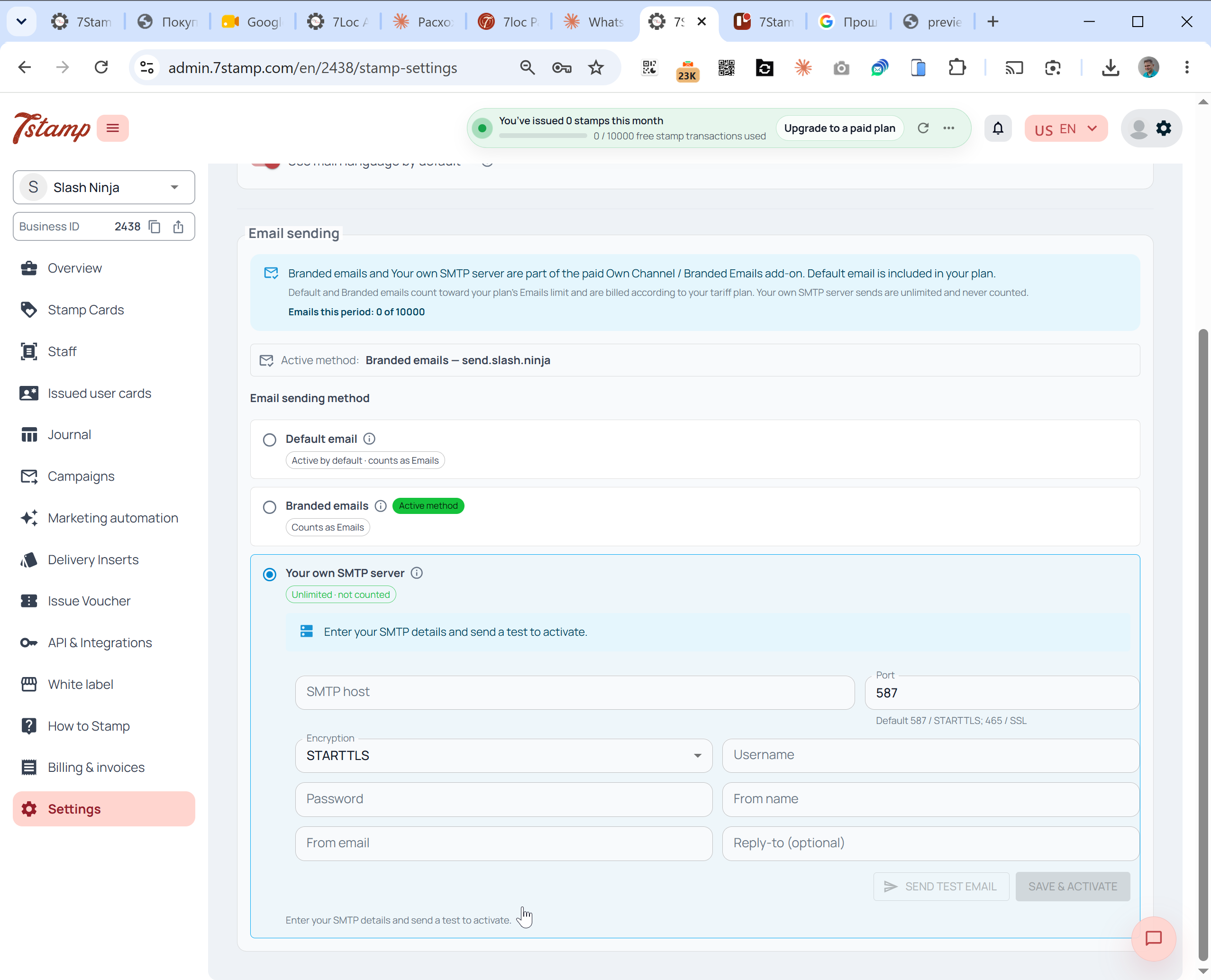
| Your own SMTP server | Your address and your server | Your SMTP provider | No - unlimited, never counted | Own Channel / Branded Emails |
When to use each method
Default email
Use Default email when you want the fastest start. Email goes out from a shared 7Stamp sender and counts toward the plan’s Emails limit. This is enough for testing, small loyalty programs, and first campaign experiments.
Branded emails
Use Branded emails when brand consistency matters. Email goes out from your verified domain, for example noreply@send.yourbrand.com, while 7Stamp handles delivery. You verify the domain with a few DNS records such as SPF and DKIM. Branded emails count toward the plan’s Emails limit.
Your own SMTP server
Use Your own SMTP server when you already have an email provider or expect higher campaign volume. You connect the SMTP host, port, encryption, username, password, From name, From email, and optional Reply-to address. Email sent through Your own SMTP server is unlimited and never counted against your Emails limit.
What counts toward your plan
- Default email and Branded emails count as Emails.
- Your own SMTP server sends are unlimited and never counted.
- Wallet push notifications, the short updates on the saved stamp card, are unlimited and free on every plan.
- Transactional wallet updates for stamp or card state changes are not email campaign usage.
See Pricing for the current limits and Own SMTP server for the setup walkthrough.