
15. Journal — իրադարձությունների մատյան (Card Events)
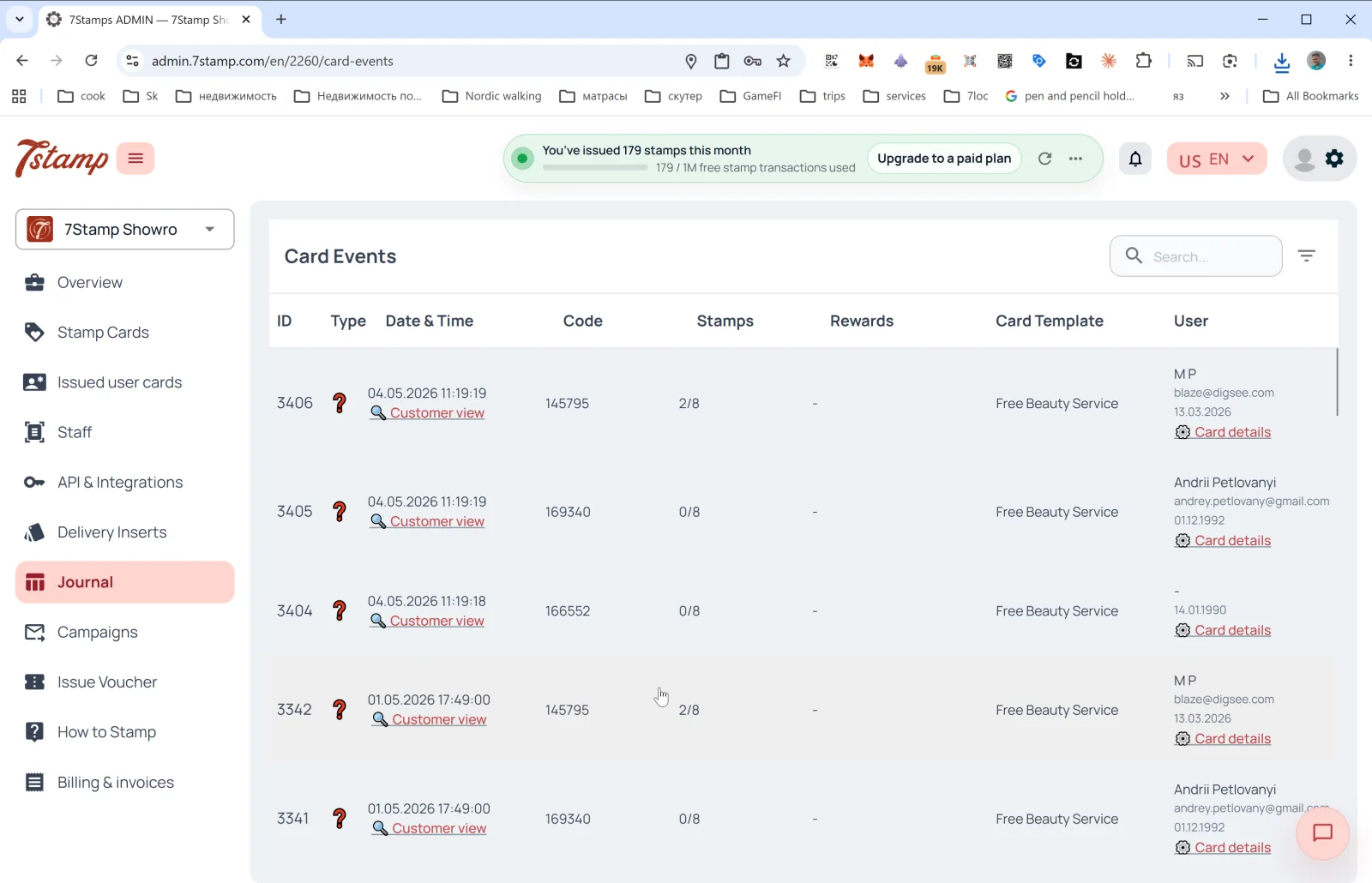
Կողային ընտրացանկի Journal բաժինը քարտերի բոլոր իրադարձությունների ամբողջական մատյանն է։ Ներսում էջի վերնագիրը Card Events է։
Աղյուսակի սյունակներ
- ID — իրադարձության հերթական համարը։
- Type — իրադարձության տեսակը (պատկերակներով)։ Ներառում է քարտի թողարկում, նշման ավելացում, նպատակի հասնում, վաուչերի թողարկում / մարում, վիճակախաղ, ծննդյան օր, արշավի ուղարկում։
- Date & Time — ամսաթիվ և ժամ + 🔍 Customer view հղումը՝ քարտը հաճախորդի աչքերով բացելու համար (տե՛ս ստորև)։
- Code — իրադարձության կոդը (օրինակ՝ թողարկված Delivery Insert-ի կամ Receipt ID-ի)։
- Stamps — նշումների առաջընթացը իրադարձության պահին (
2/8,0/8)։ - Rewards — որ նվերն է ստացվել (եթե կիրառելի է)։
- Card Template — ձևանմուշի անվանումը (
Free Beauty Service,Free Coffee)։ - User — հաճախորդի անունը, էլփոստը, ծննդյան օրը + Card details հղումը (բացում է քարտի մանրամասները
Issued user cards-ում)։
Աղյուսակի վերևում՝ որոնման դաշտը և զտիչը։
Customer view — նախադիտում հաճախորդի աչքերով
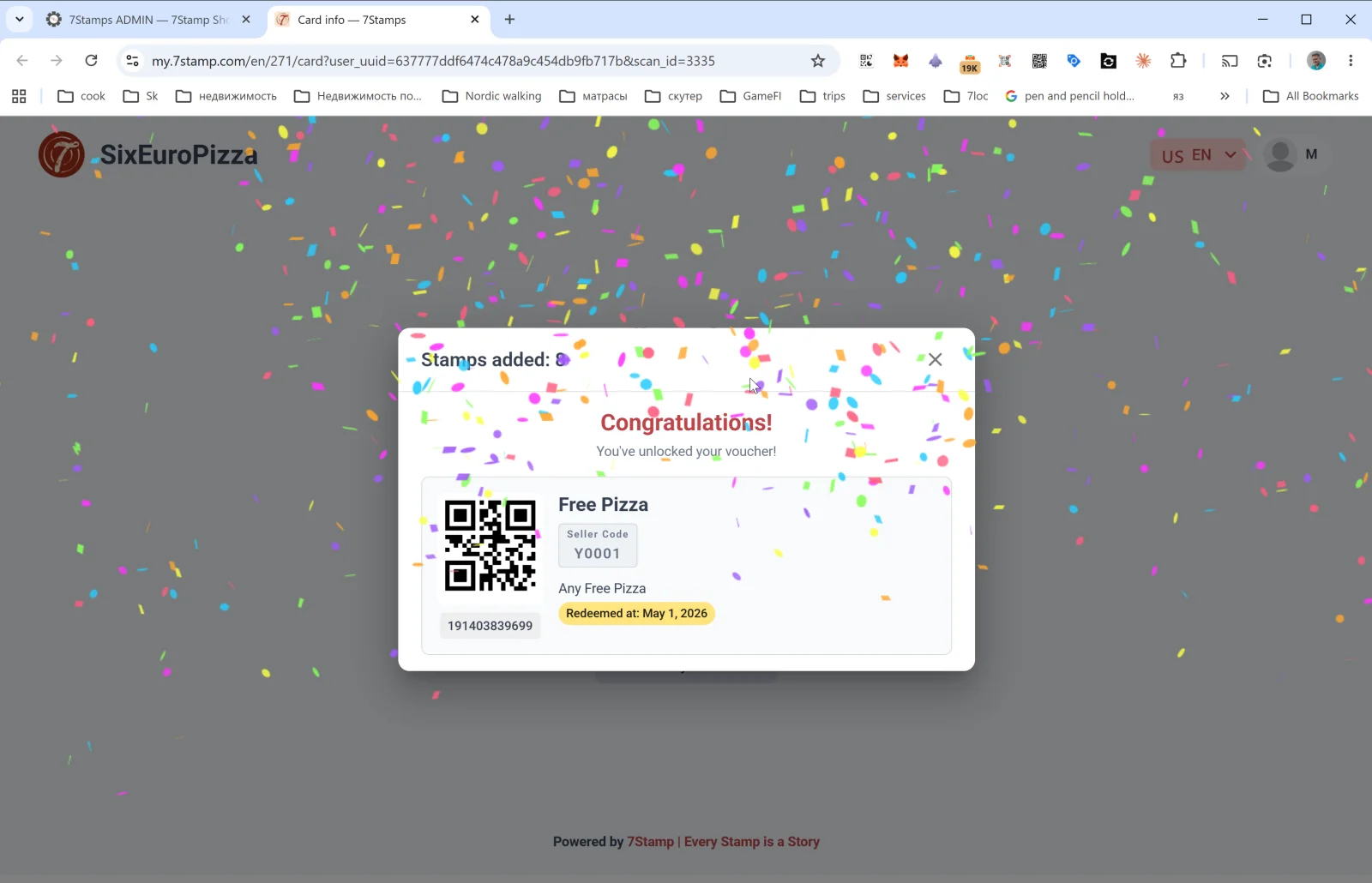
Մատյանի տողի Customer view հղումը բացում է հաճախորդի էջը my.7stamp.com/{lang}/{cardId}/card?user_uuid=...&scan_id=... տիրույթում։ Դուք տեսնում եք.
- Իրական ապրանքանիշը վերևում (լոգո, բիզնեսի անվանում)։
Stamps added: Nթռուցիկ պատուհանը։- Եթե նպատակը հասել է՝ Congratulations! You’ve unlocked your voucher! հաղորդագրությունը կոնֆետիով։
- Վաուչերի քարտը՝ QR կոդ, անվանում, Redeem Code, նկարագրություն, կարգավիճակ (
Redeemed at: <date>, եթե արդեն օգտագործվել է), շտրիխ կոդ։ - Ստորին հատված՝
Powered by 7Stamp | Every Stamp is a Story։
Սա անփոխարինելի գործիք է խնդիրներ պարզելու համար. եթե հաճախորդը բողոքում է, որ «նշումը չավելացավ», բացում եք Customer view-ն ու տեսնում, թե ճիշտ ինչ է նա արել։
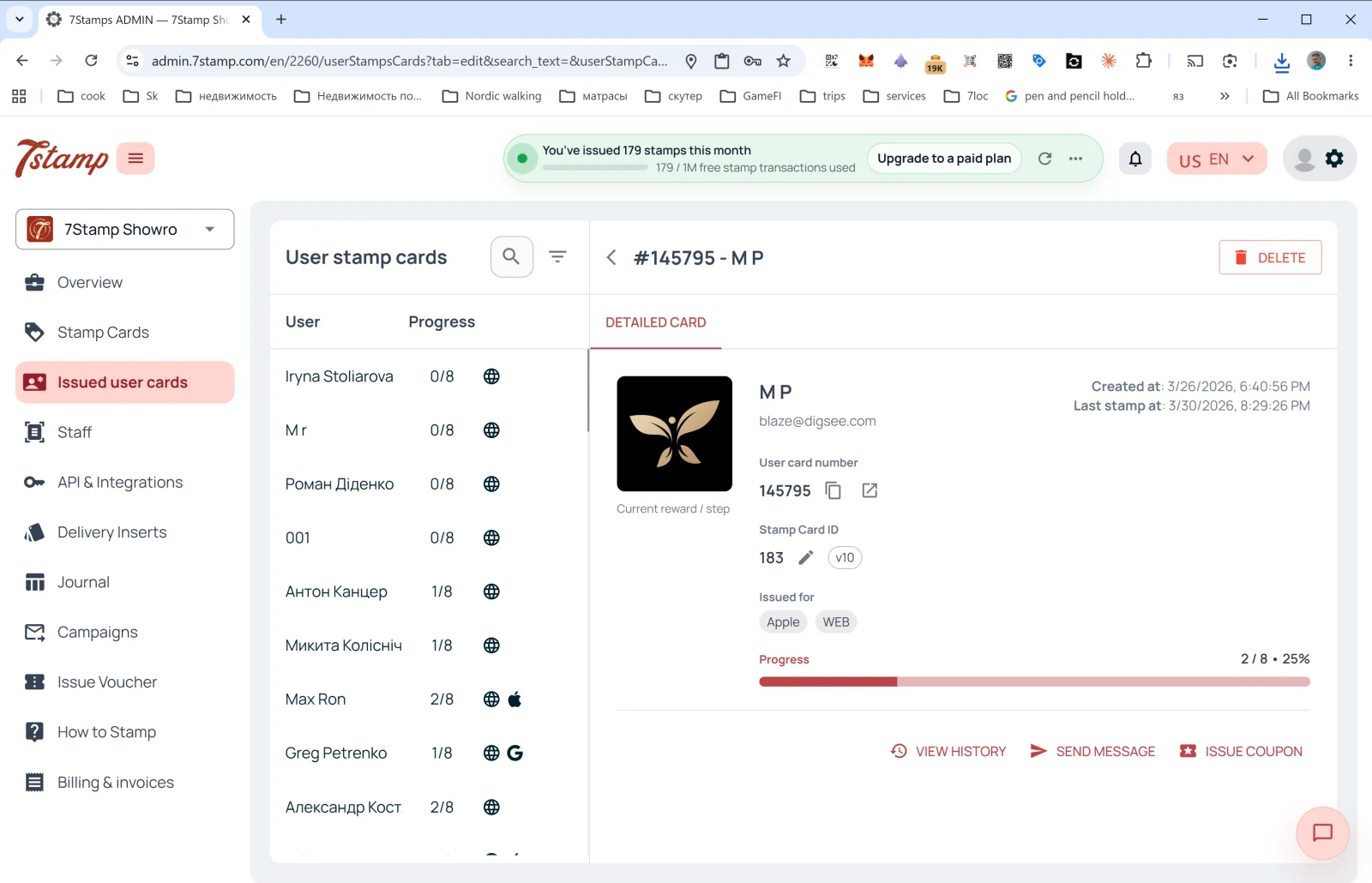
Card details
Journal-ի տողի Card details հղումը տանում է Issued user cards բաժին, որտեղ տվյալ քարտի մանրամասների վահանակն արդեն բաց է։ Այնտեղից կարող եք տեսնել ամբողջ պատմությունը, ուղարկել հաղորդագրություն կամ թողարկել անձնական վաուչեր։
Visual walkthrough
Use the screen sets below as a visual companion to the article. Open any image to inspect it at full size.