
15. Journal — इवेंट लॉग (Card Events)
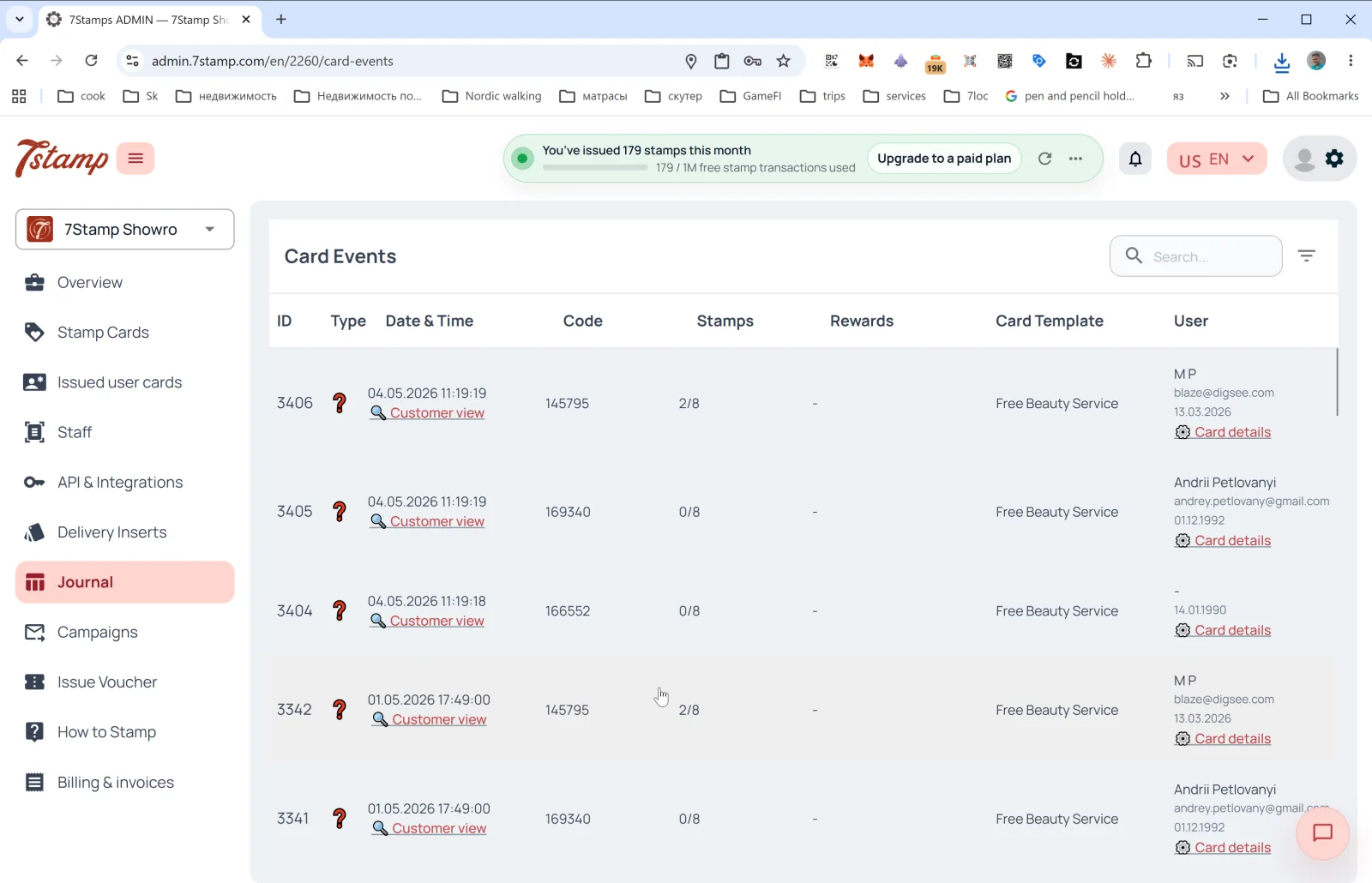
साइड मेन्यू का Journal सेक्शन कार्ड के सभी इवेंट्स का पूरा लॉग है। इसके अंदर पेज का हेडर Card Events है।
टेबल के कॉलम
- ID — इवेंट का क्रम संख्या।
- Type — इवेंट का प्रकार (आइकन)। इसमें कार्ड जारी होना, स्टैम्प जुड़ना, लक्ष्य पूरा होना, वाउचर जारी / रिडीम होना, लॉटरी, जन्मदिन और कैंपेन भेजा जाना शामिल है।
- Date & Time — तारीख और समय + 🔍 Customer view लिंक, जिससे कार्ड को ग्राहक की नज़र से खोला जा सकता है (नीचे देखें)।
- Code — इवेंट कोड (जैसे जारी किया गया Delivery Insert या Receipt ID)।
- Stamps — इवेंट के समय स्टैम्प की प्रगति (
2/8,0/8)। - Rewards — कौन-सा उपहार मिला (अगर लागू हो)।
- Card Template — टेम्पलेट का नाम (
Free Beauty Service,Free Coffee)। - User — ग्राहक का नाम, ईमेल, जन्मदिन + Card details लिंक (
Issued user cardsमें कार्ड का विवरण खोलें)।
टेबल के ऊपर — सर्च फ़ील्ड और फ़िल्टर।
Customer view — ग्राहक की नज़र से प्रीव्यू
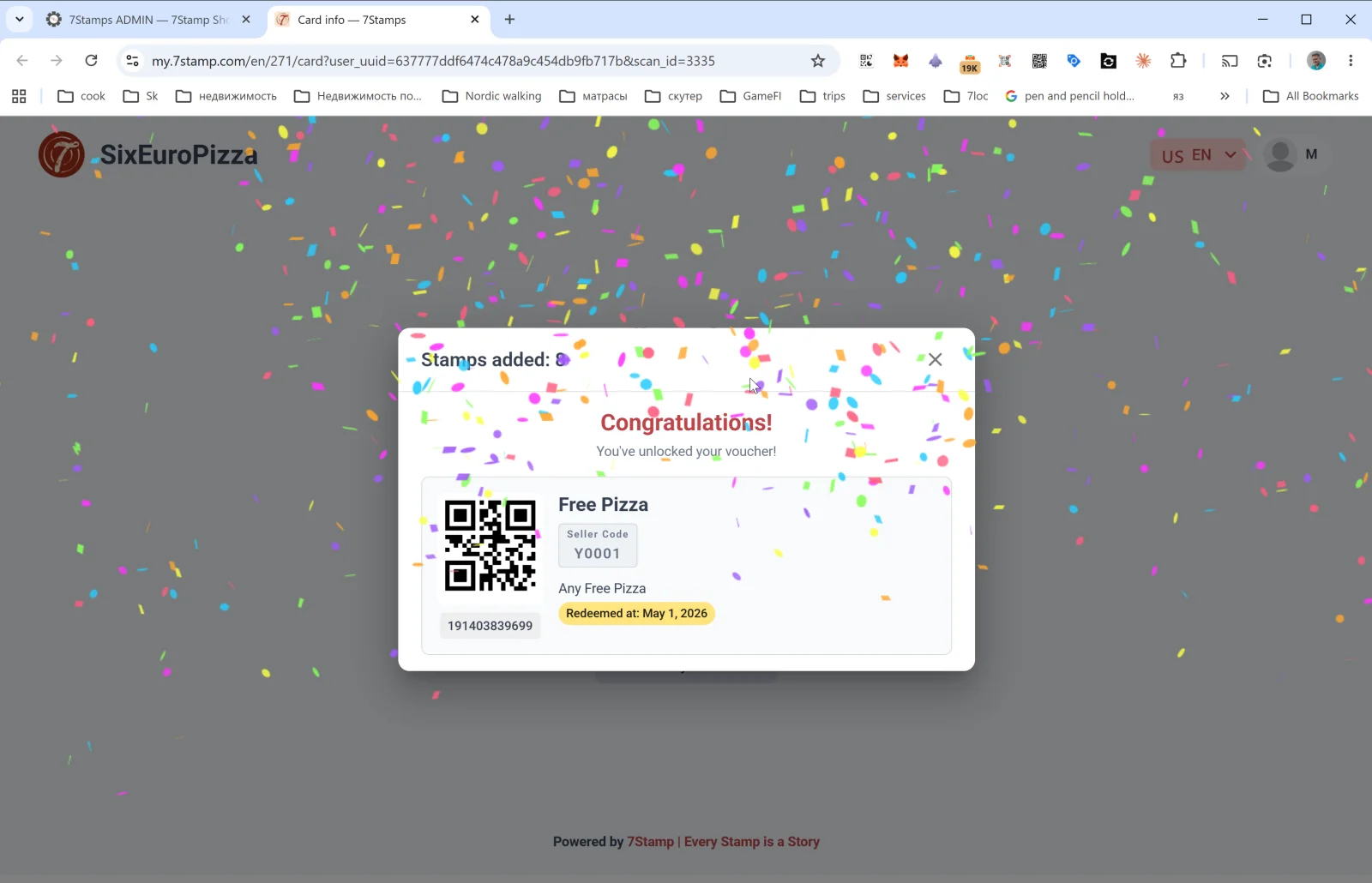
Journal की किसी पंक्ति पर Customer view लिंक my.7stamp.com/{lang}/{cardId}/card?user_uuid=...&scan_id=... डोमेन पर ग्राहक का पेज खोलता है। आप देखते हैं:
- सबसे ऊपर असली ब्रांड (लोगो, व्यवसाय का नाम)।
Stamps added: Nपॉपअप।- अगर लक्ष्य पूरा हो गया हो — कॉन्फ़ेटी के साथ Congratulations! You’ve unlocked your voucher! (बधाई हो! आपने अपना वाउचर पा लिया!)।
- वाउचर कार्ड: QR कोड, नाम, Redeem Code, विवरण, स्थिति (
Redeemed at: <date>— अगर पहले ही इस्तेमाल हो चुका हो), बारकोड। - फ़ुटर:
Powered by 7Stamp | Every Stamp is a Story।
यह डिबगिंग का बेहद ज़रूरी टूल है: अगर ग्राहक शिकायत करे कि “स्टैम्प नहीं लगा”, तो आप Customer view खोलकर ठीक-ठीक देख सकते हैं कि उसने क्या किया।
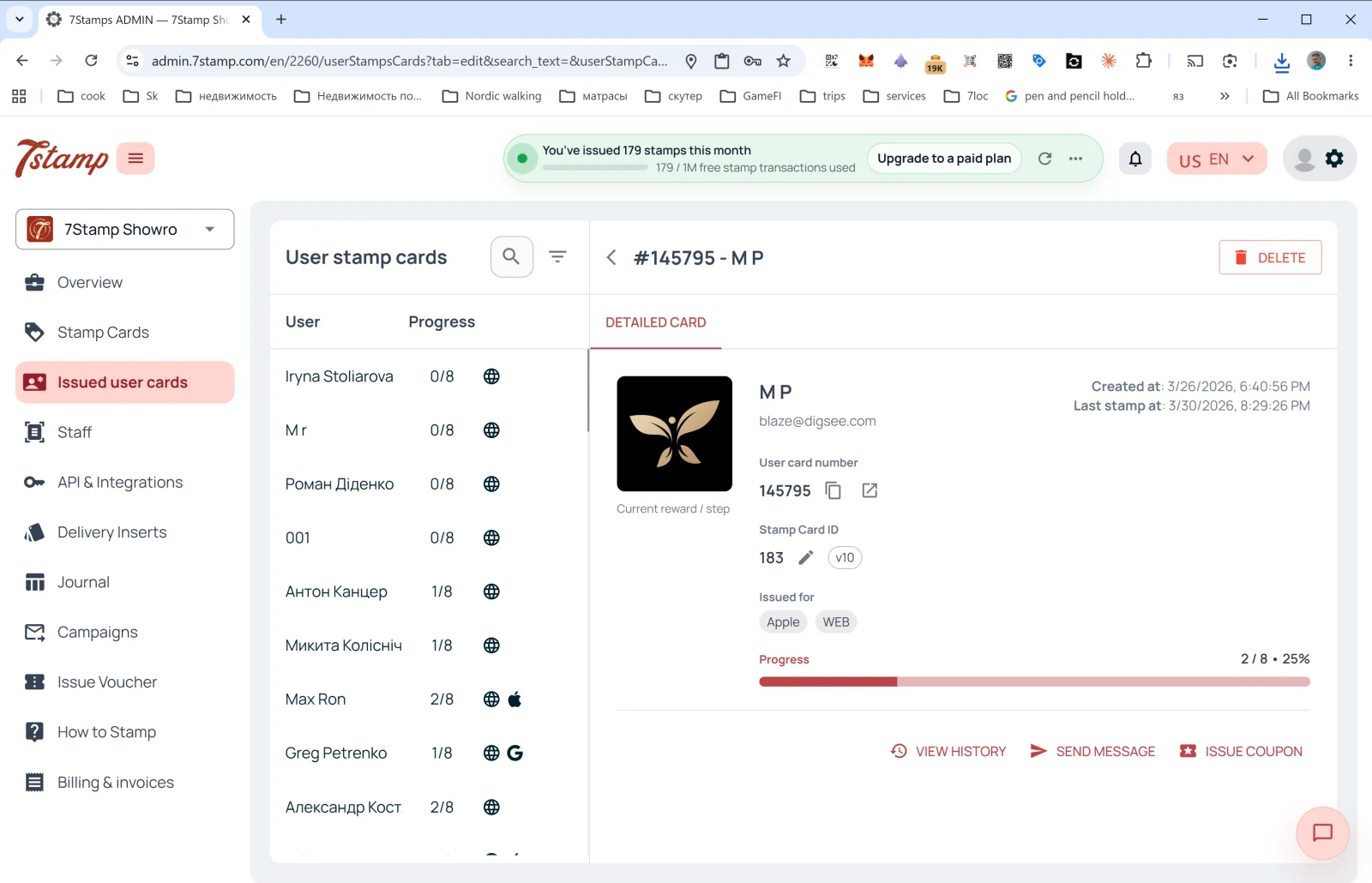
Card details
Journal की किसी पंक्ति पर Card details लिंक Issued user cards पर ले जाता है, जहां उसी कार्ड का डिटेल पैनल पहले से खुला होता है — वहां से आप पूरा इतिहास देख सकते हैं, संदेश भेज सकते हैं या निजी वाउचर जारी कर सकते हैं।
दृश्य मार्गदर्शिका
Use the screen sets below as a visual companion to the लेख. खोलें any image to inspect it at full size.