
15. Journal — บันทึกเหตุการณ์ (Card Events)
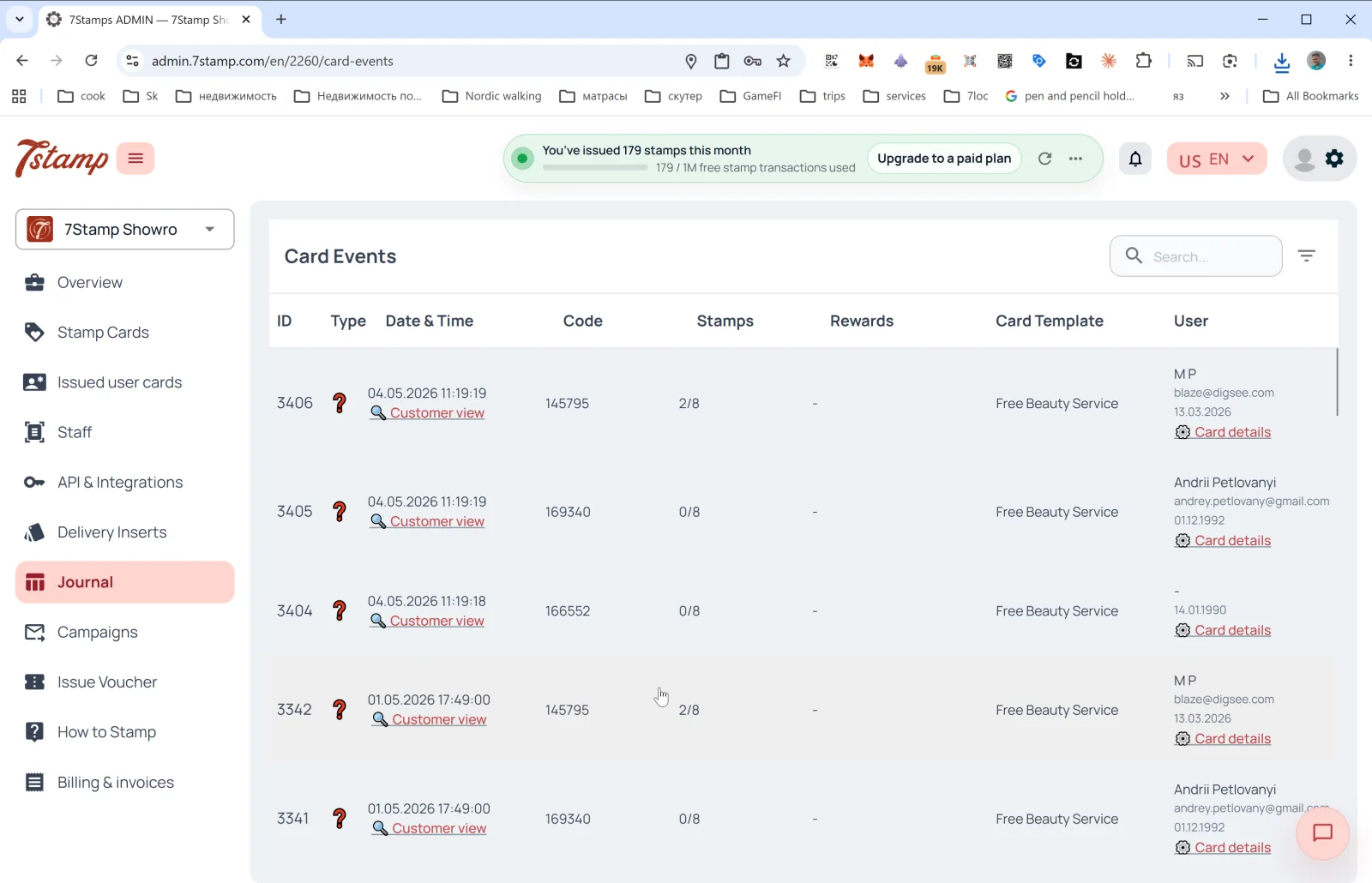
ส่วน Journal ในเมนูด้านข้างคือบันทึกเหตุการณ์ของบัตรทั้งหมดแบบครบถ้วน หัวข้อของหน้าภายในคือ Card Events
คอลัมน์ในตาราง
- ID — หมายเลขลำดับของเหตุการณ์
- Type — ประเภทเหตุการณ์ (ไอคอน) ได้แก่ การออกบัตร การเพิ่มแสตมป์ การบรรลุเป้าหมาย การออก/ใช้สิทธิ์บัตรกำนัล การจับรางวัล วันเกิด และการส่งแคมเปญ
- Date & Time — วันที่และเวลา + ลิงก์ 🔍 Customer view เพื่อเปิดดูบัตรในมุมมองของลูกค้า (ดูด้านล่าง)
- Code — รหัสเหตุการณ์ (เช่น Delivery Insert ที่ออกให้ หรือ Receipt ID)
- Stamps — ความคืบหน้าของแสตมป์ ณ เวลาที่เกิดเหตุการณ์ (
2/8,0/8) - Rewards — ของรางวัลที่ได้รับ (ถ้ามี)
- Card Template — ชื่อเทมเพลต (
Free Beauty Service,Free Coffee) - User — ชื่อ อีเมล และวันเกิดของลูกค้า + ลิงก์ Card details (เปิดรายละเอียดบัตรใน
Issued user cards)
เหนือตารางมีช่องค้นหาและตัวกรอง
Customer view — ดูตัวอย่างในมุมมองของลูกค้า
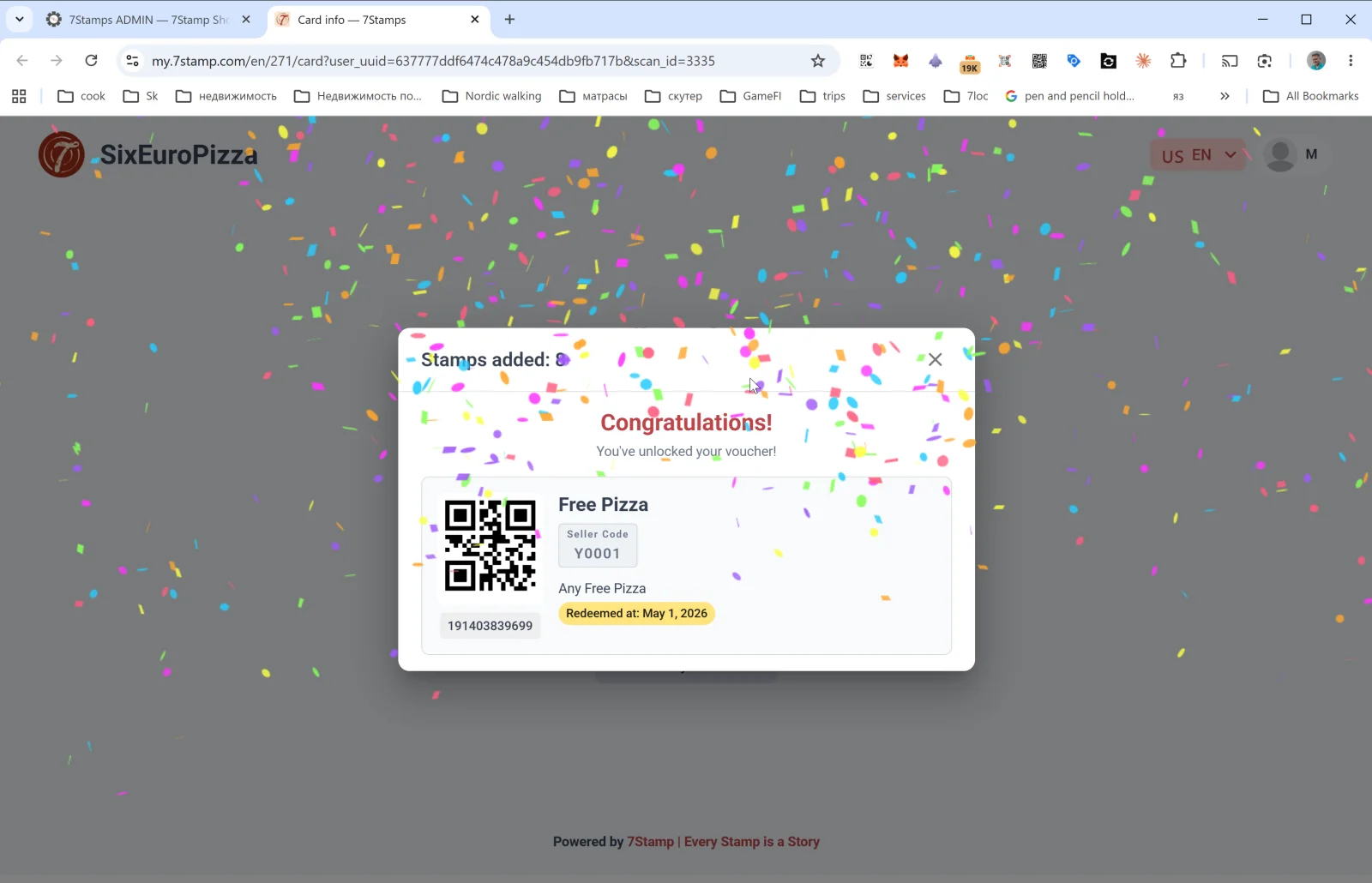
ลิงก์ Customer view ในแถวของ Journal จะเปิดหน้าของลูกค้าบนโดเมน my.7stamp.com/{lang}/{cardId}/card?user_uuid=...&scan_id=... คุณจะเห็น:
- แบรนด์จริงที่ด้านบน (โลโก้ ชื่อธุรกิจ)
- ป๊อปอัป
Stamps added: N - หากบรรลุเป้าหมาย — ข้อความ Congratulations! You’ve unlocked your voucher! (ยินดีด้วย คุณได้รับบัตรกำนัลแล้ว) พร้อมเอฟเฟกต์กระดาษโปรย
- การ์ดบัตรกำนัล: QR code ชื่อ Redeem Code คำอธิบาย สถานะ (
Redeemed at: <date>— หากใช้สิทธิ์แล้ว) และบาร์โค้ด - ส่วนท้าย:
Powered by 7Stamp | Every Stamp is a Story
นี่คือเครื่องมือตรวจสอบปัญหาที่ขาดไม่ได้: หากลูกค้าบ่นว่า “แสตมป์ไม่เข้า” คุณเปิด Customer view แล้วจะเห็นได้ทันทีว่าลูกค้าทำอะไรไปบ้าง
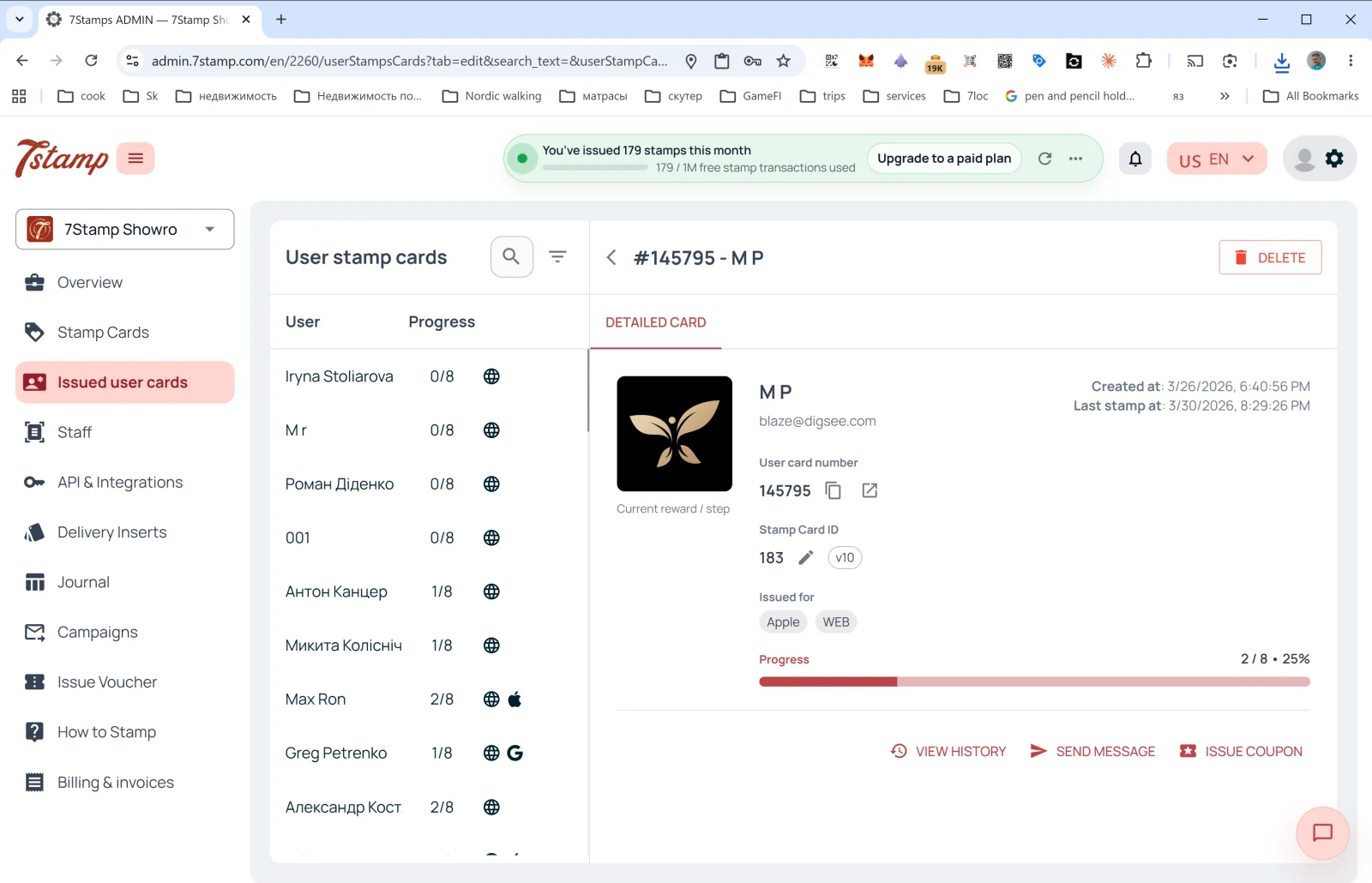
Card details
ลิงก์ Card details ในแถวของ Journal จะพาไปที่ Issued user cards โดยเปิดแผงรายละเอียดของบัตรใบนั้นไว้แล้ว จากตรงนั้นคุณสามารถดูประวัติทั้งหมด ส่งข้อความ หรือออกบัตรกำนัลส่วนตัวได้
คำแนะนำแบบภาพ
ใช้ชุดหน้าจอด้านล่างเป็นตัวช่วยทางภาพสำหรับบทความ คลิกรูปภาพใดก็ได้เพื่อดูในขนาดเต็ม