
15. Journal — hadisələr jurnalı (Card Events)
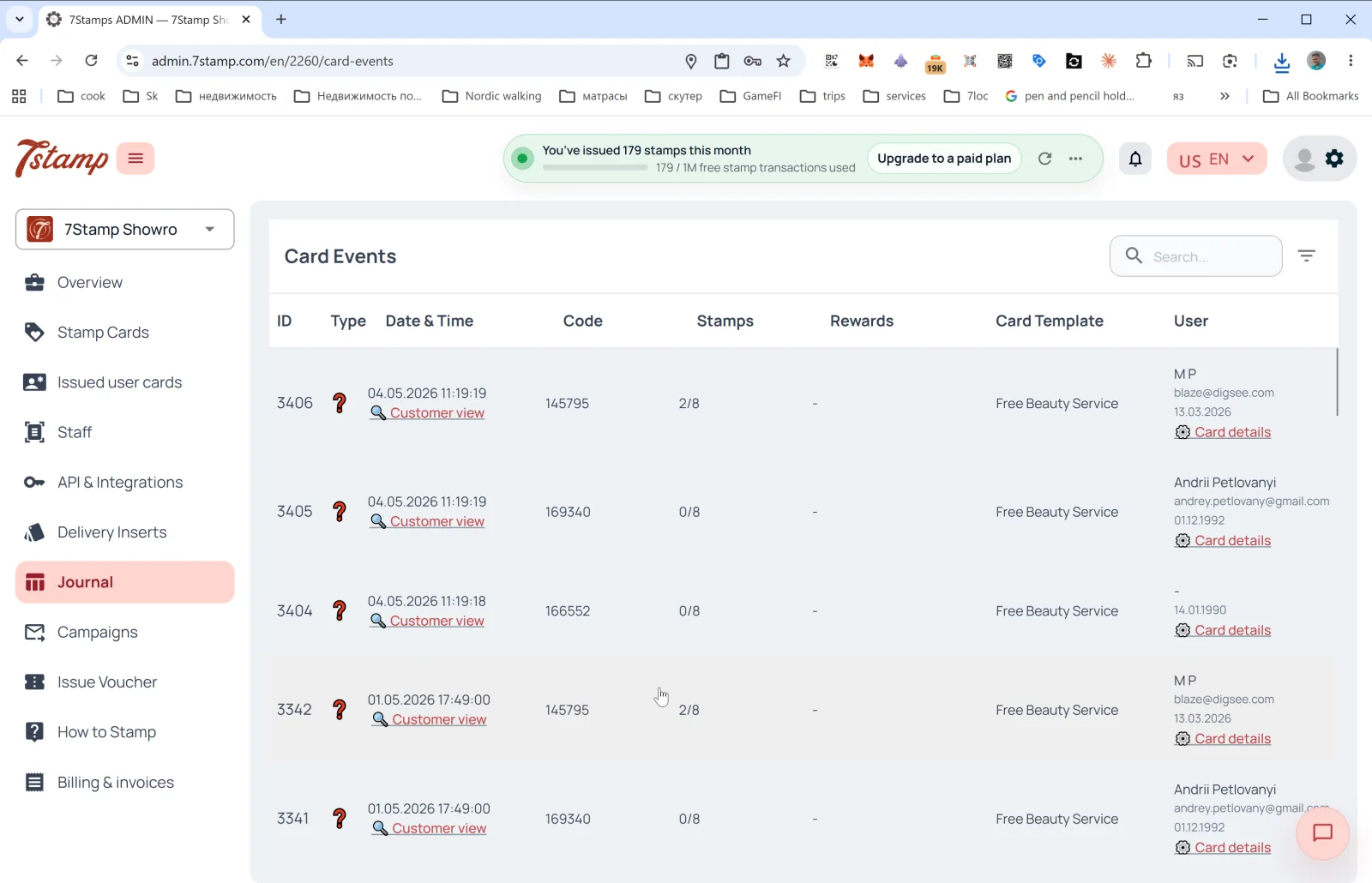
Yan menyudakı Journal bölməsi bütün kart hadisələrinin tam jurnalıdır. Daxildəki səhifə başlığı Card Events-dir.
Cədvəl sütunları
- ID — hadisənin sıra nömrəsi.
- Type — hadisə növü (ikonlar). Kartın verilməsi, möhürün əlavə edilməsi, məqsədə çatma, vauçerin verilməsi / istifadəsi, lotereya, ad günü və kampaniyanın göndərilməsi daxildir.
- Date & Time — tarix və vaxt + kartı müştərinin gözü ilə açmaq üçün 🔍 Customer view keçidi (aşağıya baxın).
- Code — hadisə kodu (məsələn, verilmiş Delivery Insert və ya Receipt ID).
- Stamps — hadisə anında möhür irəliləyişi (
2/8,0/8). - Rewards — hansı hədiyyənin düşdüyü (əgər varsa).
- Card Template — şablonun adı (
Free Beauty Service,Free Coffee). - User — müştərinin adı, e-poçtu, ad günü + Card details keçidi (kart təfərrüatlarını
Issued user cardsbölməsində açır).
Cədvəlin üstündə — axtarış sahəsi və filtr.
Customer view — müştərinin gözü ilə önizləmə
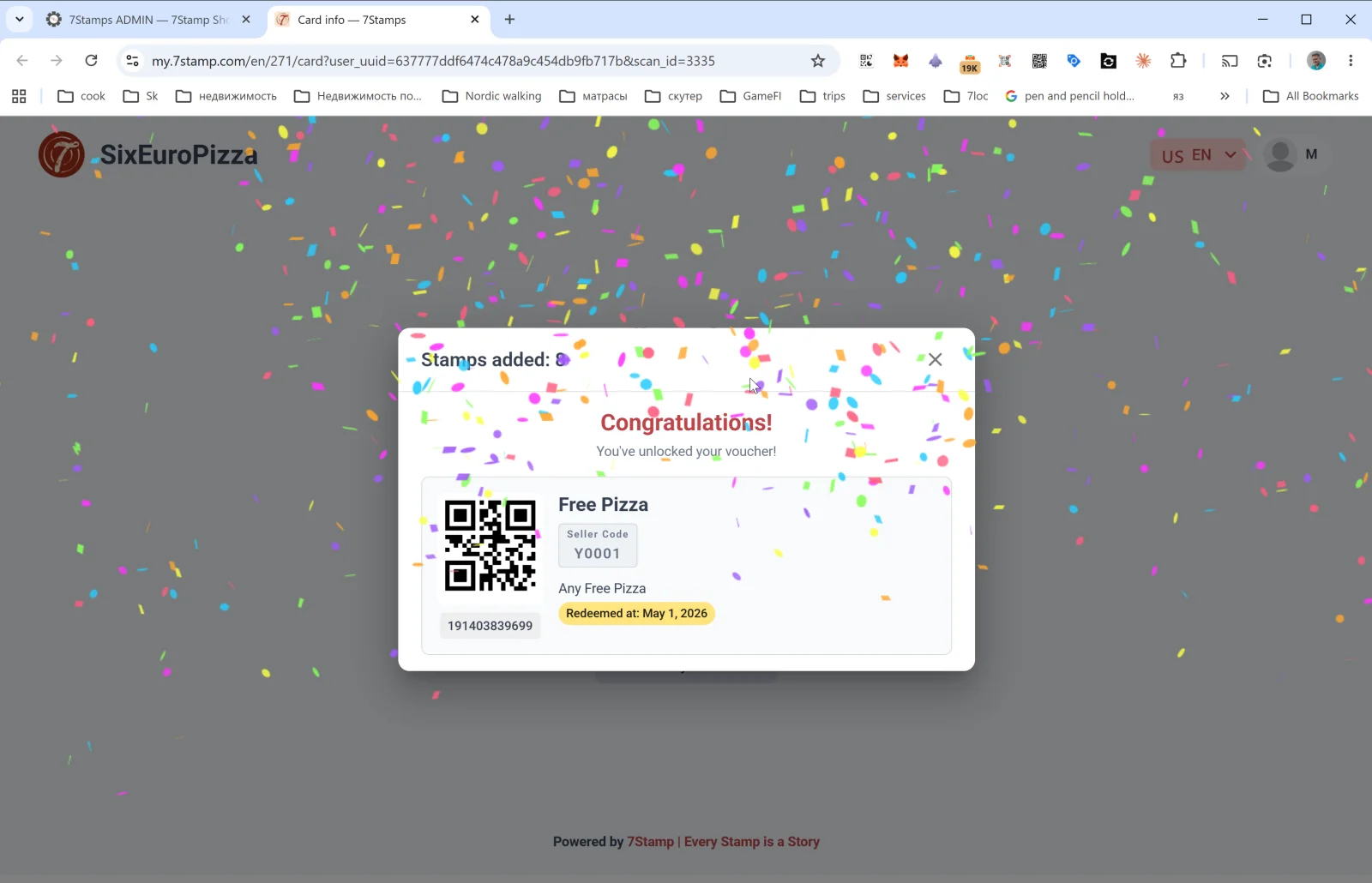
Jurnal sətrindəki Customer view keçidi müştəri səhifəsini my.7stamp.com/{lang}/{cardId}/card?user_uuid=...&scan_id=... domenində açır. Siz bunları görürsünüz:
- Yuxarıda real brend (loqo, biznesin adı).
Stamps added: Npəncərəsi.- Məqsədə çatılıbsa — konfetti ilə Congratulations! You’ve unlocked your voucher! mesajı.
- Vauçer kartı: QR kod, ad, Redeem Code, təsvir, status (
Redeemed at: <date>— artıq istifadə olunubsa), ştrix-kod. - Alt hissə:
Powered by 7Stamp | Every Stamp is a Story.
Bu, əvəzolunmaz diaqnostika alətidir: müştəri “möhür vurulmadı” deyə şikayət edirsə, Customer view-u açır və onun nə etdiyini dəqiq görürsünüz.
Card details
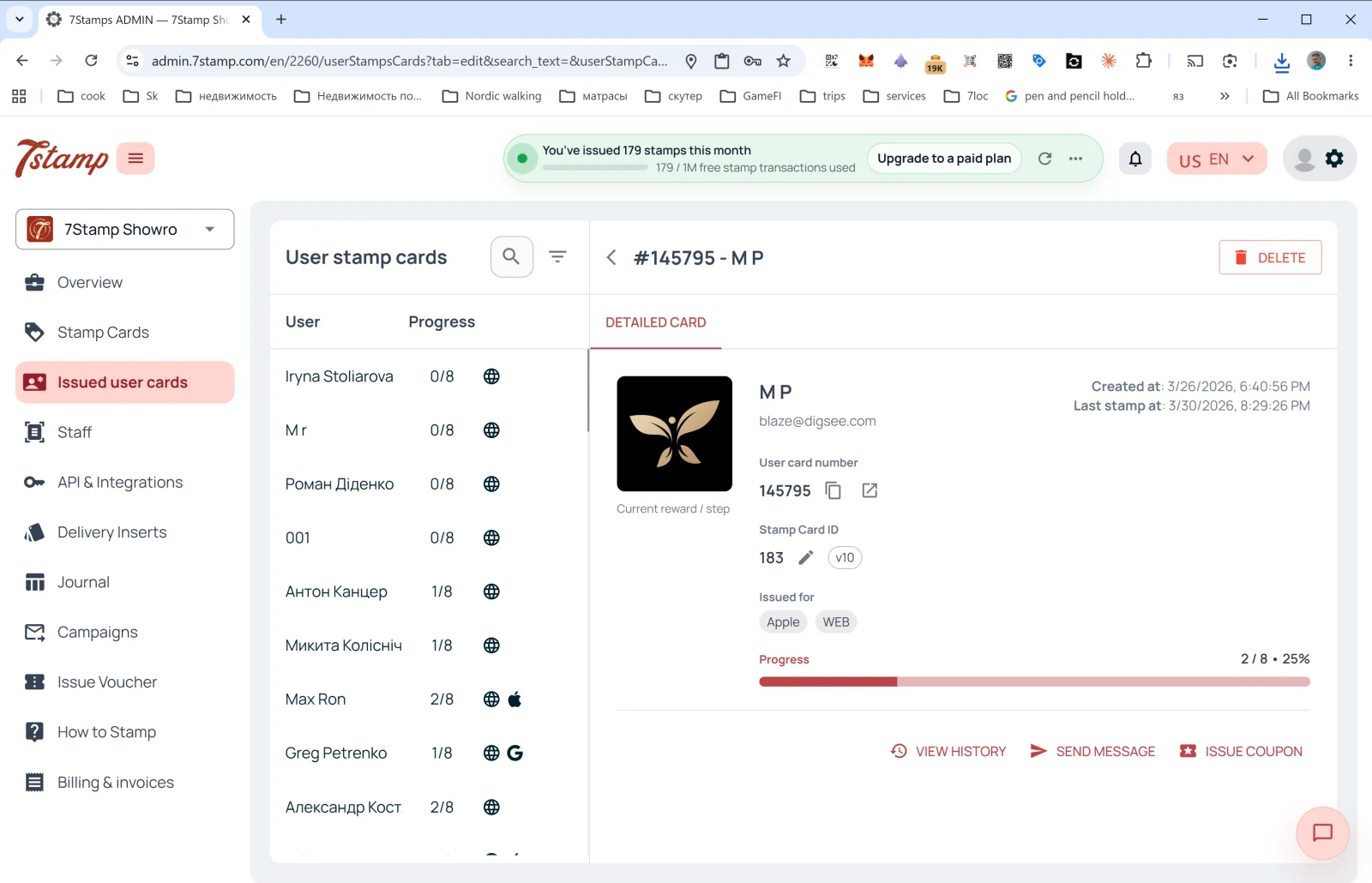
Journal sətrindəki Card details keçidi həmin konkret kart üçün təfərrüatlar paneli artıq açıq halda Issued user cards bölməsinə aparır — oradan tam tarixçəni görə, mesaj göndərə və ya fərdi vauçer verə bilərsiniz.
Vizual izah
Aşağıdakı ekran dəstlərindən məqaləyə vizual köməkçi kimi istifadə edin. İstənilən şəkli tam ölçüdə görmək üçün açın.