Reference 운영

Journal — event log (카드 Events)

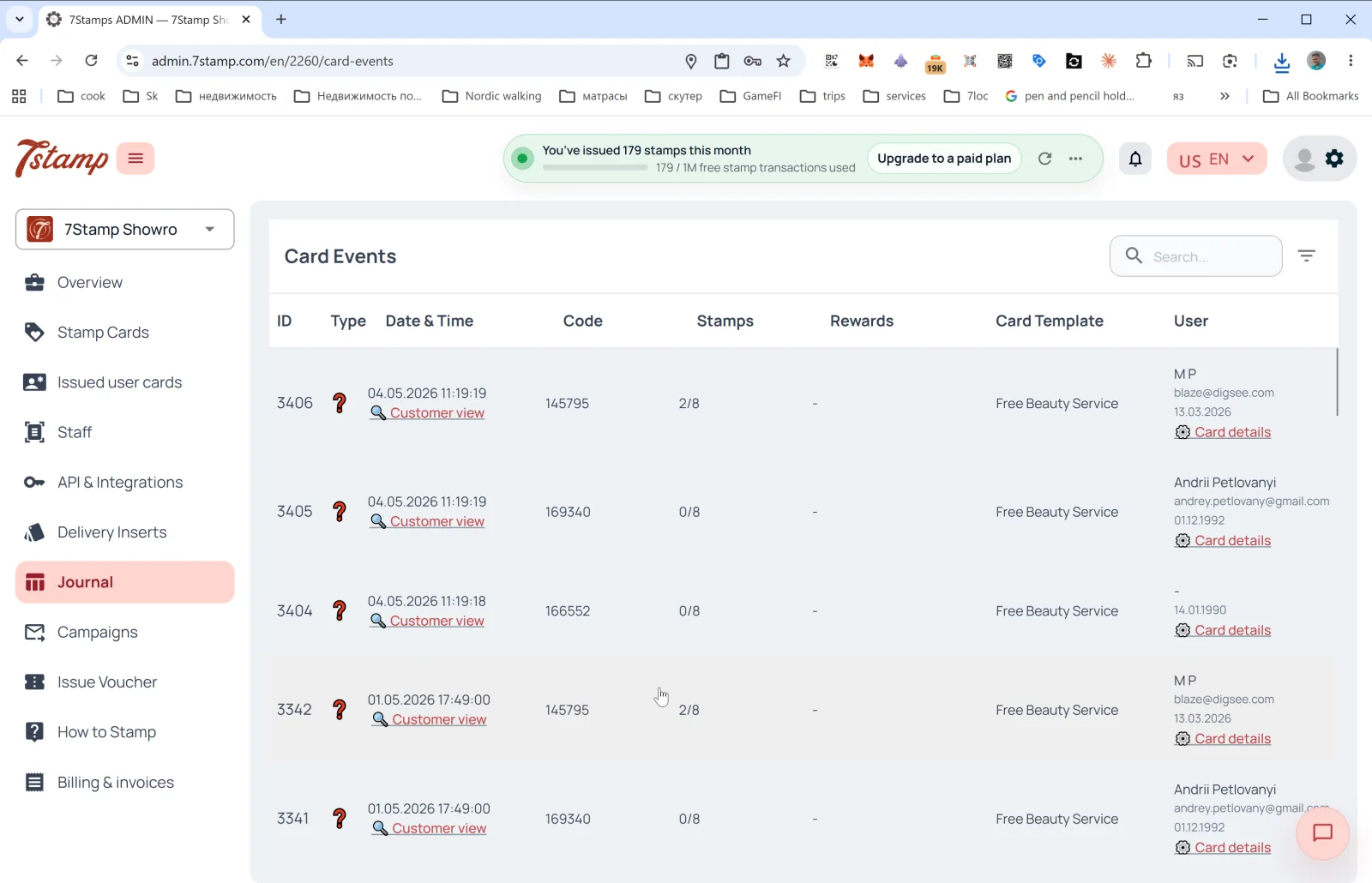
The Journal 섹션 in the side menu is the full log of all 카드 events. The page header inside is 카드 Events.

빠른 읽기

업데이트됨: 2026년 5월 25일

15. Journal — event log (카드 Events)

0801 Journal

The Journal 섹션 in the side menu is the full log of all 카드 events. The page header inside is 카드 Events.

Table columns

  • ID — event sequence number.
  • Type — event type (icons). Includes 카드 issuance, 스탬프 added, goal reached, voucher issued / redeemed, lottery, birthday, 캠페인 sent.
  • Date & Time — date and time + the 🔍 고객 view link to 열기 the 카드 through the 고객’s eyes (see below).
  • Code — event code (e.g., the issued 배달 Insert or Receipt ID).
  • 스탬프 — 스탬프 progress at the time of the event (2/8, 0/8).
  • 보상 — which gift dropped (if applicable).
  • 카드 Template — the template name (Free 뷰티 Service, Free Coffee).
  • User — 고객 name, email, birthday + 카드 details link (열기 카드 details in Issued user 카드).

Above the table — the 검색 field and filter.

고객 view — preview through the 고객’s eyes

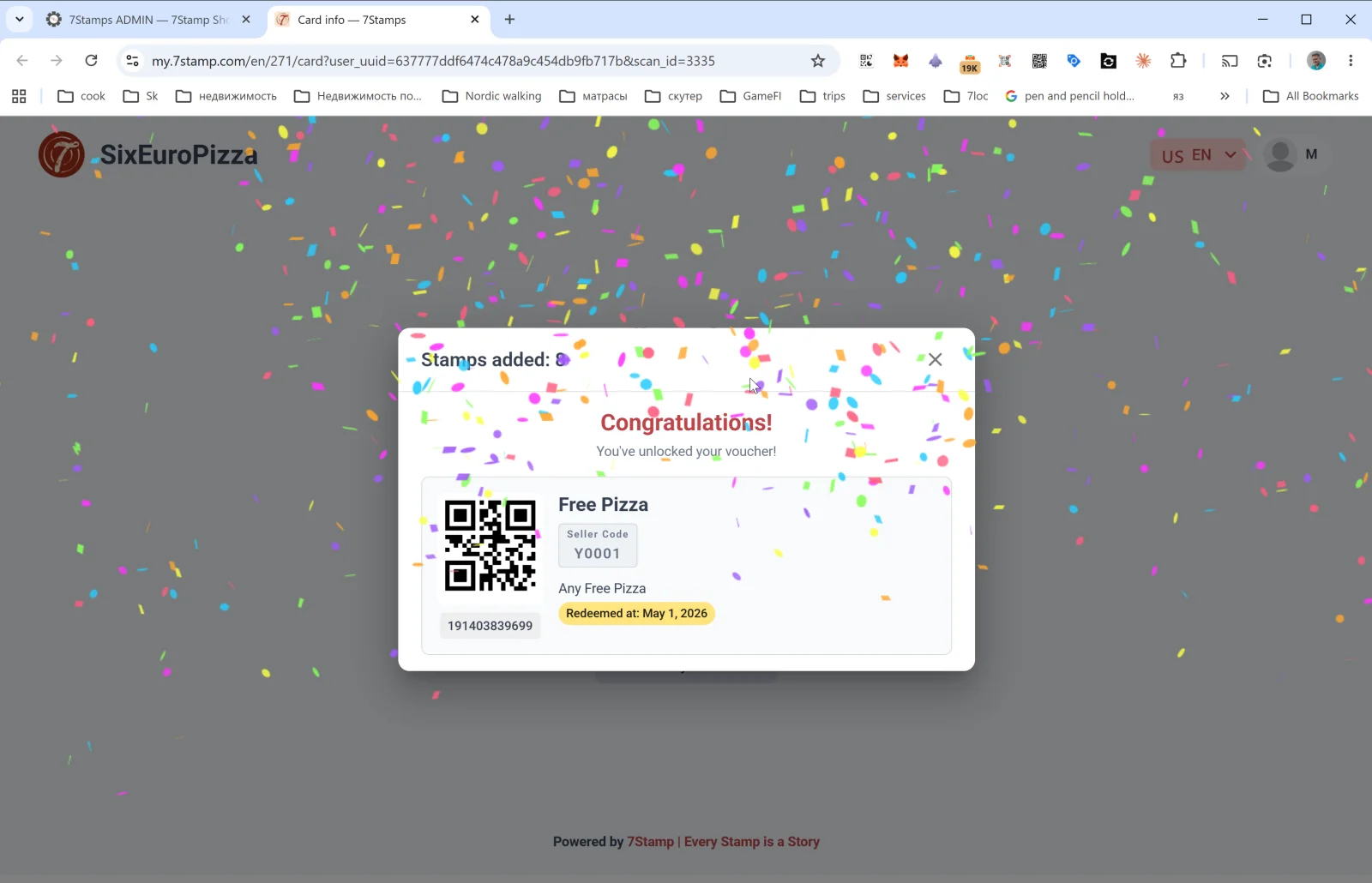
The 고객 view link on a journal row opens the 고객 page on the my.7stamp.com/{lang}/{cardId}/카드?user_uuid=...&스캔_id=... domain. You see:

  • The real brand at the top (logo, 비즈니스 name).
  • A 스탬프 added: N popup.
  • If a goal is reached — Congratulations! You’ve unlocked your voucher! with confetti.
  • The voucher 카드: QR code, name, Redeem Code, description, status (Redeemed at: <date> — if already used), barcode.
  • Footer: Powered by 7Stamp | Every 스탬프 is a Story.

This is an irreplaceable debugging tool: if the 고객 complains “the 스탬프 didn’t go through”, you 열기 고객 view and see exactly what they did.

카드 details

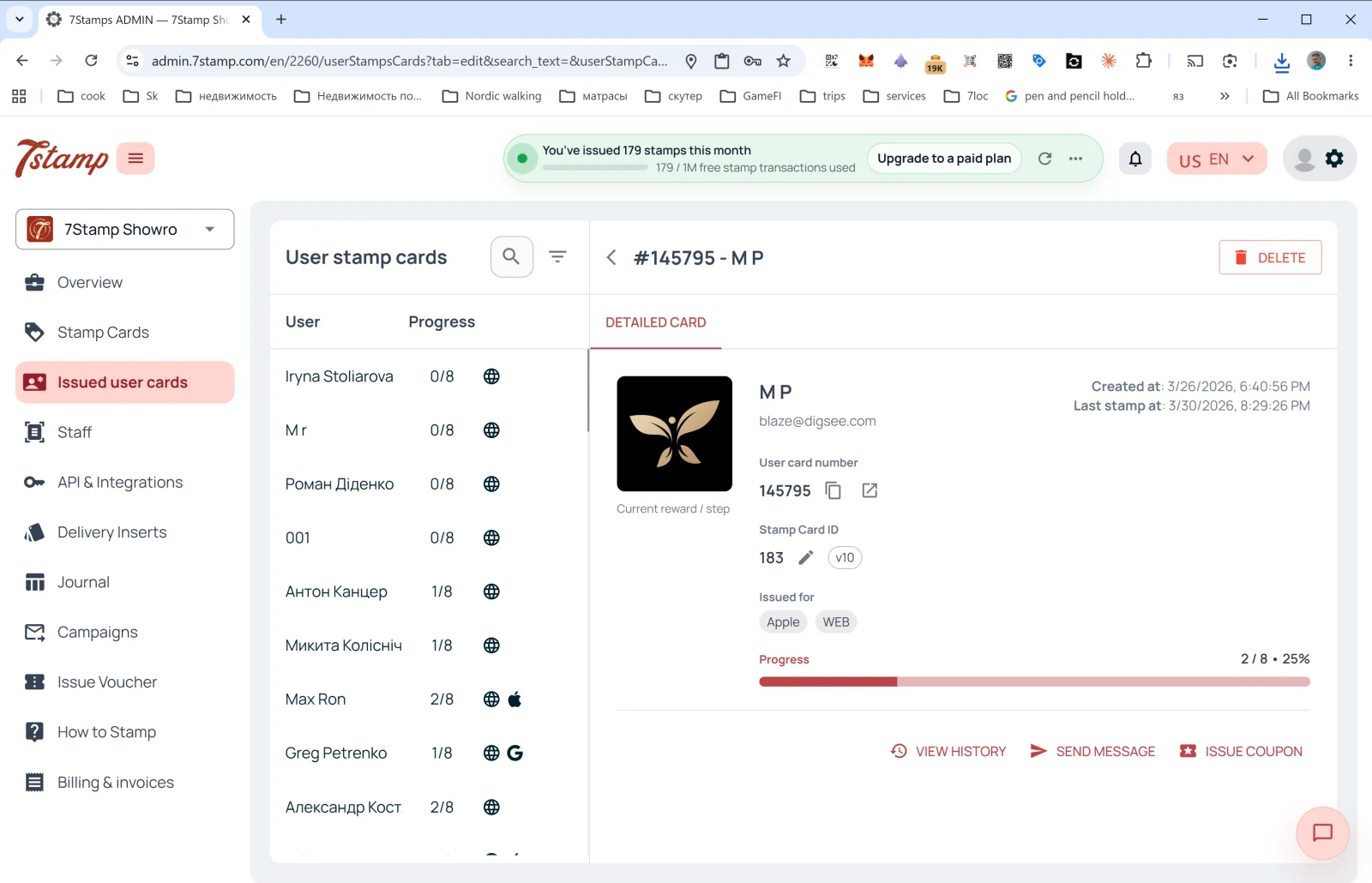
The 카드 details link on a Journal row goes to Issued user 카드 with the details panel already 열기 for that specific 카드 — from there you can see the full history, send a message, or issue a personal voucher.


시각적 안내

Use the screen sets below as a visual companion to the 문서. 열기 any image to inspect it at full size.

Journal і customer view

3
Screen 1 of 3
Screen 2 of 3
Screen 3 of 3

먼저 읽어보세요

Reference
운영 2026년 5월 12일

API & 연동

The API & 연동 섹션 contains tools for programmatic integration of 7stamp with your external systems — CRM, POS, ERP, analytics, messenger bots.

업데이트됨: 2026년 5월 12일

문서 열기

다음 단계

가이드
시작하기 2026년 5월 12일

7stamp 사용자 매뉴얼

원본 매뉴얼의 각 섹션은 개별 문서로 분리되어 있으며, 이 페이지는 전체 지식 체계를 연결하는 안내 맵 역할을 합니다.

업데이트됨: 2026년 5월 12일

문서 열기
Reference
운영 2026년 5월 12일

Zero Integration with Redeem Codes

This reference explains what Zero Integration means in practice, when to use it, and what operational trade-offs teams should expect.

업데이트됨: 2026년 5월 12일

문서 열기