
API & integrations
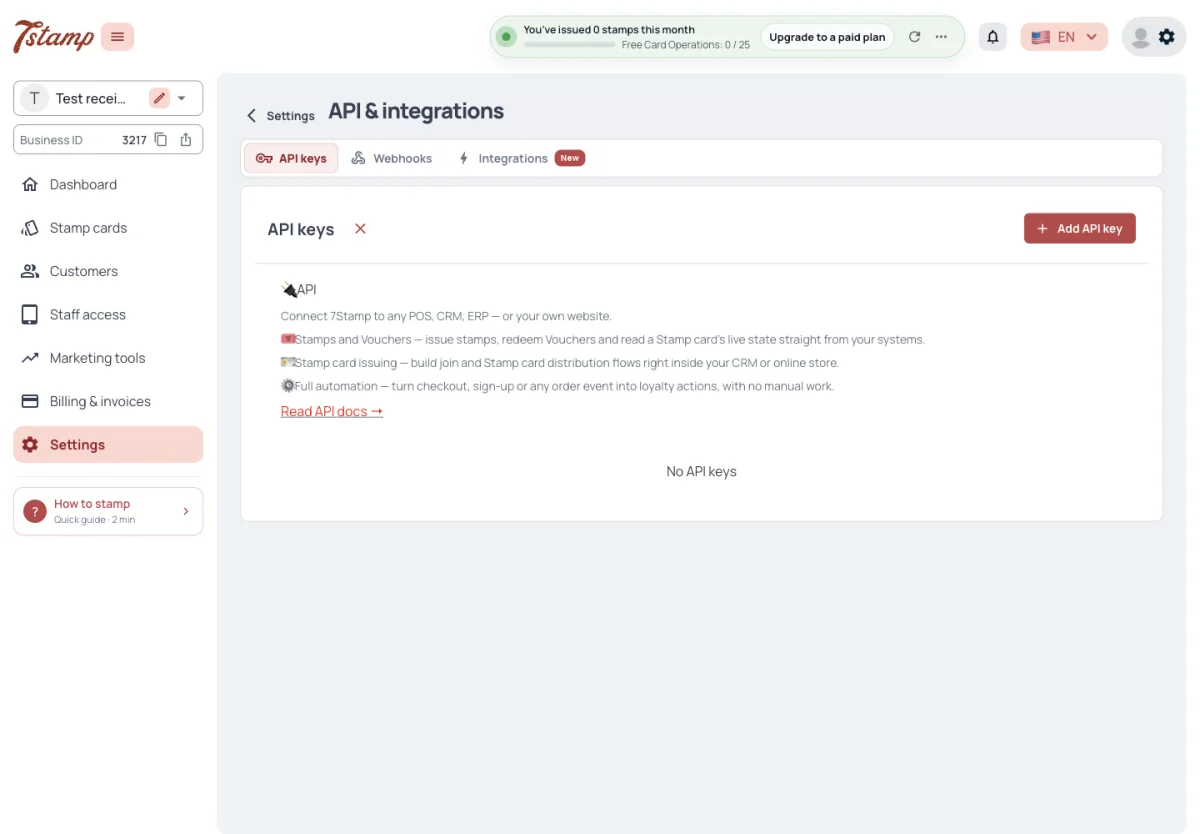
Settings → API & integrations has three tabs: API keys, Webhooks and Integrations.
The API and API keys are free on every plan, Free Forever included; there is no API add-on. Stamps given through the API are Card Operations like any other, so they stop when the plan’s Card Operations run out. Webhooks are the paid part, see below.
Does the API cost extra?
No. The API and API keys are free on every plan, Free Forever included. Stamps given through it are Card Operations like any other.
Can I use the API on Free Forever?
Yes. When the plan’s Card Operations run out, stamps through the API stop like any other.
Where are the API settings?
In Settings → API & integrations, with three tabs — API keys, Webhooks and Integrations.
API keys
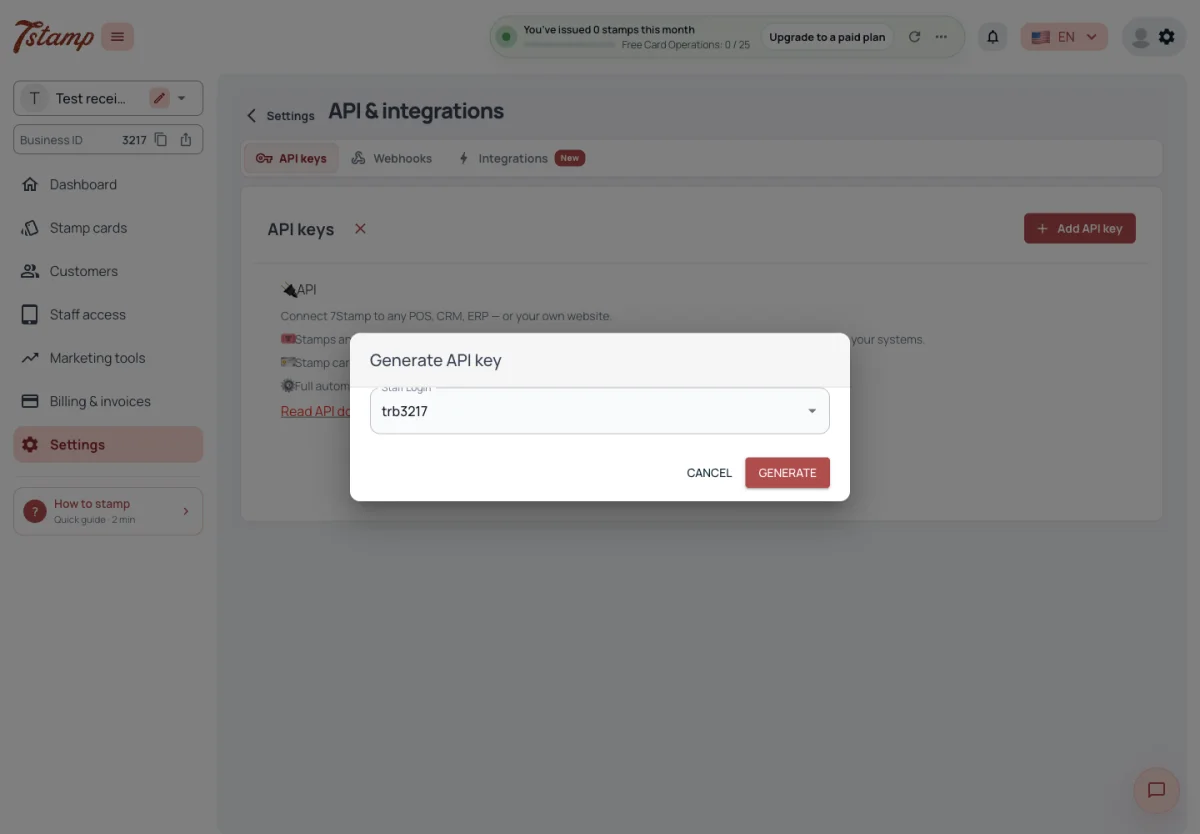
An API key is created under API keys → Add API key for one Staff Login. A Staff Login has at most one API key, and a switched-off Staff Login cannot be picked. With no Staff Login to pick, the Generate API key window offers to create one right there; a new Staff Login needs a free Staff Seat, and on a full plan the window offers to add a seat or upgrade the plan instead.
Every call made with an API key acts as its Staff Login: it reaches only that Staff Login’s Business, stamps the Stamp card chosen for it under Automatic stamping, and its stamps count as that Staff Login’s Card Operations.
The key can be viewed and copied again at any time from the API keys list. It can also be shown as a QR code, to scan it into a terminal, and printed with the Staff Login’s name.
How do I create an API key?
In Settings → API & integrations → API keys, choose Add API key and pick a Staff Login. Each Staff Login has at most one API key.
I lost my API key. Do I need a new one?
No. The key can be viewed and copied again at any time from the API keys list, or shown as a QR code.
Which Stamp card do API calls stamp?
The one chosen for the key’s Staff Login under Automatic stamping. Its stamps count as that Staff Login’s Card Operations.
Why can’t I pick a Staff Login for a new key?
A switched-off Staff Login cannot be picked, and a Staff Login that already has a key cannot get a second one. With none to pick, the window offers to create a Staff Login.
When an API key stops working
An API key does not expire. It stops working only when it is regenerated or deleted, or when its Staff Login is switched off or deleted. A new password or login for the Staff Login does not affect it.
- Regenerate gives the Staff Login a new API key; the old one stops working at once.
- Delete stops the key at once. The Staff Login itself keeps working in 7Stamp Scanner and can get a new key later.
- Switching a Staff Login off keeps its key: when the Staff Login is switched back on, the same key works again.
Does an API key expire?
No. It stops working only when it is regenerated or deleted, or when its Staff Login is switched off or deleted.
I changed the Staff Login’s password. Do I need a new API key?
No. A new password or login does not affect the API key.
I switched a Staff Login back on. Does its old API key work?
Yes. Switching a Staff Login off keeps its key, and the same key works again once it is back on.
What the API does
Through the API a system can:
- hand out a Stamp card as a link or QR;
- add stamps;
- read a card with its stamps, goals and Vouchers;
- issue a Voucher straight to a card;
- redeem a Voucher by its Voucher Code;
- message a Customer.
The API finds a Customer’s card by the Business’s own identifier, such as a CRM
ID, phone or email, sent as external_id. The identifier is stored on the card
and comes back in every Webhook about it. The API has no call that lists a
Business’s Customers: the whole Customer base is taken out only through the
admin export.
Instead of an API key, an app can sign in with a Staff Login’s login and password — for a device a cashier signs in to. An API key suits a device that runs unattended. Webhooks are added only in the admin; the API has no call to subscribe to events or to list them.
The API sets no request rate limit: calls are not throttled by number or frequency, and the same card can be scanned again right away. What limits stamping through it is the plan’s Card Operations.
Can we add stamps from our own CRM or POS?
Yes, through the API. It hands out Stamp cards, adds stamps, reads cards and redeems Vouchers. To have your system told about events, add a Webhook — that needs the Webhooks & Events add-on.
Can we export data?
Through the API you read cards by your own identifier, and Webhooks send events as they happen. The API has no list of all Customers — the whole Customer base is taken out through the admin export.
How does the API find a Customer’s card?
By your own identifier — a CRM ID, phone or email — sent as external_id. It is stored on the card and comes back in every Webhook about it.
Can I subscribe to Webhooks through the API?
No. Webhooks are added only in the admin.
Does the API have a rate limit?
No. Calls are not throttled by number or frequency, and the same card can be scanned again right away. Stamping is limited only by the plan’s Card Operations.
API reference
The API reference is public and needs no sign-in: Swagger at
https://api.7loc.com/cards-api/docs, with the OpenAPI file at
https://api.7loc.com/cards-api/openapi.json. Calls go to
https://api.7loc.com/cards-api and need an API key or a Staff Login.
A White Label Business sees no link to the API reference in the admin. Its API keys and Webhooks work the same.
Where is the API documentation?
Swagger at https://api.7loc.com/cards-api/docs, public, with no sign-in needed. The OpenAPI file is at https://api.7loc.com/cards-api/openapi.json.
What is the base address for API calls?
https://api.7loc.com/cards-api. Calls need an API key or a Staff Login.
Our White Label admin has no API docs link. Does the API work for us?
Yes. A White Label Business sees no link to the reference, but its API keys and Webhooks work the same.
Webhooks
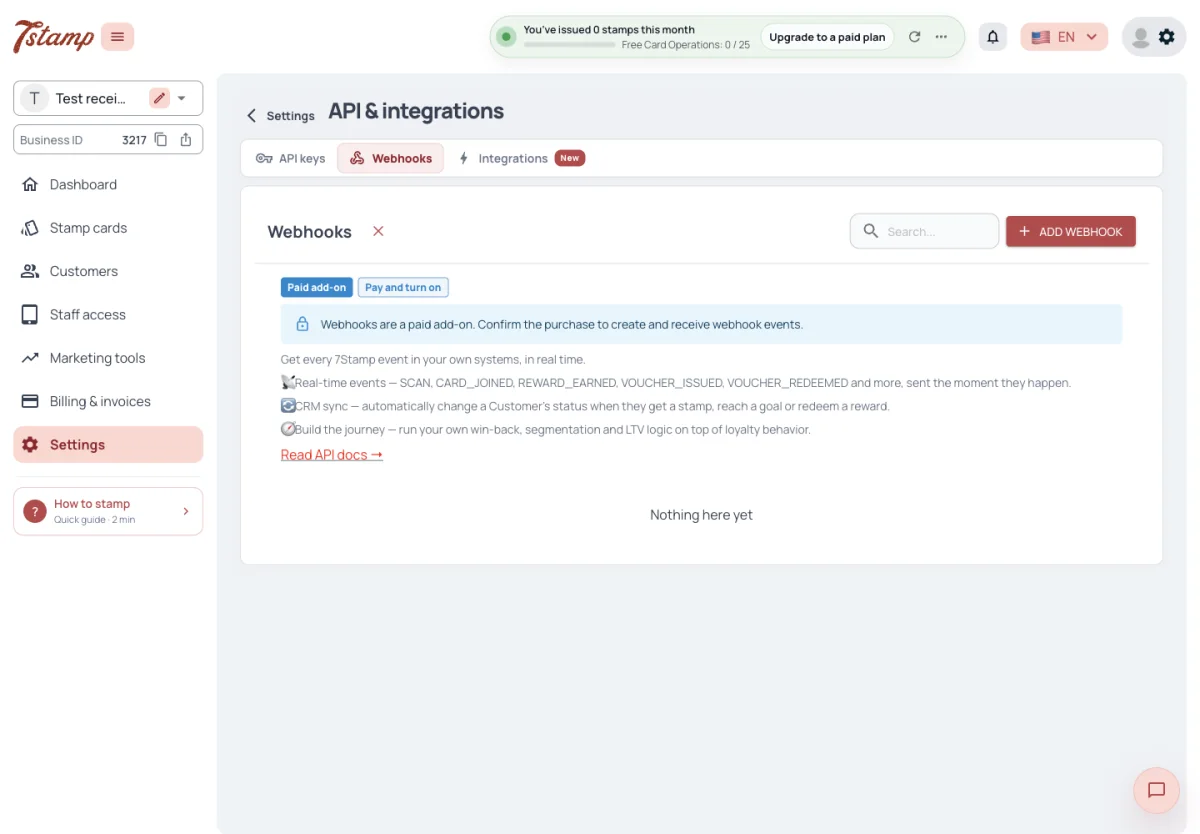
A Webhook is added under API & integrations → Webhooks → Add webhook, with the URL that receives the events. In 7Stamp a Webhook is created for Stamp card events. A Business can add several Webhooks, each with its own URL.
Webhooks need the Webhooks & Events add-on, $19 a month, offered on paid plans only. Adding the first Webhook offers to buy it; without it a Webhook cannot be created or switched back on. One add-on keeps one Webhook switched on: more can be added, but each billing update of the subscription switches off all but the oldest one.
Webhooks send events as they happen from the moment the Webhook is added. Earlier events are not sent.
Are Webhooks free?
No. They need the Webhooks & Events add-on, $19 a month, offered on paid plans only. The API itself is free.
I added a second Webhook and it was switched off. Why?
One Webhooks & Events add-on keeps one Webhook switched on. Each billing update of the subscription switches off all but the oldest one.
Will a new Webhook send past events?
No. Events are sent from the moment the Webhook is added.
Webhook events
A Webhook gets fifteen Stamp card events, named in event_type: SCAN,
DELIVERY_INSERT, RECEIPT_SCAN, CARD_JOINED, REWARD_EARNED,
VOUCHER_ISSUED, VOUCHER_PACK, ADMIN_VOUCHER_ISSUE, VOUCHER_REDEEMED,
LOTTERY_WIN, CARD_CAMPAIGN, BIRTHDAY_GREETING, AUTO_MESSAGE_VOUCHER,
CARD_ADDED_TO_WALLET and
CARD_REMOVED_FROM_WALLET. The last two come when the pass is added to a
wallet or removed from one, with the wallet, Apple or Google.
A scan that adds no stamp, such as a purchase below the stamp price, still
sends SCAN with zero stamps added. A prize won on a wheel is announced by one
LOTTERY_WIN when the wheel is spun, not by REWARD_EARNED or
VOUCHER_ISSUED; a wheel waiting to be spun sends nothing yet.
Customer reviews are not Stamp card events. Every new review sends an event with
entity review and action created, to the Webhooks that have Reviews ticked
among their objects on the Webhook’s page. A Webhook added here is set up for
Stamp card events only, so it gets reviews once Reviews is ticked.
Is a Webhook sent when a scan adds no stamp?
Yes. A scan that adds no stamp, such as a purchase below the stamp price, still sends SCAN with zero stamps added.
Which event tells me a Customer won on the wheel?
LOTTERY_WIN, sent once when the wheel is spun. A wheel waiting to be spun sends nothing yet.
Can I tell when a Customer removes the card from their wallet?
Yes. Adding the pass to a wallet and removing it send CARD_ADDED_TO_WALLET and CARD_REMOVED_FROM_WALLET, with the wallet, Apple or Google.
How do I get new Customer reviews through a Webhook?
Open the Webhook’s page and tick Reviews among its objects. Every new review then arrives with entity review and action created; a Webhook added under API & integrations gets Stamp card events only until then.
When each event is sent
| Event | Sent when |
|---|---|
SCAN | A Staff Login scans the card: in 7Stamp Scanner, through the API or from a POS such as Toast. Stamps removed in 7Stamp Scanner are a SCAN with a negative stamps_added |
DELIVERY_INSERT | A Customer opens a Stamp Code that gives stamps — a QR, a link, the code itself or an invite made through the API |
RECEIPT_SCAN | A Customer scans a fiscal receipt in the Business’s Chatbot and it is stamped; amount is the receipt total |
CARD_JOINED | A Customer gets a new Stamp card, whatever the way, with the external_id you passed |
REWARD_EARNED | A scan reaches an Award goal |
VOUCHER_ISSUED | A scan reaches a Voucher goal |
LOTTERY_WIN | A Lottery wheel is spun and gives a prize |
VOUCHER_PACK | A new card gets the Stamp card’s Voucher pack, all its Vouchers in one event |
ADMIN_VOUCHER_ISSUE | A Voucher is issued straight to a card, in the admin or through the API |
VOUCHER_REDEEMED | A Voucher on a card is redeemed: in 7Stamp Scanner, through the API, at a Toast POS or by the Customer |
CARD_CAMPAIGN | A Campaign reaches the card, once per card, with the Campaign’s Voucher if it has one |
BIRTHDAY_GREETING | The birthday greeting goes out for the card, with the Birthday Voucher if one was issued |
AUTO_MESSAGE_VOUCHER | An Auto-message trigger puts a Voucher on the card, whether or not a channel then reaches the Customer |
CARD_ADDED_TO_WALLET | The pass is added to Apple Wallet or Google Wallet |
CARD_REMOVED_FROM_WALLET | The pass is removed from a wallet |
Each goal a scan reaches sends its own event after the scan’s one, and a goal
reached twice by one scan, over two rounds of the card, sends two. A full card
starting a new round is the same card and sends no CARD_JOINED; a card issued
again after an admin deleted the old one does. When a join brings a Voucher pack
and stamps, CARD_JOINED comes first, then VOUCHER_PACK, then
DELIVERY_INSERT.
A Stamp Code with no stamps sends no DELIVERY_INSERT, a Voucher generated in
the admin without a card sends no ADMIN_VOUCHER_ISSUE, and a repeated API call
for a Voucher it already redeemed sends no second VOUCHER_REDEEMED.
Which event tells me a Customer reached a goal?
REWARD_EARNED for an Award goal, VOUCHER_ISSUED for a Voucher goal and LOTTERY_WIN for a Lottery, each sent after the scan’s own event.
Is a Webhook sent when stamps are removed?
Yes. Stamps removed in 7Stamp Scanner arrive as SCAN with a negative stamps_added.
What is the difference between VOUCHER_ISSUED and ADMIN_VOUCHER_ISSUE?
VOUCHER_ISSUED comes when a scan reaches a Voucher goal. ADMIN_VOUCHER_ISSUE comes when a Voucher is issued straight to a card, by hand in the admin or through the API.
Does a Customer who joins with a Stamp Code send one event or several?
Several. CARD_JOINED comes first, then VOUCHER_PACK if the Stamp card has a Voucher pack, then DELIVERY_INSERT with the stamps.
Do I get an event for each Campaign message?
CARD_CAMPAIGN is sent once for each card the Campaign reaches, with the Campaign’s Voucher when it carries one.
What a Webhook receives
Every event has the same JSON body: the event ID, the Business, and the event
with its type, the Stamp card, stamps before and after, the purchase amount, the
order ID and external_id the integration sent, the Staff Login that served
it, the Vouchers and rewards it gave, and the Customer’s name, email, Telegram,
WhatsApp phone and date of birth.
amount is the purchase amount in minor units (cents): an amount of 12.50 sent
with the scan arrives as 1250. It is empty when the event had no amount.
The event ID is in the body and in the X-Webhook-Event-Id header. A retry of
the same event keeps its ID, so a receiver can drop repeats. For a Make or
Zapier URL the event sits under the card_event key instead of data.
What data does a Webhook carry about the Customer?
Name, email, Telegram, WhatsApp phone and date of birth, together with the Stamp card, stamps before and after, and the Vouchers and rewards given.
In what unit is amount?
In minor units (cents). An amount of 12.50 sent with the scan arrives as 1250; it is empty when the event had no amount.
How do I avoid processing the same event twice?
Use the event ID, in the body and in the X-Webhook-Event-Id header. A retry keeps the same ID.
Why is the event under card_event in Make?
For a Make or Zapier URL the event sits under the card_event key instead of data, so their apps can tell it apart.
Signature
Every delivery is signed. The X-Webhook-Signature header holds a timestamp and
an HMAC-SHA256 of that timestamp and the raw body, keyed with the Webhook’s
secret key. The secret key is shown and regenerated on the Webhook’s page. A
Basic auth login and password can be added too.
How do I check that a Webhook really comes from 7Stamp?
Compute the HMAC-SHA256 of the timestamp and the raw body with the Webhook’s secret key and compare it with the X-Webhook-Signature header.
Where do I find the Webhook’s secret key?
On the Webhook’s page, where it can also be regenerated.
Can I protect my endpoint with a password?
Yes. A Basic auth login and password can be added to the Webhook, on top of the signature.
Failed deliveries
A delivery that gets no 2xx answer within thirty seconds is retried up to ten times, each wait four seconds longer than the last, so the retries end within about four minutes. A 429 answer with Retry-After is retried after that time. The first failure of an event puts a notification in the admin.
After a hundred failed deliveries in a row the Webhook is blocked by the system and gets no more events. Its page warns before that and has an Unblock button; one successful delivery resets the count.
Each Webhook’s page has a journal of its deliveries, with the request sent and the answer received. Resend sends the same event again, to this Webhook only.
My server was down. Are the events lost?
Each delivery is retried up to ten times within about four minutes. After that, open the Webhook’s journal and use Resend for the events you need.
Why did my Webhook stop receiving events?
After a hundred failed deliveries in a row it is blocked by the system. Fix the endpoint and press Unblock on the Webhook’s page.
Can I see what was sent to my Webhook?
Yes. Each Webhook’s page has a journal of deliveries with the request sent and the answer received.
Integrations tab
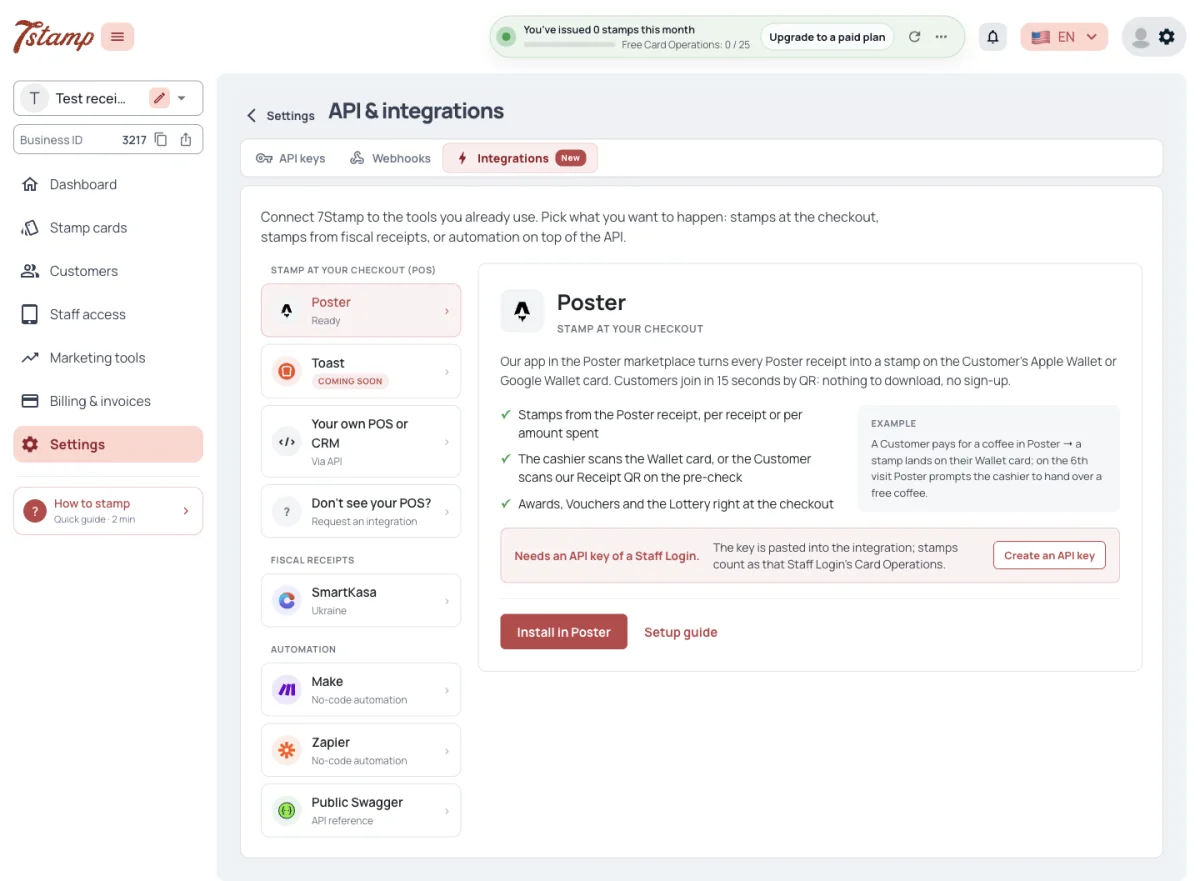
The Integrations tab lists the ready ways by group:
- Stamp at your checkout — Poster, Toast, Your own POS or CRM and Don’t see your POS?;
- Fiscal receipts — SmartKasa;
- Automation — Make, Zapier and Public Swagger.
Each card says whether it needs an API key. The tab offers the same cards in every country; only fiscal receipts are limited by country.
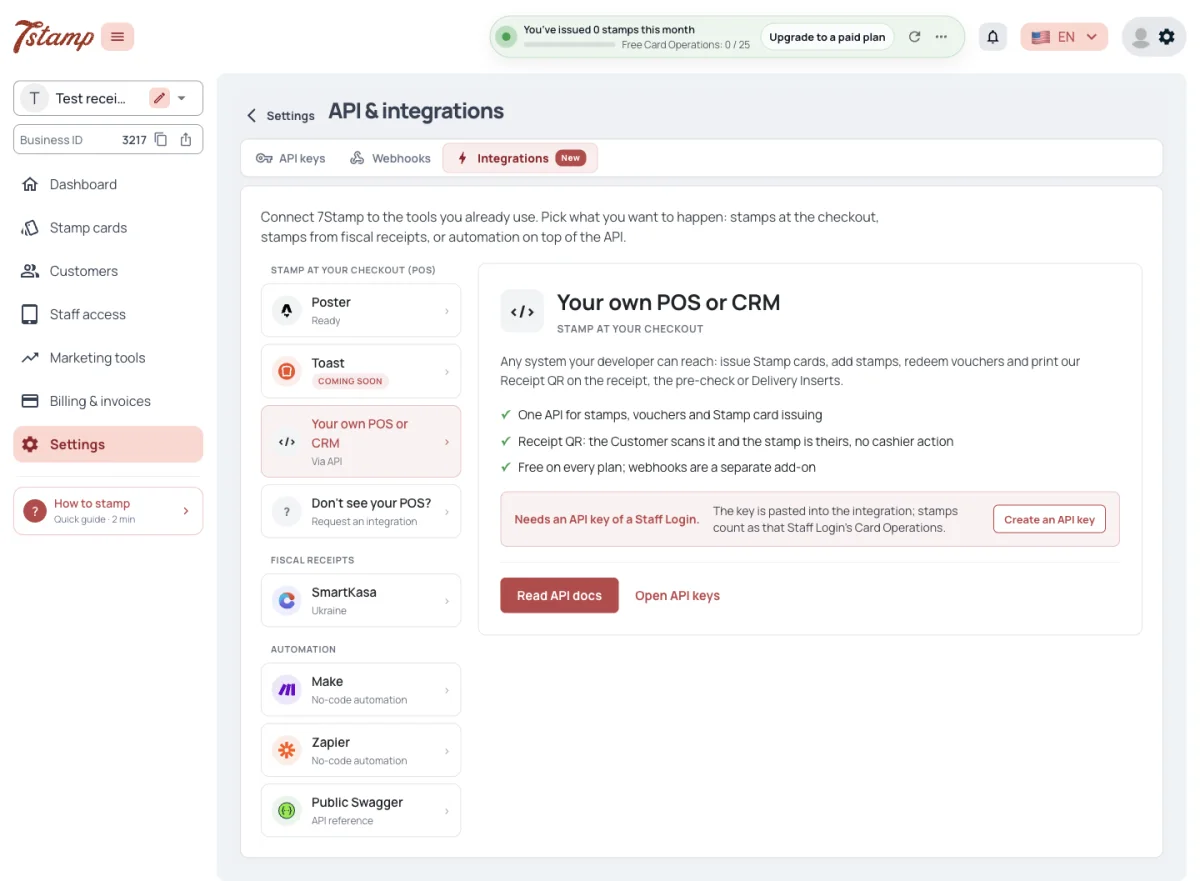
A White Label Business sees no Make, Zapier or Public Swagger card and is not offered Poster or the setup guides on 7stamp.com.
Which POS systems are ready to connect?
Poster, and Toast once it is switched on for the platform — until then it shows Coming soon. Other systems connect through the API, with Your own POS or CRM.
Are integrations limited by country?
No. The tab offers the same cards in every country. Only fiscal receipts are limited by country.
Why don’t I see Make and Zapier?
They are not shown to a White Label Business. Its API keys and Webhooks work the same.
Poster
Poster is our app in the Poster marketplace. Install in Poster opens its listing, and the app is set up with the API key of a Staff Login. Its stamps count as that Staff Login’s Card Operations.
How do I connect Poster?
Open Integrations → Poster and choose Install in Poster. The app is set up with the API key of a Staff Login.
Whose Card Operations do Poster stamps use?
Those of the Staff Login whose API key the app uses.
Do I need an API key for Poster?
Yes, the API key of a Staff Login.
Toast
Toast shows Coming soon for every Business until Toast access is set up on the platform. It is one switch for the whole platform, not a setting of the Business; once it is on, the Toast card holds the setup itself.
Each Toast location is connected by its GUID to one Staff Login, with no API key: that Staff Login’s Business, Stamp card and plan apply to every Toast request from the location. A location can be connected to only one Staff Login, and a Staff Login holds one location. Requests from a location are refused once it is disconnected, or while its Staff Login is switched off or deleted.
Each Voucher can be given a Toast menu product: at the Toast POS it then becomes a discount on that product. A Voucher without one is applied as a zero discount on the check, and the cashier hands the gift over by hand. Vouchers are redeemed at the Toast POS, and a wheel reached by a paid check is spun at once. When Toast undoes a transaction, its stamps are taken back or its redeemed Vouchers are restored.
A guest can join at a Toast kiosk or guest-facing screen with a phone number or an email. The Stamp card is issued at once; the guest gets nothing from 7Stamp until they open it with the same phone or email.
Why does Toast say Coming soon?
Toast access is one switch for the whole platform, not a setting of your Business. Until it is on, there is nothing to connect.
How is a Toast location connected?
By its GUID to one Staff Login, with no API key. That Staff Login’s Stamp card and plan apply to every request from the location.
What happens to stamps when Toast voids a check?
When Toast undoes a transaction, its stamps are taken back or its redeemed Vouchers are restored.
SmartKasa
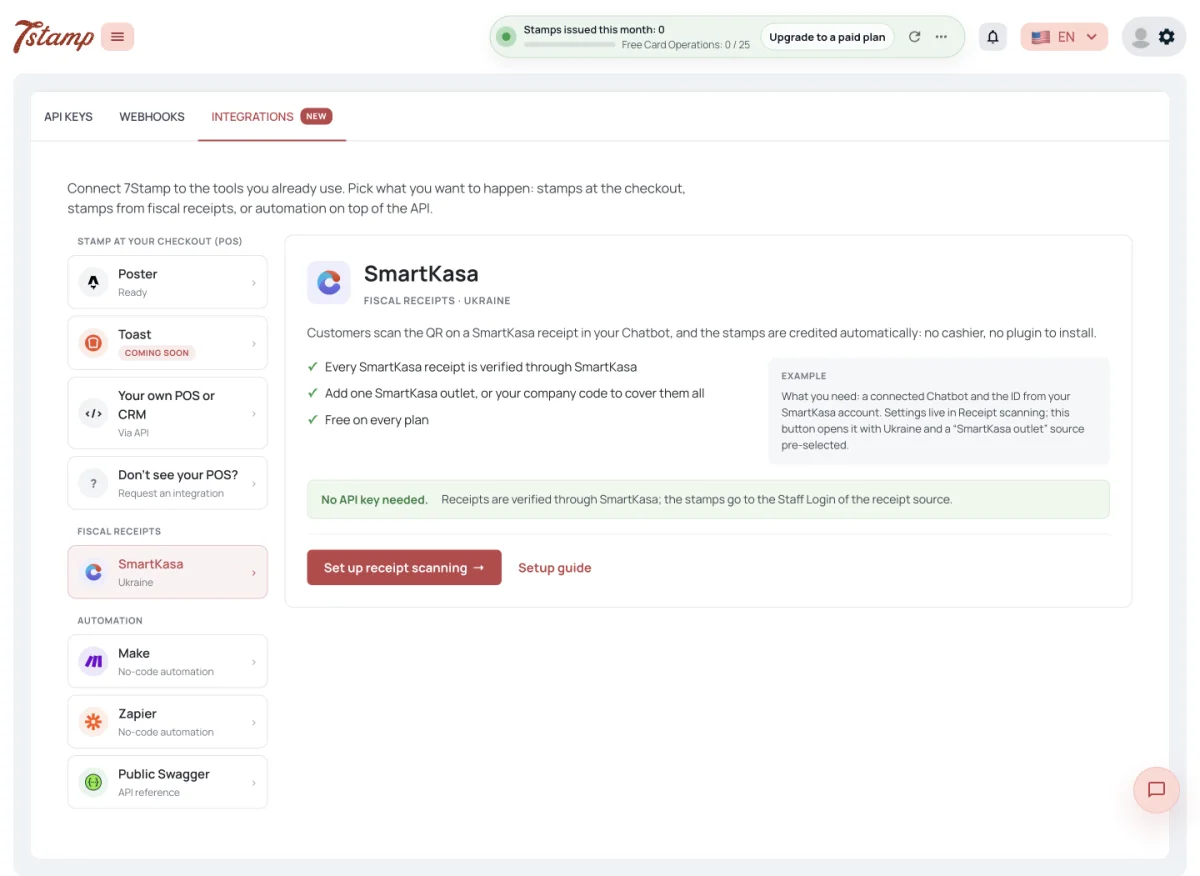
SmartKasa needs no API key. It is a receipt source in Receipt scanning, added by a SmartKasa outlet ID or by the company code to cover every outlet. Customers scan the SmartKasa receipt in the Business’s Chatbot, and the stamps go to the Staff Login of that receipt source.
SmartKasa is Ukrainian, and fiscal receipts work only in Ukraine, Slovakia, Kazakhstan and Uzbekistan.
Do I need an API key for SmartKasa?
No. SmartKasa is a receipt source in Receipt scanning, added by a SmartKasa outlet ID or by the company code.
Where do Customers scan a SmartKasa receipt?
In your Business’s Chatbot. The stamps go to the Staff Login of that receipt source.
In which countries do fiscal receipts work?
In Ukraine, Slovakia, Kazakhstan and Uzbekistan.
Make and Zapier
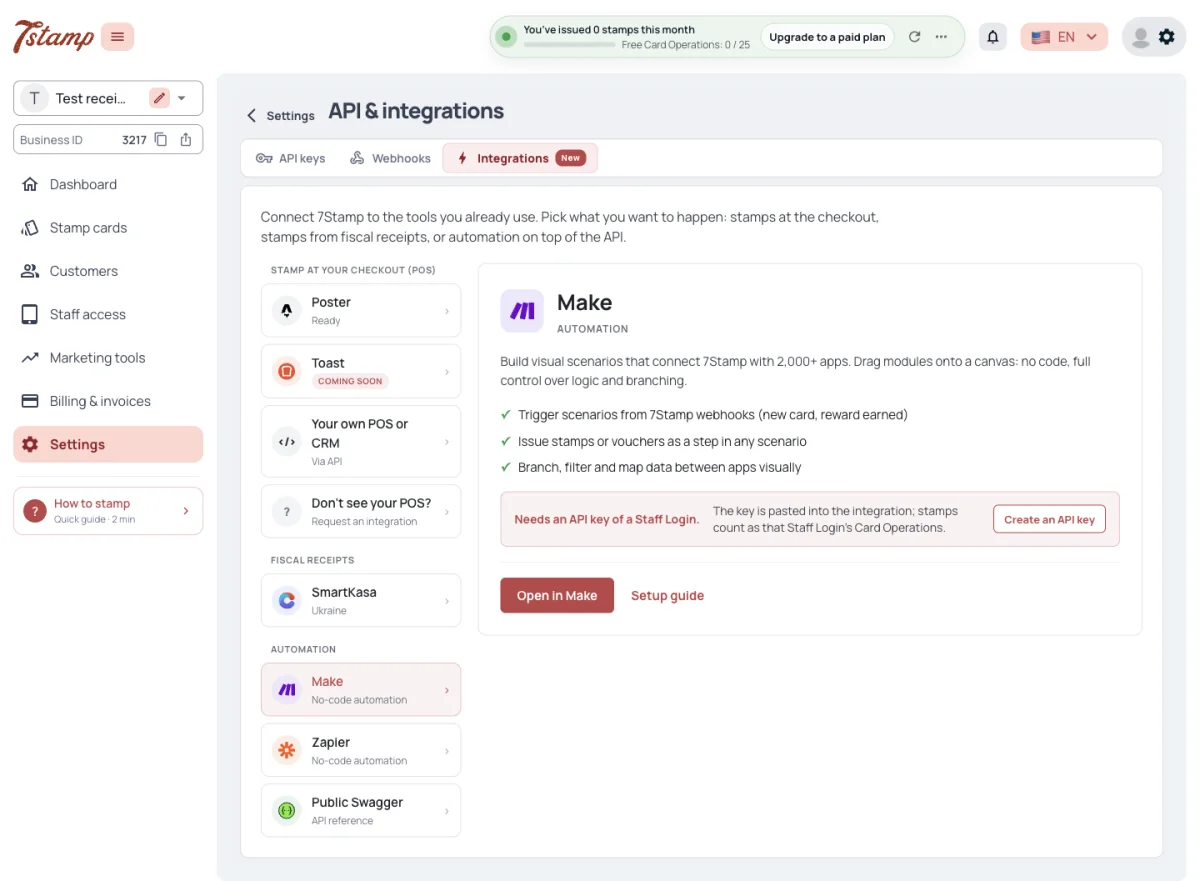
The 7Stamp app for Make is in Make’s public app library: search for 7Stamp in any Make scenario, or use Open in Make on the Integrations tab. Our Zapier app is not in Zapier’s public directory: Open in Zapier is an invitation that adds the app to the Business’s own Zapier account. Both apps work with the API key of a Staff Login.
Make scenarios and Zaps are started by 7Stamp Webhooks, so triggers need the Webhooks & Events add-on. Actions such as adding stamps or issuing a Voucher need only an API key. Make and Zapier are not offered to a White Label Business.
Where do I find the 7Stamp app in Make and Zapier?
In Make, search for 7Stamp in any scenario — the app is in Make’s public app library. In Zapier it is not public yet, so use Open in Zapier on the Integrations tab — the invitation adds the app to your own account.
Do Make and Zapier need the Webhooks & Events add-on?
Triggers do, because scenarios and Zaps are started by 7Stamp Webhooks. Actions such as adding stamps or issuing a Voucher need only an API key.
Do I need an API key for Make or Zapier?
Yes. The apps work with the API key of a Staff Login.