
Customers’ Stamp cards
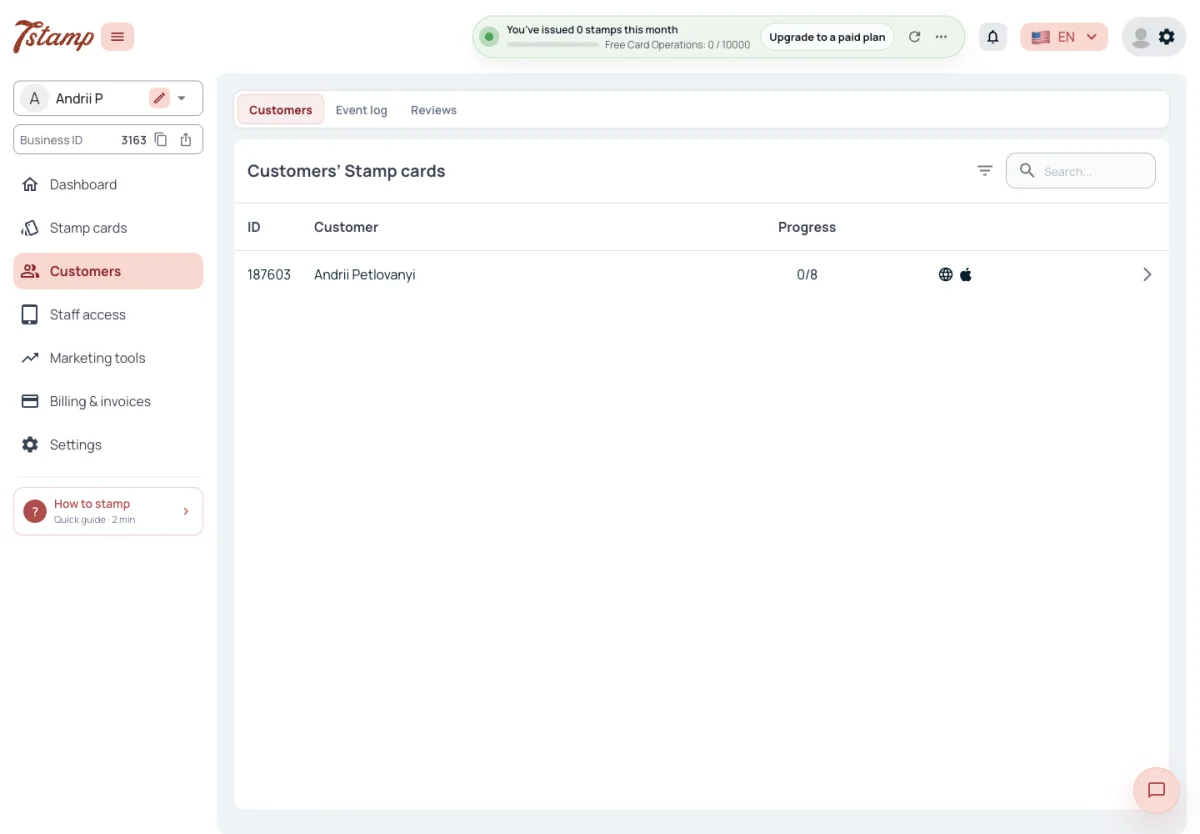
The Customers item of the admin menu has three tabs: Customers, Event log and Reviews. Reviews is described in Customer feedback.
The Customers tab lists Customers’ Stamp cards, one row per card: a Customer who holds two Stamp cards of your Business appears twice. Each row shows the card number, the Customer’s name (or the email when there is no name), the progress as stamps collected out of the card’s total, and icons for where the card is: the web card, Apple Wallet, Google Wallet. The wallet marks follow the Customer’s phone — when the pass is removed from a wallet, its mark goes.
Search finds cards by card number, email, first name or last name and needs at least two characters; phone numbers are not searched. The list filters by Stamp card only and can’t be sorted by a column.
Why does the same Customer appear twice in the list?
The list has one row per card. A Customer who holds two of your Stamp cards appears once for each.
Can I find a Customer by phone number?
No. Search finds cards by card number, email, first name or last name, from two characters.
A Customer removed the card from Apple Wallet. Does the list show it?
Yes. The wallet marks follow the Customer’s phone, so the Apple Wallet mark goes when the pass is removed.
A Customer’s card
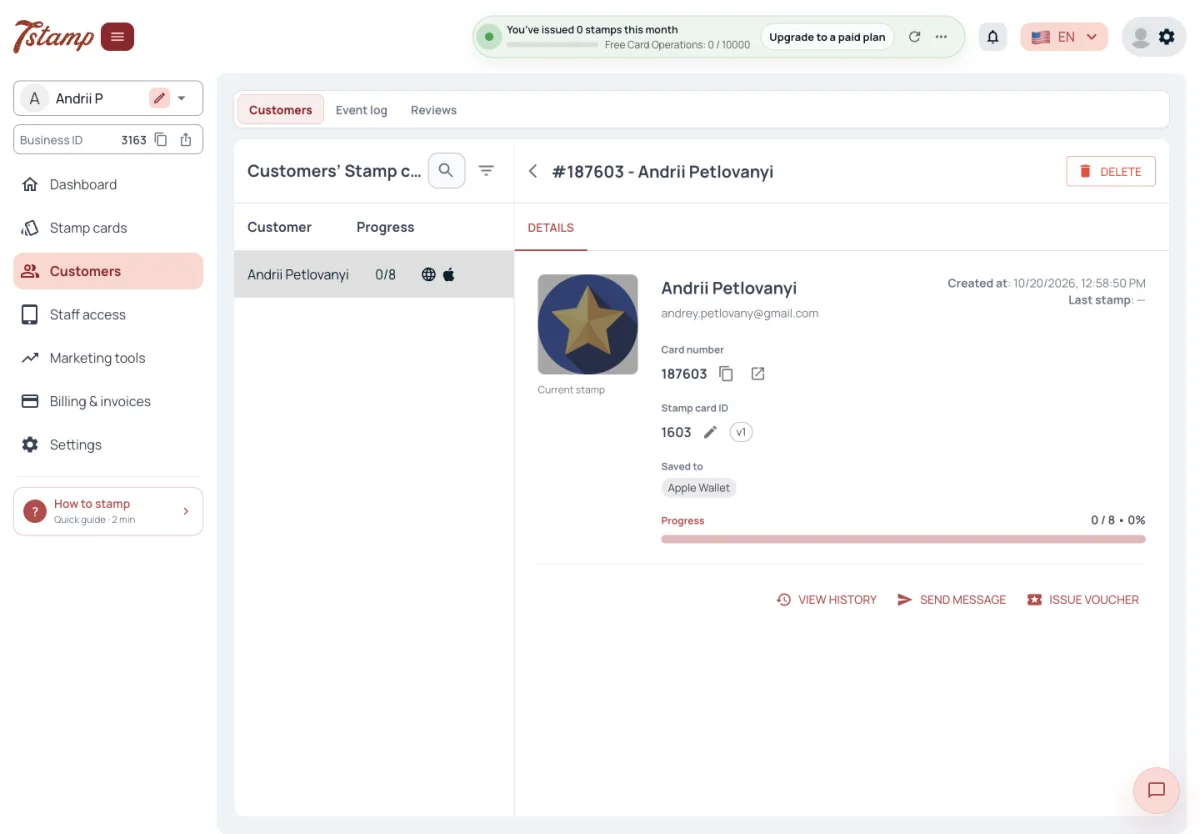
Open a row to see the card: the Customer’s name, email and WhatsApp number when known, when the card was created and last stamped, the card number, the Stamp card ID and version, the wallets the card is saved to, the progress, and the picture of the stamp the card is at. The button next to the card number opens the web card page as the Customer sees it.
The page doesn’t show the Customer’s Vouchers, date of birth or consent to marketing: Vouchers are seen in 7Stamp Scanner, the date of birth in the Event log, consent in the data export.
It has three actions:
- View history opens the Event log filtered to this card.
- Send message opens a Campaign addressed to this Customer only.
- Issue Voucher opens Issue Voucher with this card already chosen.
Where do I see a Customer’s Vouchers?
In 7Stamp Scanner. The card page in the admin doesn’t show Vouchers.
How do I send a message to one Customer?
Open their card and press Send message — it opens a Campaign addressed to this Customer only.
Can I see the card the way the Customer sees it?
Yes. The button next to the card number opens the web card page as the Customer sees it.
Where is the Customer’s date of birth?
In the Event log, next to the Customer. The card page doesn’t show it.
Stamps from the admin
Stamps on a Customer’s card can’t be added or removed in the admin. Staff do that in 7Stamp Scanner, or the stamps come through the other ways to stamp.
The only stamps given from the admin are test stamps, offered once your own card is in a wallet, so you can watch the pass update. They are not Card Operations, don’t count on the Dashboard and show in the Event log as Test stamp.
How do I add a stamp to a Customer’s card from the admin?
You can’t. Stamps are added and removed by staff in 7Stamp Scanner, or come through the other ways to stamp.
Do test stamps use Card Operations?
No. Test stamps on your own card are not Card Operations and don’t count on the Dashboard.
What is “Test stamp” in the Event log?
A stamp given from the admin to your own card, to watch the pass update.
Delete a Customer’s card
Delete on the card page removes the Customer’s card. It leaves the Customers list, its QR stops scanning, its unused Vouchers are canceled and the pass in Apple Wallet or Google Wallet becomes invalid. The confirmation lists these consequences before anything is deleted.
Deleting a card doesn’t delete the Customer. Their name, contacts and consents stay with your Business and stay in the data export, where the card status reads “removed” once none of their cards is left. The card’s events stay in the Event log, marked “Card deleted”, without a link to the card.
What happens to the Vouchers on a card I delete?
Unused Vouchers are canceled, the QR stops scanning and the pass in the Customer’s wallet becomes invalid.
Does deleting a card delete the Customer’s data?
No. Their name, contacts and consents stay with your Business and in the data export.
Is the history of a deleted card lost?
No. Its events stay in the Event log, marked “Card deleted”.
Event log
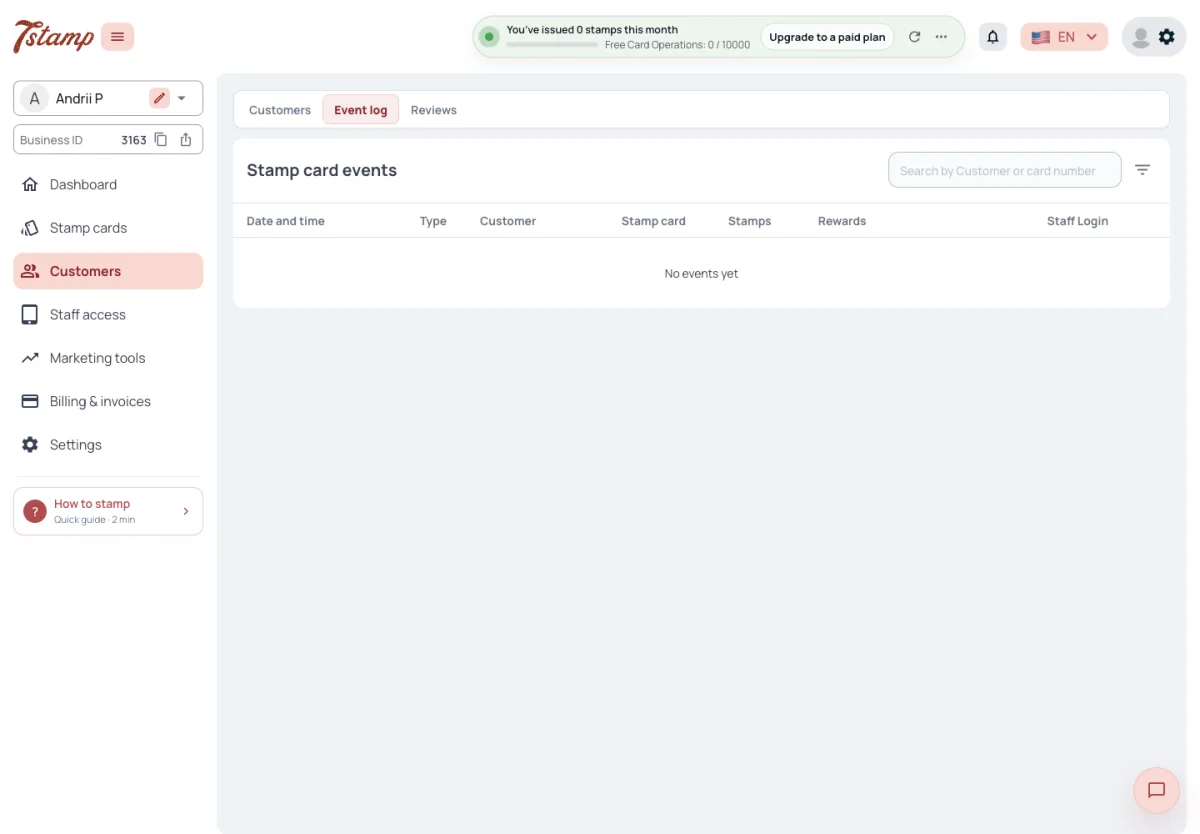
The Event log lists every event on your Stamp cards, newest first: the date and time, type, Customer, Stamp card, stamps, rewards and the Staff Login behind it. The Customer column shows the name, email, WhatsApp number and date of birth, each when known.
An event is one of: Staff scan, Receipt scan, Birthday greeting, Campaign, Stamp Code, Voucher issued, Test stamp, Vouchers with the card.
Search by the Customer’s name, email or card number. Filters: a time range, one Customer’s card, Staff Login, transaction or order number, and reward name. Event type is not a filter. Each event can open the card exactly as the Customer saw it at that moment.
Can I see what one Staff Login did?
Yes. Filter the Event log by Staff Login; every event shows the Staff Login behind it.
Can I filter the Event log by event type?
No. It filters by time range, card, Staff Login, transaction or order number and reward name.
Can I see what the Customer’s card looked like after a stamp?
Yes. Each event opens the card exactly as the Customer saw it at that moment.
What 7Stamp keeps about a Customer
For a Customer 7Stamp keeps what the sign-in gives — name and email from Google or Apple, the username from Telegram, the phone number and name from WhatsApp — plus the date of birth when the Customer gives it, the language and the date they joined your Business. A phone number is known only for Customers who came through a WhatsApp Chatbot; getting a card on the web asks for none.
A Customer who signed in with Apple and hid their email is known by an Apple Private Relay address. Mail to it arrives only from senders Apple knows for 7Stamp, so it bounces from your own email tool.
Every consent is kept as a record of its own: terms or marketing, given or refused, for which Business, from where (web, Telegram, WhatsApp), when, from which IP address, browser and domain, with links to the Terms of Use and Privacy Policy in force at that moment. Consent records are never changed or deleted: a change of mind adds a new record.
Customer data is stored in the EU with a European hosting provider. Your Business is the data controller; 7Stamp processes the data under the DPA (GDPR Art. 28), Appendix A to the Terms of Use.
GDPR, hosting and legal entity?
Customer data is stored in the EU with a European hosting provider. Your Business is the data controller; 7Stamp processes the data under the DPA (GDPR Art. 28), Appendix A to the Terms of Use.
Why don’t I have phone numbers of my Customers?
A phone number is known only for Customers who came through a WhatsApp Chatbot. Getting a card on the web asks for none.
Emails to some Customers bounce from my email tool. Why?
They signed in with Apple and hid their email, so 7Stamp knows an Apple Private Relay address. Mail to it arrives only from senders Apple knows for 7Stamp.
Can a Customer’s consent record be changed?
No. Consent records are never changed or deleted; a change of mind adds a new record.
Erasing a Customer’s data
Your Business has no way in the admin to erase a Customer’s personal data. A Business that needs it erased sends the request to 7Stamp support; it is done only that way. The Customer can do it themselves by deleting their account in My 7Stamp.
When a Customer deletes their account, their name, email, WhatsApp phone, Telegram details and sign-in are erased, and the account becomes “Deleted account”. You still see their cards in the Customers list, with the card number and no name or email, and their events stay in the Event log. The cards can no longer be stamped and get no Campaigns, Auto-messages or birthday greetings.
A Customer asked us to delete their data. How do we do it?
Send the request to 7Stamp support — the admin has no tool for it. The Customer can also delete their account in My 7Stamp themselves.
Does deleting the Customer’s card erase their personal data?
No. Deleting a card keeps the Customer’s name, contacts and consents. Erasure goes through 7Stamp support or the Customer’s own account deletion.
What do I see after a Customer deletes their account?
Their cards stay in the Customers list with the card number and no name or email, and their events stay in the Event log. The cards can’t be stamped and get no messages.
Taking the Customer list out
Neither the Customers tab nor the Event log has an export button. Your Customers’ data leaves the admin as a file only through Settings → Export Customer data, and only the Business owner sees it there. The API has no call that lists your Customers either: it finds cards by your own external ID or by card. What the archive holds is in Settings.
Can we export data?
Yes, as a ZIP archive from Settings → Export Customer data. Only the Business owner can prepare and download it. The API has no call that lists your Customers.
Why is there no Export button in the Customers tab?
The Customers’ data leaves the admin as a file only through Settings → Export Customer data.
I’m an Admin but don’t see Export Customer data. Why?
Only the Business owner sees it and can prepare the archive. Other admin users, Admin role included, don’t.