
Guide
Customer Feedback gives your customers a private line to the business alongside the public review option, on one page across every channel, with no app to install.
Customer Feedback is a paid 7Stamp add-on that collects customer feedback across every channel — a QR on the table, the receipt, a payment terminal, the Self-Service Kiosk, and a chat-bot — all opening one Customer Feedback page. It gives your customers a private line to the business, next to the public review option, and shows the same options to everyone. For the concept behind it, see private and public feedback channels; for the marketing overview, see the Customer Feedback feature page.
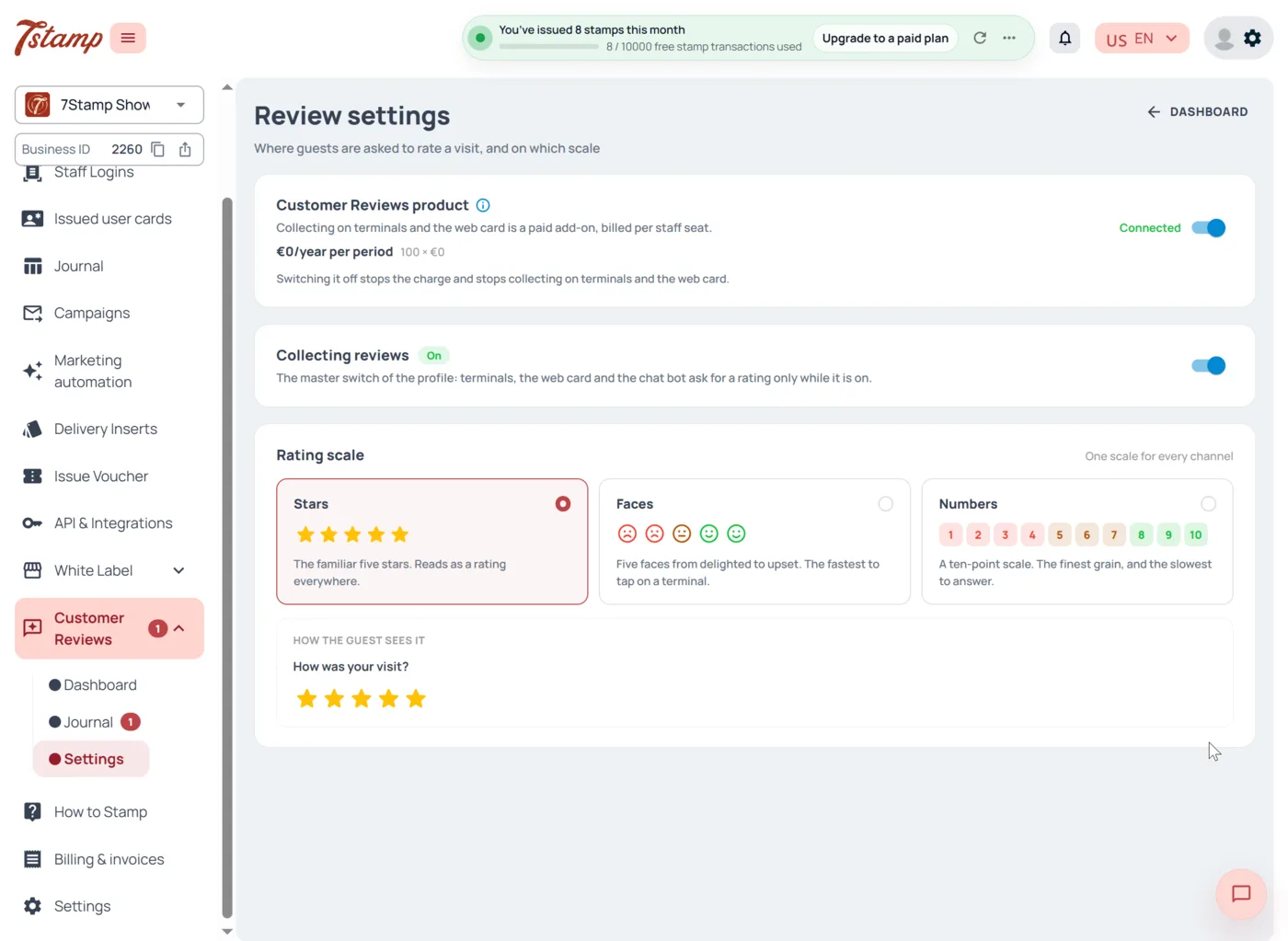
Turn it on — two switches, in order
There are two switches, and the order matters. This is the single most common support question, so it is first.
- The product —
Customer Feedback. The paid add-on itself. It needs an active paid plan and is billed per staff login (counted by active Staff Logins). See the pricing page for the current price in your currency. - The profile —
Collecting feedback. A master switch, off by default. Terminals, the web card and the chat-bot ask for a rating only while it is on. If you switch on the add-on and nothing happens, this switch is still off.
Pick a rating scale
In Rating scale you choose one scale, and every channel shows it — the panel labels this “One scale for every channel.”
Stars— five stars. The familiar default; maps directly onto public review platforms.Faces— five faces, delighted to upset. Fastest to tap; the one to pick for a terminal, and it works across languages.Numbers— 1 to 10. The finest grain, for NPS-style reporting.
One scale per business keeps the numbers comparable across locations and channels.
Choose your channels
Every channel opens the same Customer Feedback page — there is no channel-specific behaviour.
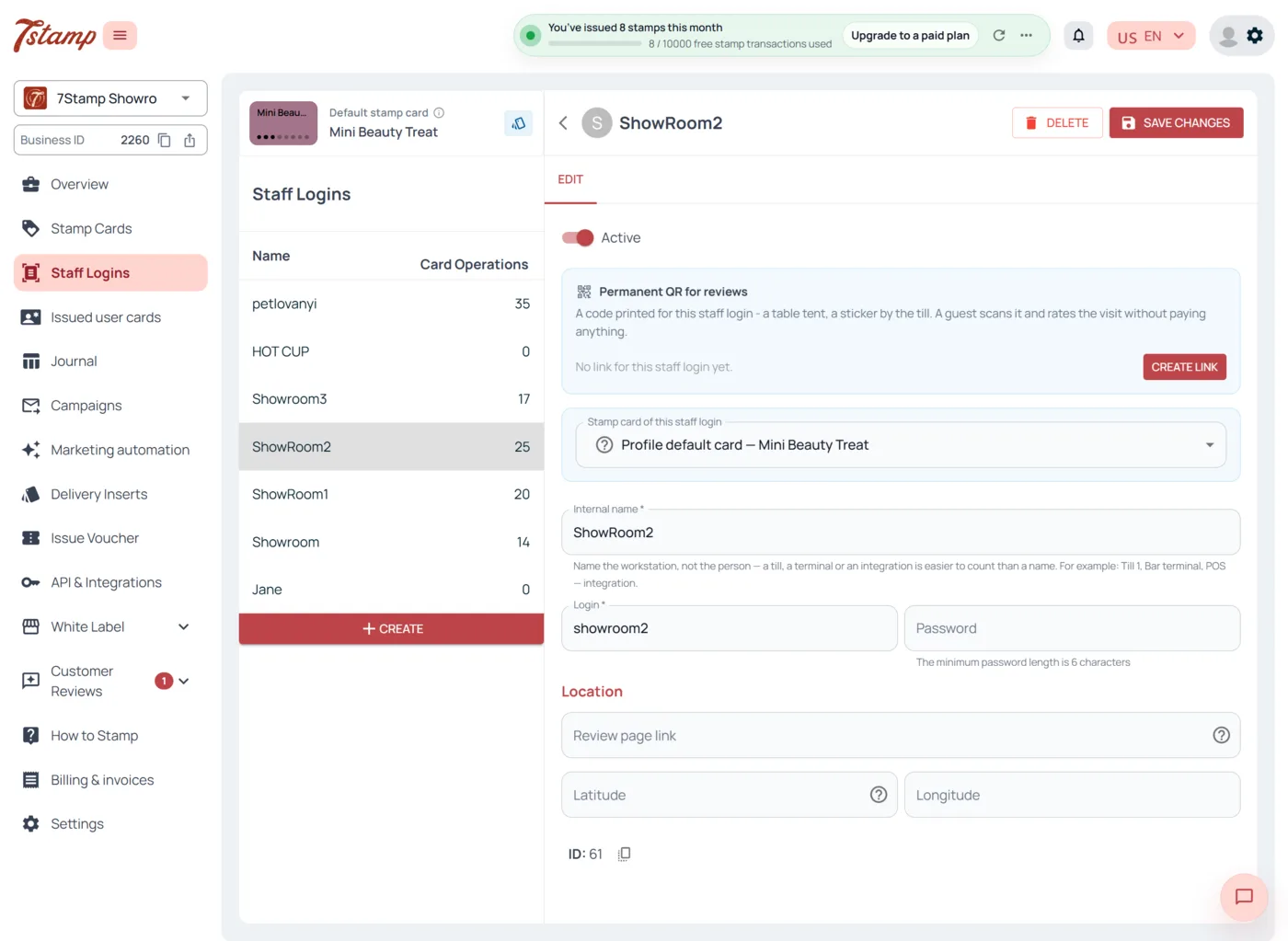
- Permanent QR per staff login. Set the
Feedback page linkon a staff login and print its QR for tables, the counter, or a staff badge. It does not depend on any operation. - Automatic request in an operation. With
Collecting feedbackon, the question is asked inside the stamping flow. - Receipt QR (7Stamp’s own QR on the receipt), Delivery Inserts, the payment terminal (Terminal Mode, inside the existing Scanner app), the Self-Service Kiosk (a Scanner mode on your own tablet — see the Scanner guide), and the chat-bot (a permanent menu button and an automatic prompt after an operation).
In countries with mandatory fiscal receipts — Ukraine, Slovakia, Kazakhstan, and Uzbekistan — the page can also open from the official fiscal QR (Fiscal Receipt Scanning). That is a separate event and does not spend the receipt’s stamp scan.
Private and public — the same for everyone
On the page the customer can send a private message (text, photo, or video) and also sees the option to leave a public review. Both are shown to every customer, whatever they rated. No screen depends on the rating — this is the core rule of the product and what keeps it aligned with the review platforms’ own rules. Public-platform routing is configured per location and is off unless you enable it.
Where submissions arrive
Each submission is emailed to the account owner’s address through your account’s active email-sending method (Settings → Email sending). A customer who also has a stamp card still gets one email per submission — two products never mean two inboxes. Feedback notifications are not counted against your Emails limit.
On LTD accounts you must connect your own SMTP server. The default there is No emails sent, so without SMTP you collect feedback but receive no notifications. If you use Branded emails, notifications go out under your own domain.
Attribution
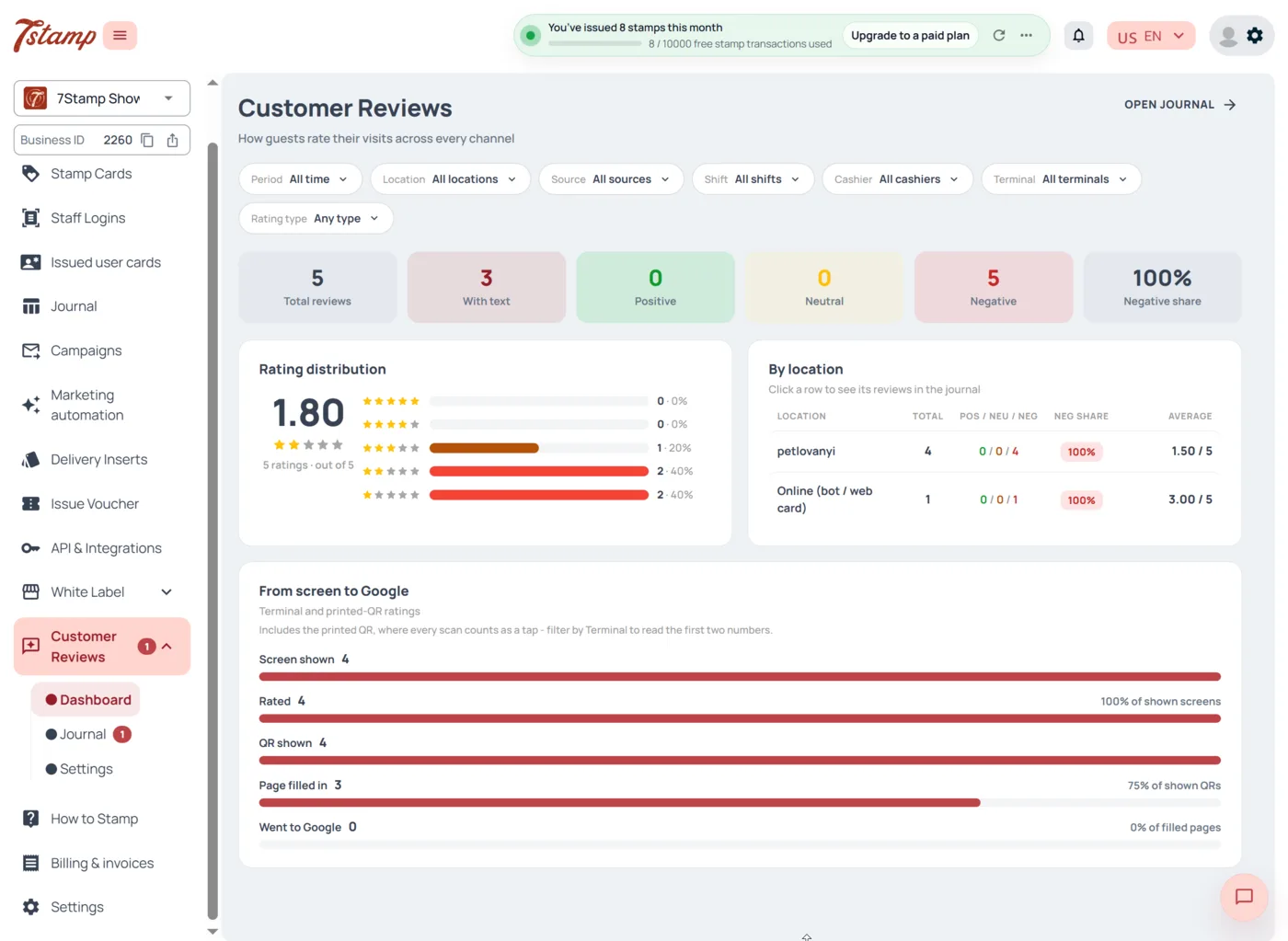
Every submission carries the location it came from, taken from the staff login it arrived through. In the chat-bot the customer picks the location before sending. The channel a submission came through is not reported — if you need to split table tents from terminals, give the table tents their own staff login and the split shows up as a login.
What Customer Feedback does not do
- It does not filter, hide, or change any rating — a low rating changes nothing on screen.
- It does not write or publish reviews for the customer; the public review is the customer’s own choice.
- Rewarding a private message is available on request as an individual setup; it is never tied to a public review.