
13. Staff — employees and scanner logins
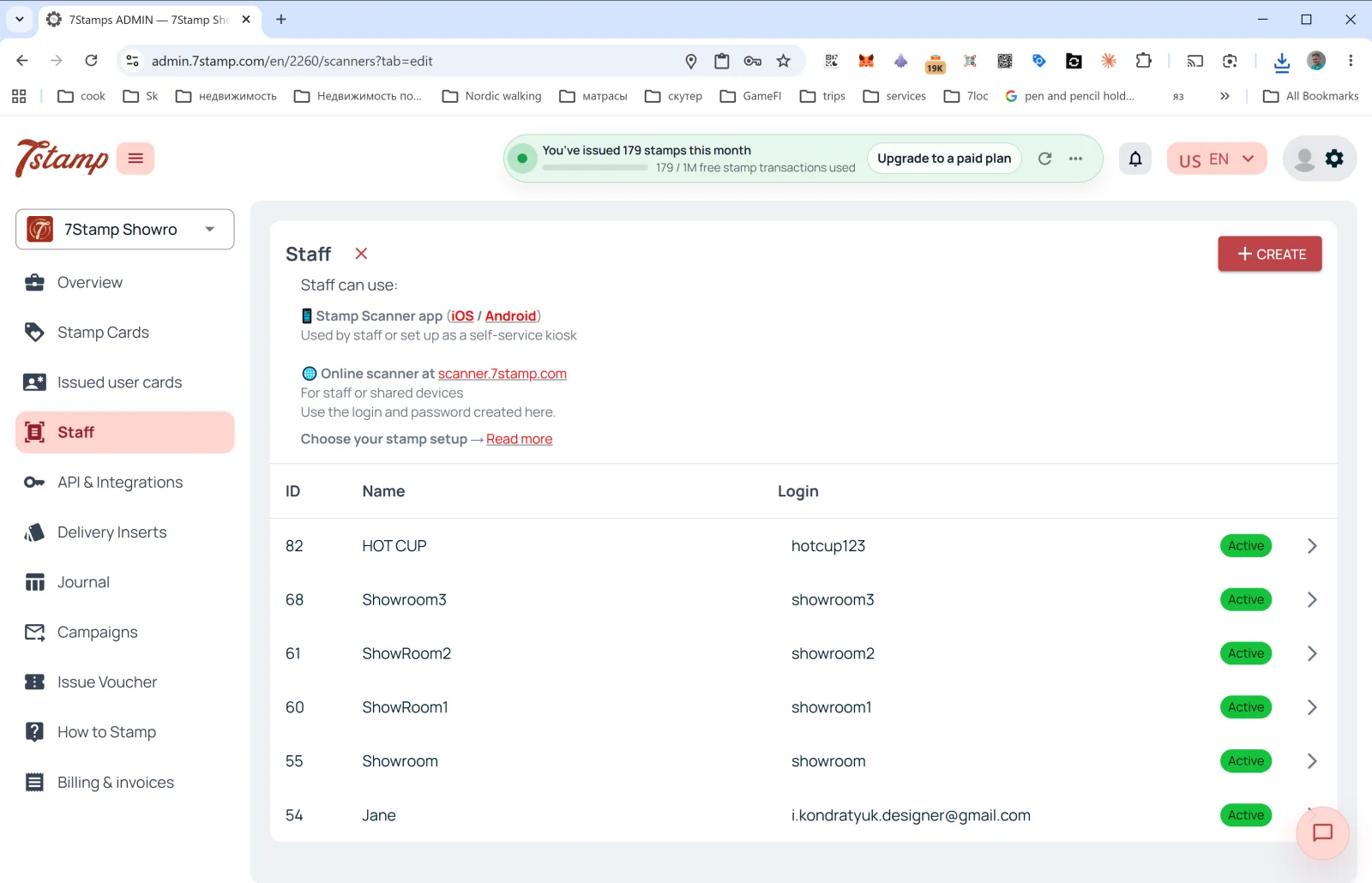
The Staff section in the side menu is where you manage the employees who scan customer cards.
What Staff is
In 7Stamp billing terms, one Staff Login = one Staff Seat = one entry point, working one session at a time. It is counted by login, never by hardware, and it can be:
- A specific employee (e.g., a barista named Anna).
- A specific till or counter (e.g.,
Bar Counter,Cash Register 2). - One location / branch (if you have several locations, each can have its own login).
Where Staff works
The description at the top of the page:
- 📱 Stamp Scanner app (iOS / Android) — “Used by staff or set up as a self-service kiosk”.
- 🌐 Online scanner at scanner.7stamp.com — “For staff or shared devices. Use the login and password created here.”
That is, the same Staff Login can be used in both the mobile app and the web version, one active session at a time: signing in on one signs the other out. Two entry points working at the same time need two staff logins.
List columns
- ID — internal staff number.
- Name — display name (
HOT CUP,Jane,Showroom1, etc.). - Login — login for entering Scanner.
- Status —
Active(green badge).
Creating a new Staff Login
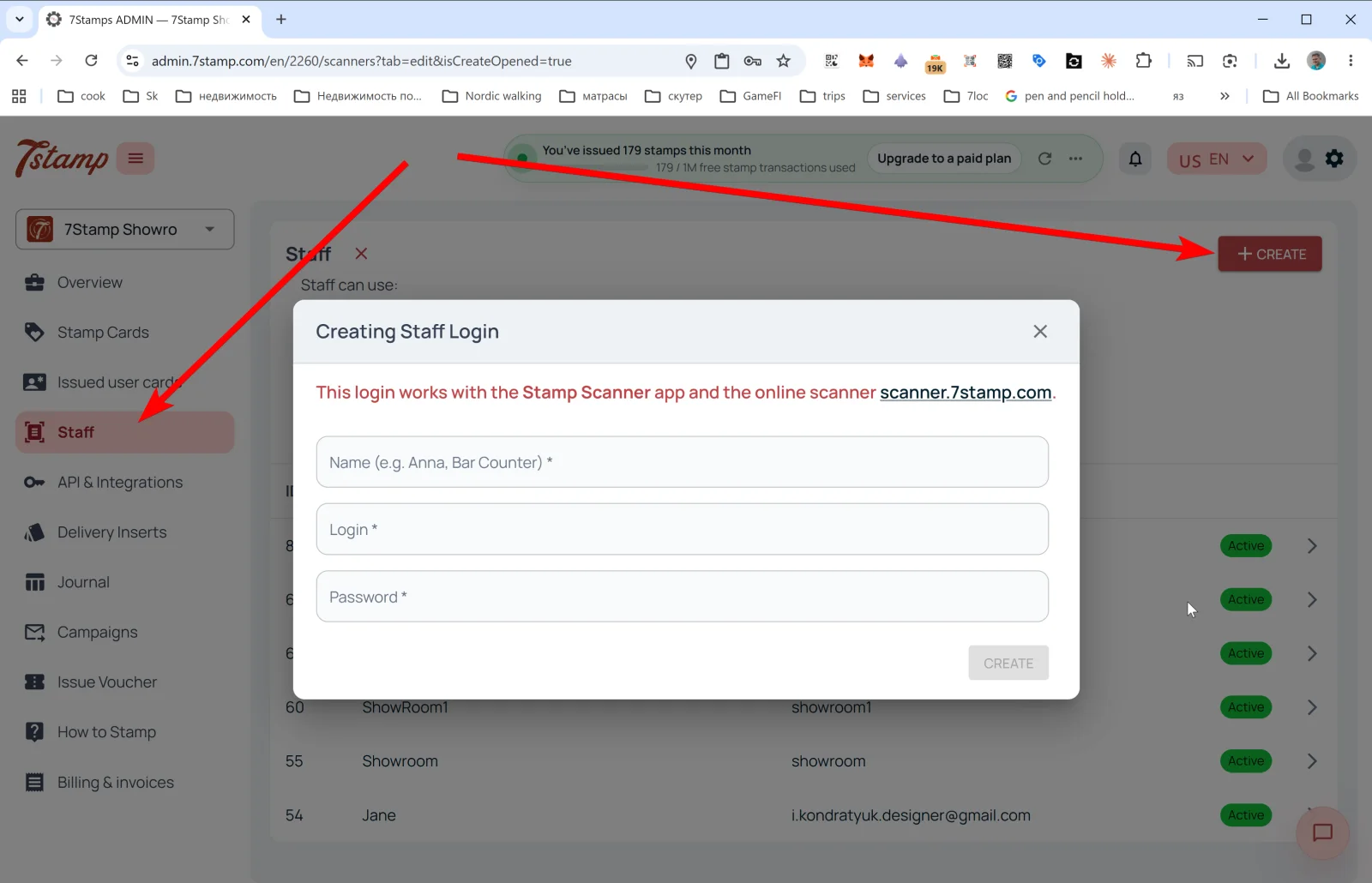
Tap + CREATE in the upper right — the Creating Staff Login popup opens.
Message: “This login works with the Stamp Scanner app and the online scanner scanner.7stamp.com.”
Fields:
- Name (e.g. Anna, Bar Counter) * — display name.
- Login * — login (e.g.,
anna_barorbar_counter). - Password * — password.
Tap CREATE — the Staff Login appears in the list and is immediately available for Scanner login.
Tip. If you have two shifts — morning and evening — make two separate Staff Logins (morning_shift and evening_shift). In Overview → Location analytics (Staff) you’ll see stats for each one separately and understand who is better at offering the program.
Visual walkthrough
Use the screen sets below as a visual companion to the article. Open any image to inspect it at full size.