
Who sees Settings
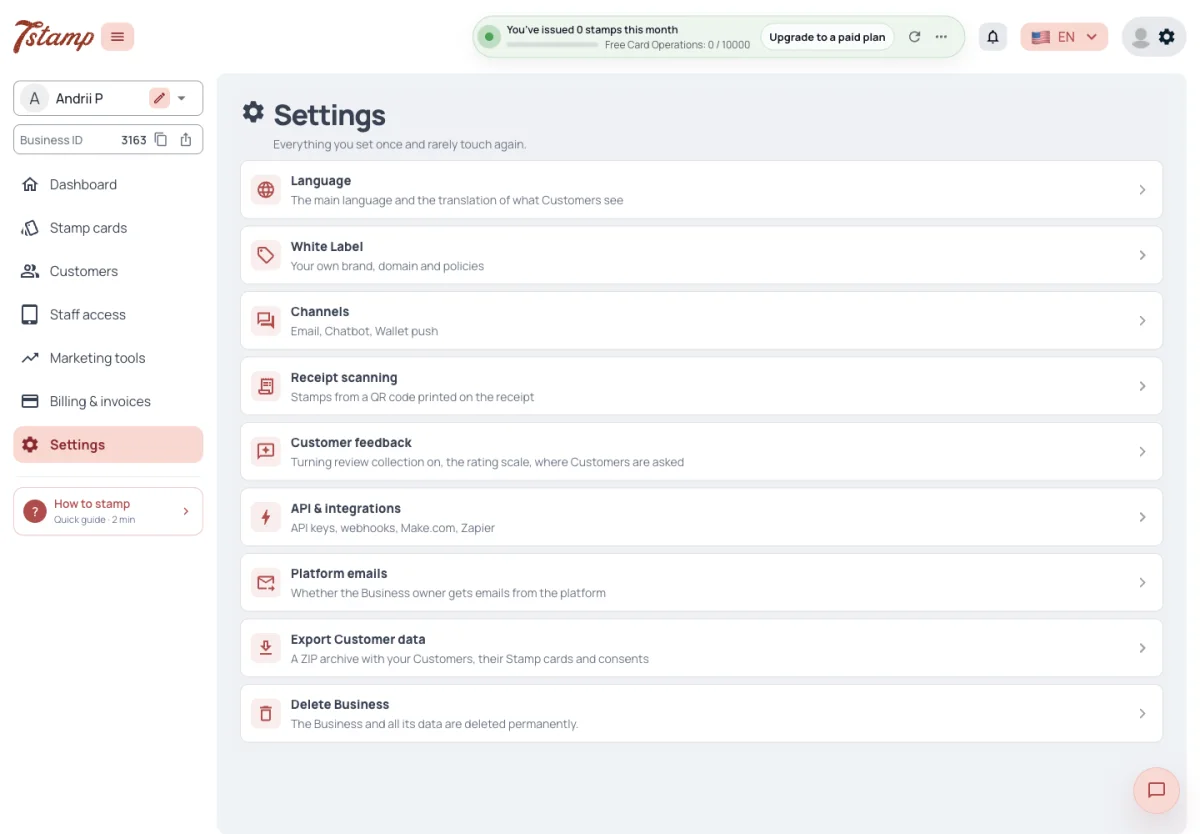
Settings is in the admin menu for users with the Editor or Admin role. What they see there depends on who they are: Export Customer data is shown to the Business owner alone, and White Label to every Business except a Managed Business that has no White Label of its own.
I don’t see Settings in the menu. Why?
Settings needs the Editor or Admin role in the Business. Ask the Business owner or an Admin for it.
Why don’t I see Export Customer data in Settings?
It is shown to the Business owner alone. Other admin users, Admin role included, don’t see it.
Why is there no White Label in my Settings?
Every Business sees White Label in Settings except a Managed Business that has no White Label of its own.
Language
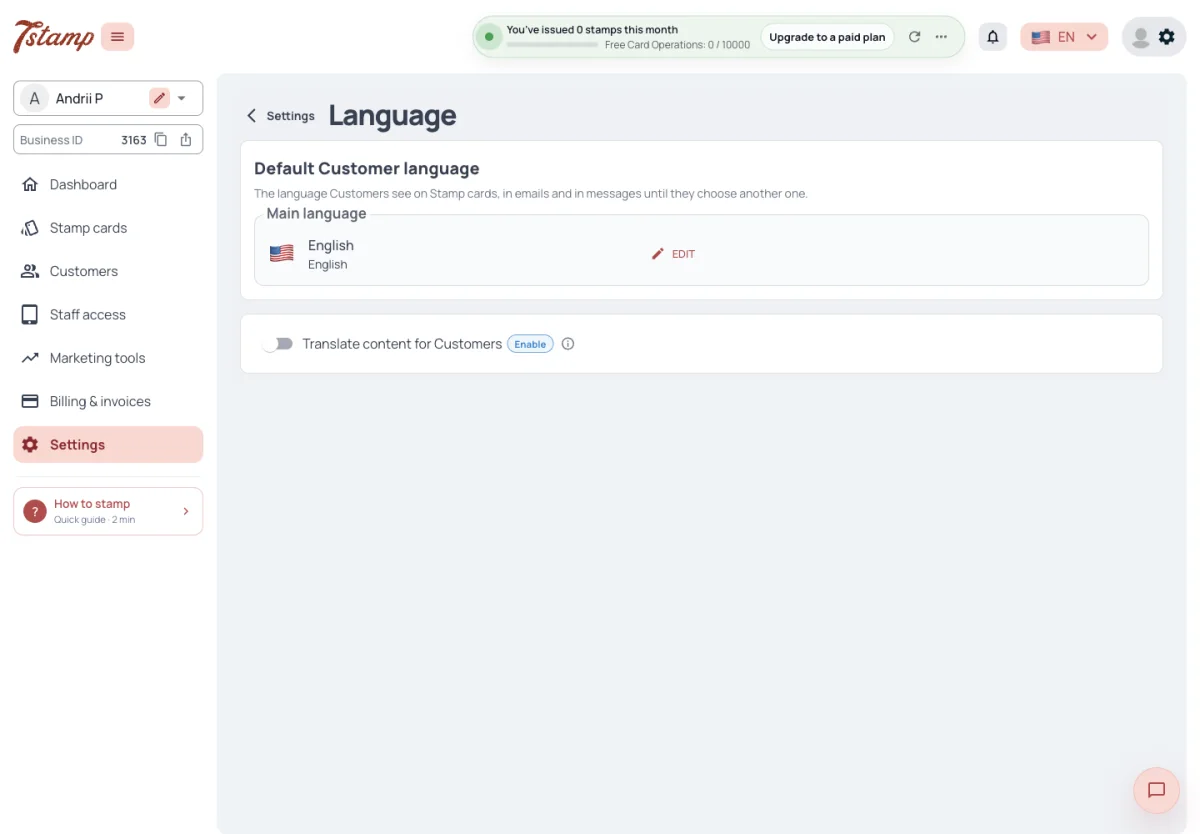
Default Customer language is the Business’s main language. Customers get it on Stamp cards, in emails and in messages when their own language is not one the Business offers — and without translation, the Business offers its main language alone. Edit changes it.
Translate content for Customers shows each Customer what the Business wrote — its Stamp cards, Vouchers, messages and the other pages Customers see — in the Customer’s own language, out of every language the platform offers. The translation is automatic; nobody at the Business writes it.
Turning it on needs the Auto Translation Module add-on, $9 a month; it is never part of the Packages of an Access Code. On Free Forever the admin asks to change the plan first; on a paid plan it offers Pay and turn on with the price. Only an Admin of the Business can connect the add-on here; anyone else is asked to turn to the Business owner, and a Managed Business without it to its partner’s support. Switching translation off does not disconnect the add-on.
In which language do my Customers see my Stamp card?
In the main language set in Settings → Language, unless Translate content for Customers is on — then each Customer sees it in their own language.
Do I have to write the translations myself?
No. With Translate content for Customers on, what you wrote is translated automatically into each Customer’s language.
Why can’t I turn on Translate content for Customers?
It needs the Auto Translation Module add-on, $9 a month on a paid plan; it does not come with an Access Code. On Free Forever the admin asks to change the plan first.
Who can connect the Auto Translation Module?
An Admin of the Business. Anyone else is asked to have the Business owner change the plan or connect the add-on.
If I switch translation off, does the add-on stop?
No. Switching Translate content for Customers off does not disconnect the Auto Translation Module add-on.
White Label
Settings → White Label is where White Label is set up. A Business gets White Label in one of two ways: the White Label add-on on a paid plan, $59 a month, or an Access Code whose Packages include White Label. On Free Forever the add-on can’t be connected: the admin asks to move to a paid plan first. The setup is described in White Label.
Can I turn on White Label on Free Forever?
Not with the add-on — the admin asks to move to a paid plan first. An Access Code whose Packages include White Label is the other way to get it.
How much is White Label?
The White Label add-on costs $59 a month on a paid plan.
Where do I set up my domain and brand?
In Settings → White Label. The steps are described in the White Label article.
Channels
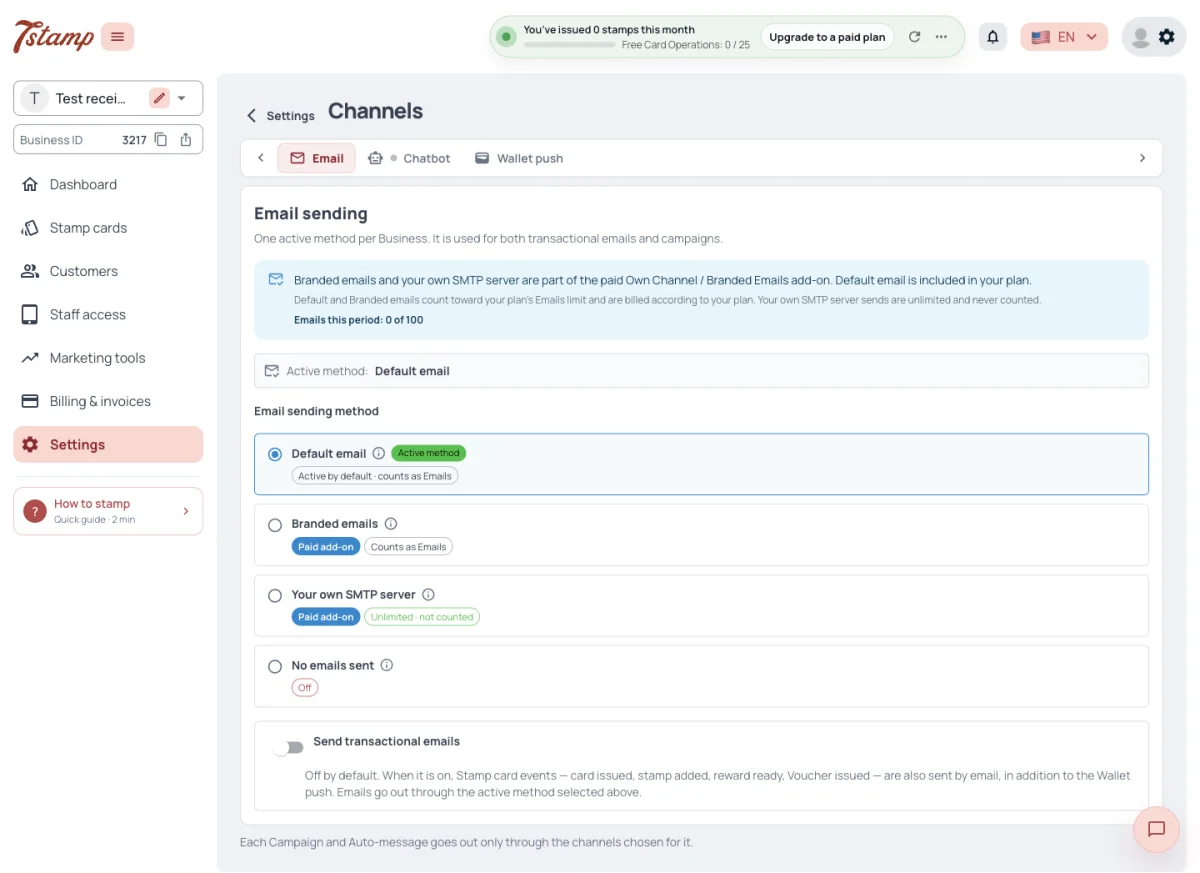
Settings → Channels has one tab for each Channel: Email, Chatbot and Wallet push.
- Email — one active method, used for every email to your Customers: Default email, Branded emails, your own SMTP server, or emails switched off.
- Chatbot — one at a time, in Telegram or in WhatsApp, never both.
- Wallet push — always on, with nothing to connect.
How each one is set up is in Channels: Wallet push, Email, Chatbot.
Can I connect both a Telegram and a WhatsApp Chatbot?
No. A Business has one Chatbot at a time, in Telegram or in WhatsApp.
How do I switch Wallet push on?
There is nothing to switch on. Wallet push is always on and has nothing to connect.
Can transactional emails go one way and Campaigns another?
No. A Business has one active email method, used for every email to its Customers, transactional and marketing alike.
Receipt scanning
Settings → Receipt scanning gives stamps for a QR on the receipt. A fiscal receipt gives stamps only when it comes from a receipt source you add there — a cash register’s fiscal number, a company code or a SmartKasa outlet — each tied to a Staff Login. Fiscal receipts can be scanned only in Ukraine, Slovakia, Kazakhstan and Uzbekistan, with the Scan receipt button in your Telegram or WhatsApp bot. A QR printed on your own receipt works in any country. Both are described in Receipt scanning.
Can my Customers scan fiscal receipts in my country?
Fiscal receipts can be scanned only in Ukraine, Slovakia, Kazakhstan and Uzbekistan. A QR printed on your own receipt works in any country.
Do I need a Chatbot for receipt scanning?
For fiscal receipts, yes — Customers scan them with the Scan receipt button in your Telegram or WhatsApp bot.
Why does a fiscal receipt give no stamps?
It gives stamps only when it comes from a receipt source added in Receipt scanning whose Staff Login is active.
Customer feedback
Settings → Customer feedback holds a status line, the Customer Feedback add-on, the Collecting feedback switch, where Customers are asked, what follows a rating, the rating scale and how it works. Collecting feedback is the Business’s master switch: while it is off, no place asks for a rating. Turning it on needs the Customer Feedback add-on, available on paid plans only and connected by an Admin of the Business. The reviews themselves and every setting are described in Customer feedback.
Why can’t I turn on Collecting feedback?
It needs the Customer Feedback add-on, which is available on paid plans only. On Free Forever the admin offers to change the plan first.
Who can connect the Customer Feedback add-on?
Only an Admin of the Business.
Does switching Collecting feedback off stop the Chatbot from asking?
Yes. While it is off, no place asks for a rating, the Chatbot included.
API & integrations
Settings → API & integrations has three tabs: API keys, Webhooks and Integrations. An API key is created for one Staff Login, under API keys → Add API key; a Staff Login has at most one. The API and API keys are free on every plan, Free Forever included. Everything on these tabs is described in API, Webhooks and integrations.
Is the API a paid add-on?
No. The API and API keys are free on every plan, Free Forever included. Stamps given through the API are Card Operations like any other.
Where do I create an API key?
In Settings → API & integrations → API keys → Add API key, for one Staff Login.
Can a Staff Login have two API keys?
No. A Staff Login has at most one API key, and a switched-off Staff Login can’t be picked.
Platform emails
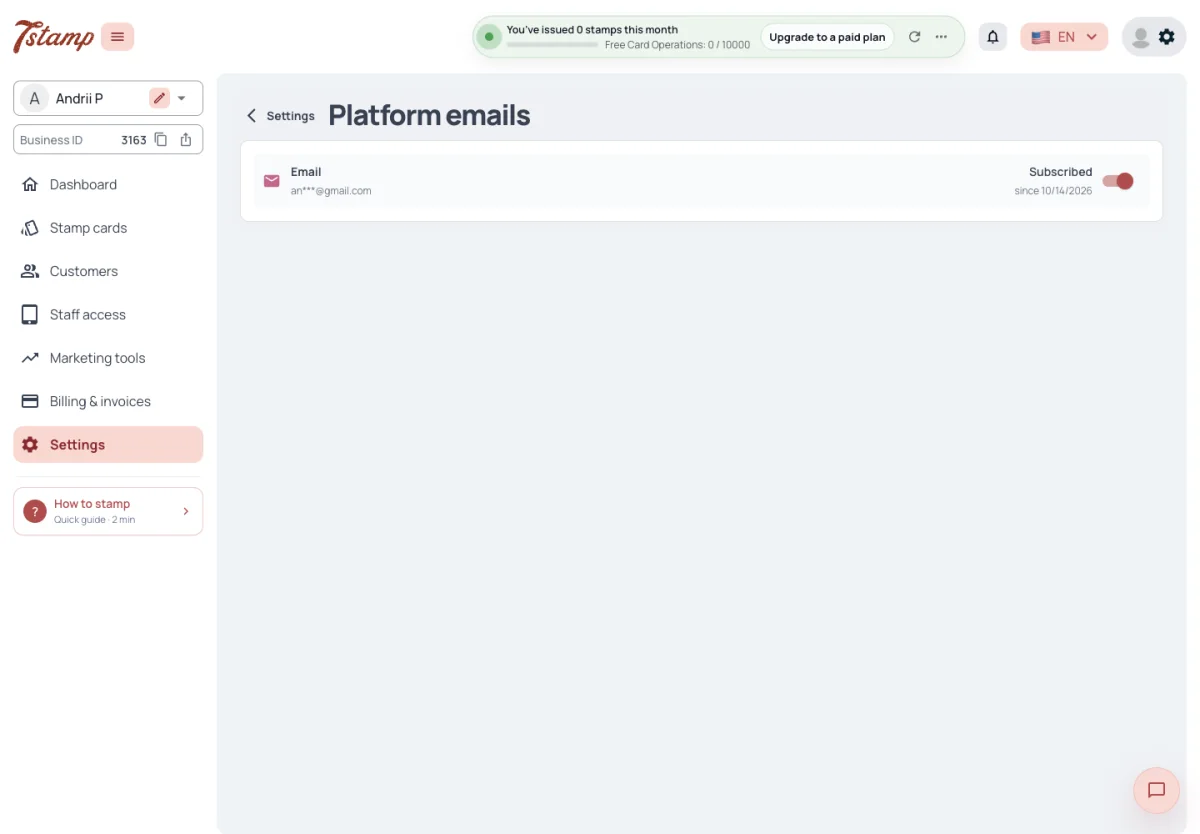
Platform emails says whether the Business owner gets the mailings 7Stamp sends to Business owners. There is one switch per channel: email, and a messenger when the Business chose one to be reached on. The owner’s email is subscribed when the Business is created, and the chosen messenger joins as well. Switching a channel off stops these mailings on it; nothing else depends on the switch.
Only the Business owner can switch it; other admin users see the state and “Only the Business owner can change this”. The subscription belongs to the owner’s address, not to one Business: email switched off in one Business is off for every 7Stamp Business of the same owner. A Managed Business doesn’t see Platform emails: a partner’s clients get no platform mailings.
How do I stop the emails 7Stamp sends me as a Business owner?
Switch Email off in Settings → Platform emails. Only the Business owner can do it.
Will I still get emails about my own Business, such as a ready export?
Yes. Only the platform’s mailings to Business owners depend on Platform emails.
I unsubscribed in one Business. Do I need to do it in the others?
No. The subscription belongs to your address, so email is off for every 7Stamp Business you own with it.
Why is there no Platform emails in my Settings?
A Managed Business doesn’t see it — a partner’s clients get no platform mailings.
Export Customer data
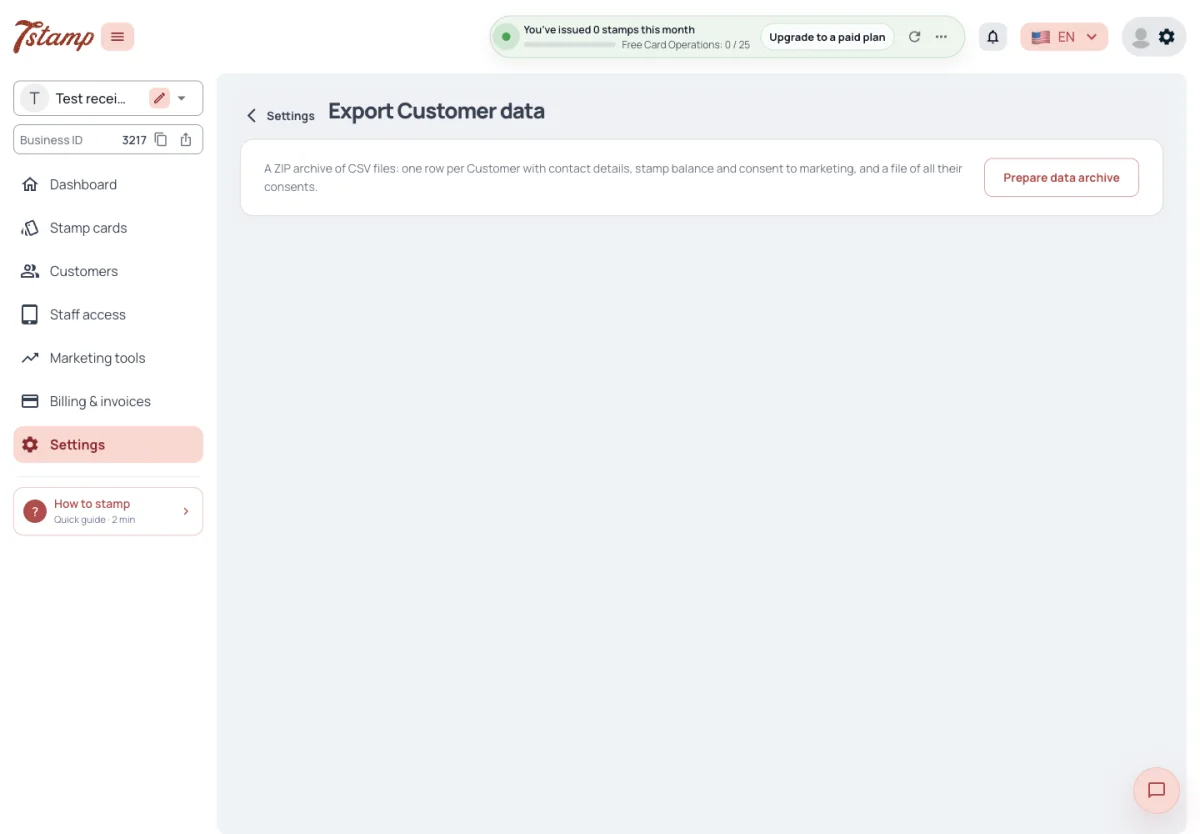
Only the Business owner can prepare and download the archive; Export Customer data is shown in Settings to the owner alone.
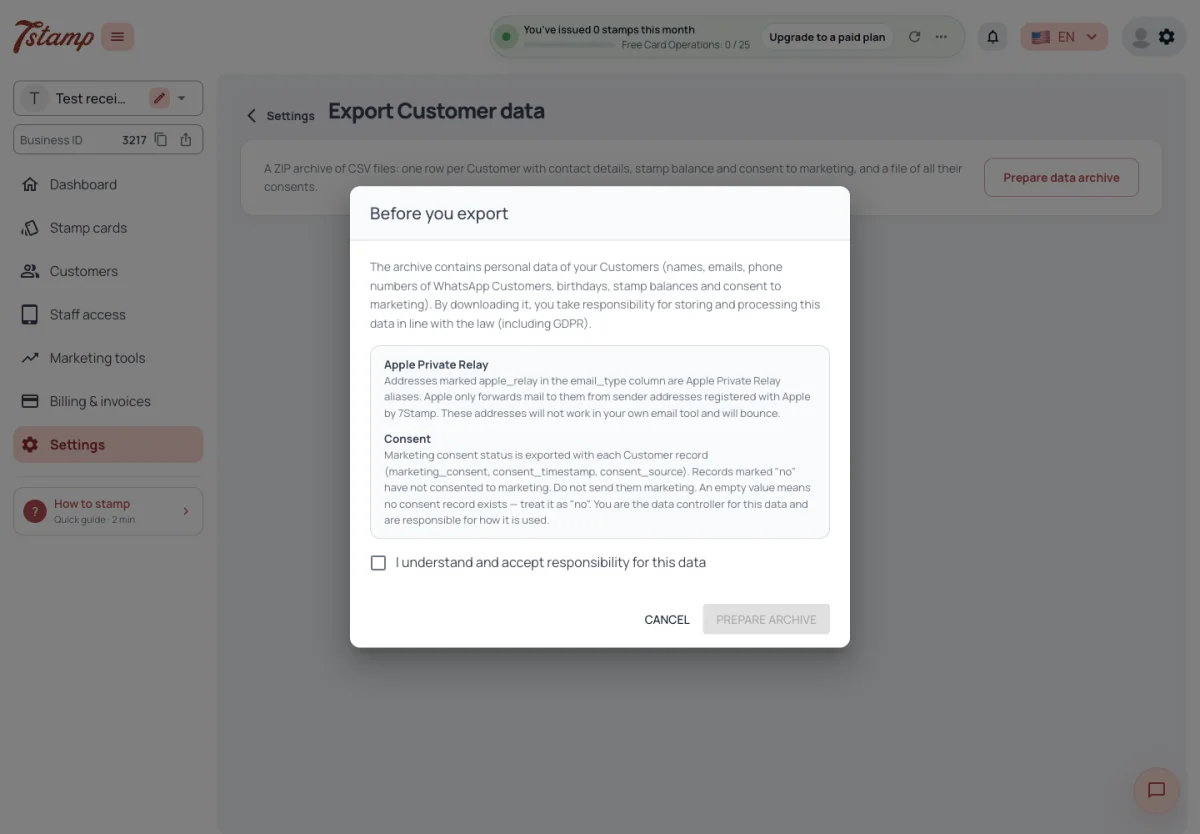
Before the archive is prepared, tick “I understand and accept responsibility for this data”: your Business is the data controller of what it downloads. The archive is built in the background. When it is ready, a notification appears in the admin and the owner gets an email with a link to the admin; the file is downloaded there, never attached to the email. It can be downloaded for seven days and is then removed.
A new archive can be started a day after the previous one; until then the page says when. A failed or canceled run doesn’t hold the next one back.
Can we export data?
Yes. The Business owner prepares a ZIP archive in Settings → Export Customer data and downloads it in the admin.
The archive is ready. Why isn’t it attached to the email?
The file is downloaded in the admin, never attached to the email; the email links to the admin.
How long can I download the archive?
Seven days. After that it is removed, and you can prepare a new one.
Why can’t I start a new export?
A new archive can be started a day after the previous one. The page says when.
What the archive holds
The ZIP archive has three files:
- customers.csv — one row per Customer: how they signed up, email and its type, phone, first and last name, Telegram username and chat ID, birthday, language, join date, card status, stamp balance, total stamps earned, rewards issued, last operation, marketing consent with its time and source, and whether transactional emails are on;
- consents.csv — one row per consent record;
- README.txt — the warnings about Apple Private Relay and consent.
There is one row per Customer, not per card: the stamp balance is the sum over the Customer’s live cards, and the cards themselves are not listed. Customers who deleted their account are not in the archive, nor are their consent records.
In marketing_consent, “no” means the Customer refused marketing, and an empty value means there is no consent record — treat it as no. An email marked apple_relay is an Apple Private Relay address: it bounces from your own email tool.
For a White Label Business the archive names no platform brand: the file name and README carry the partner’s brand.
Does the export list every Stamp card of a Customer?
No. It has one row per Customer; the stamp balance is the sum over their live cards.
May I send marketing to Customers with an empty marketing_consent?
No. An empty value means there is no consent record — treat it as no.
Why do some exported emails bounce from my email tool?
Those marked apple_relay are Apple Private Relay addresses. Mail to them arrives only from senders Apple knows for 7Stamp.
Are Customers who deleted their account in the export?
No. Neither they nor their consent records are in the archive.
Delete Business
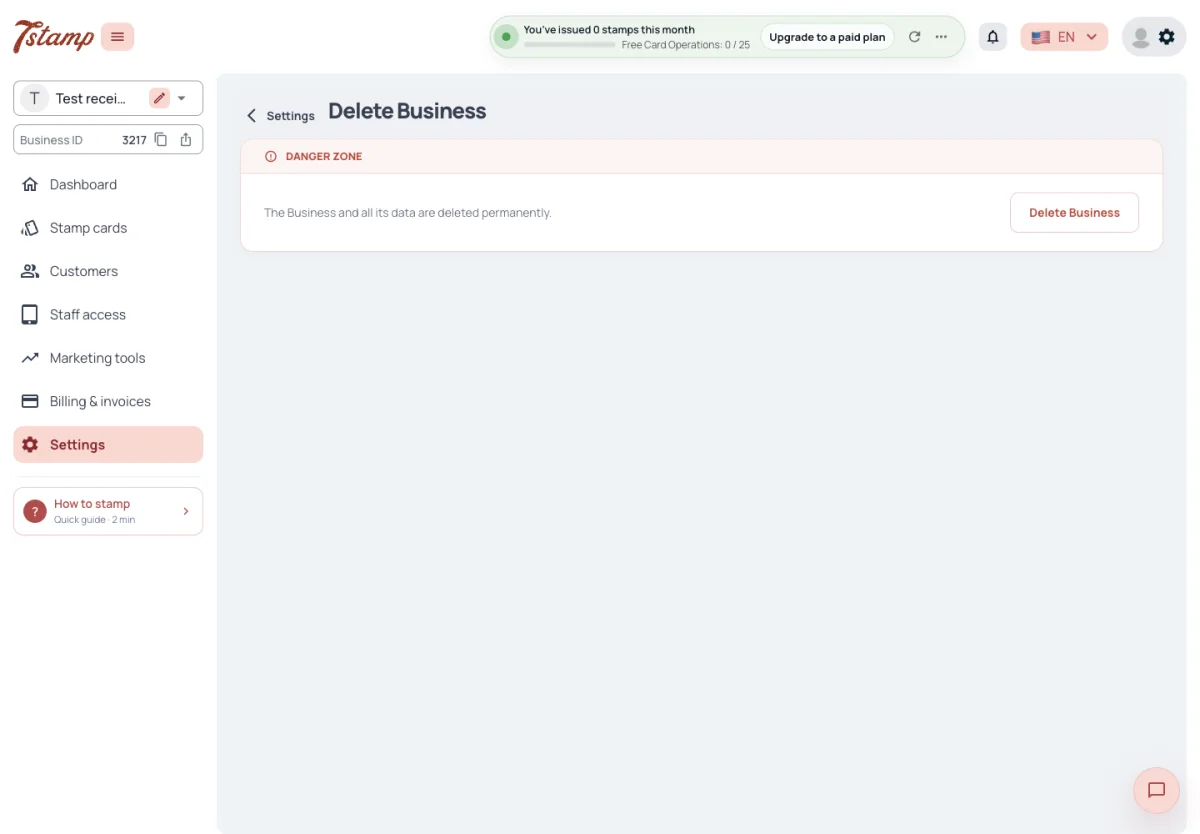
Only the Business owner can delete the Business. Deleting a Business is final: the Business and its Chatbot stop working, and the Business can’t be restored from the admin.
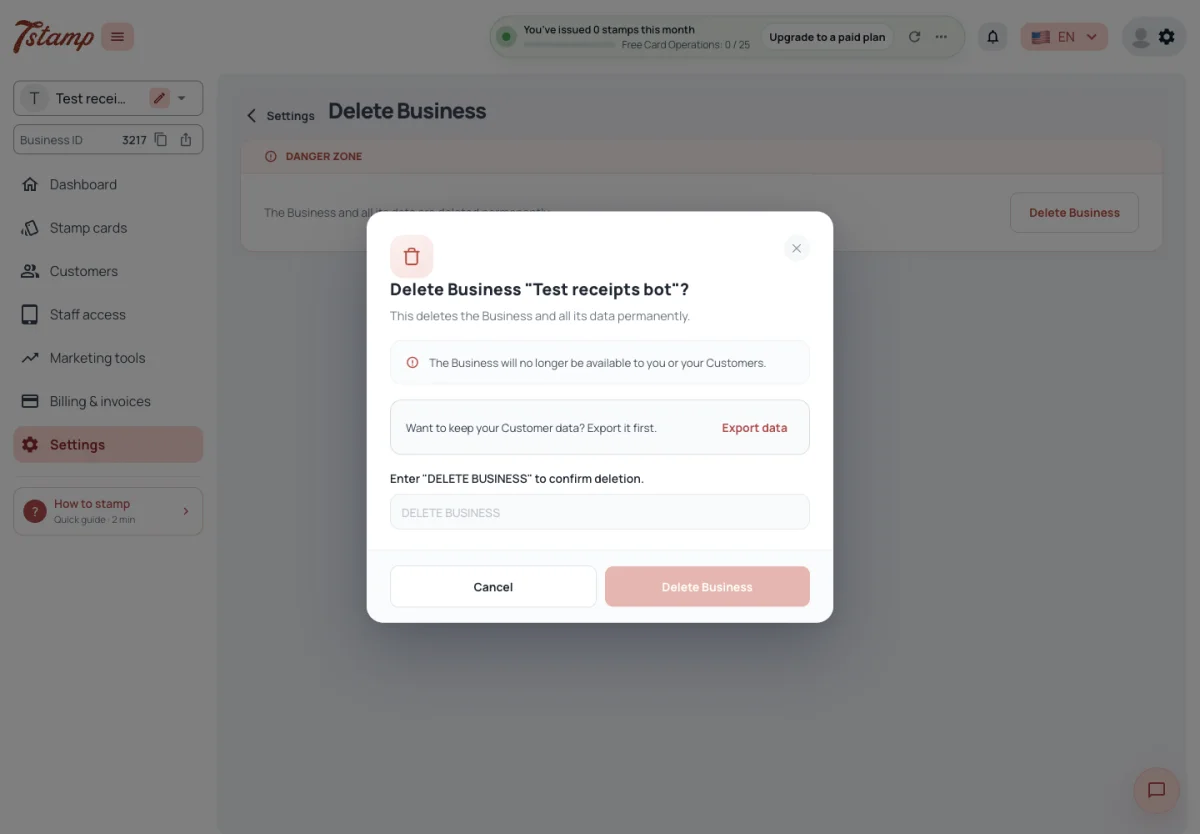
The Delete Business dialog asks to type DELETE BUSINESS exactly as shown, capitals included, before its Delete Business button works; in another admin language the phrase is that language’s. The dialog offers to export Customer data first; while an archive is being prepared or is ready, it says to wait for it or download it before deleting.
A Business on a paid plan can’t be deleted while its subscription is active: the admin asks to cancel the subscription first. Once it is cancelled, the Business can be deleted after one more confirmation that names the date the subscription stays active until. On Free Forever the plan is cancelled together with the Business.
Can a deleted Business be restored?
No. Deleting a Business is final; it can’t be restored from the admin.
Will my Chatbot keep working after I delete the Business?
No. The Business and its Chatbot stop working.
How do I keep my Customer data before deleting the Business?
Export it first — the Delete Business dialog offers it. While the archive is being prepared or is ready, wait for it or download it before deleting.
Who can delete a Business?
Only the Business owner.
The Delete Business button stays grey. Why?
Type DELETE BUSINESS exactly as shown, capitals included. In another admin language, type the phrase the dialog shows.
Why can’t I delete my Business on a paid plan?
Not while the subscription is active. Cancel it first; then the Business can be deleted, and the admin names the date the subscription stays active until.