
11. Issue Voucher — issuing a one-time voucher
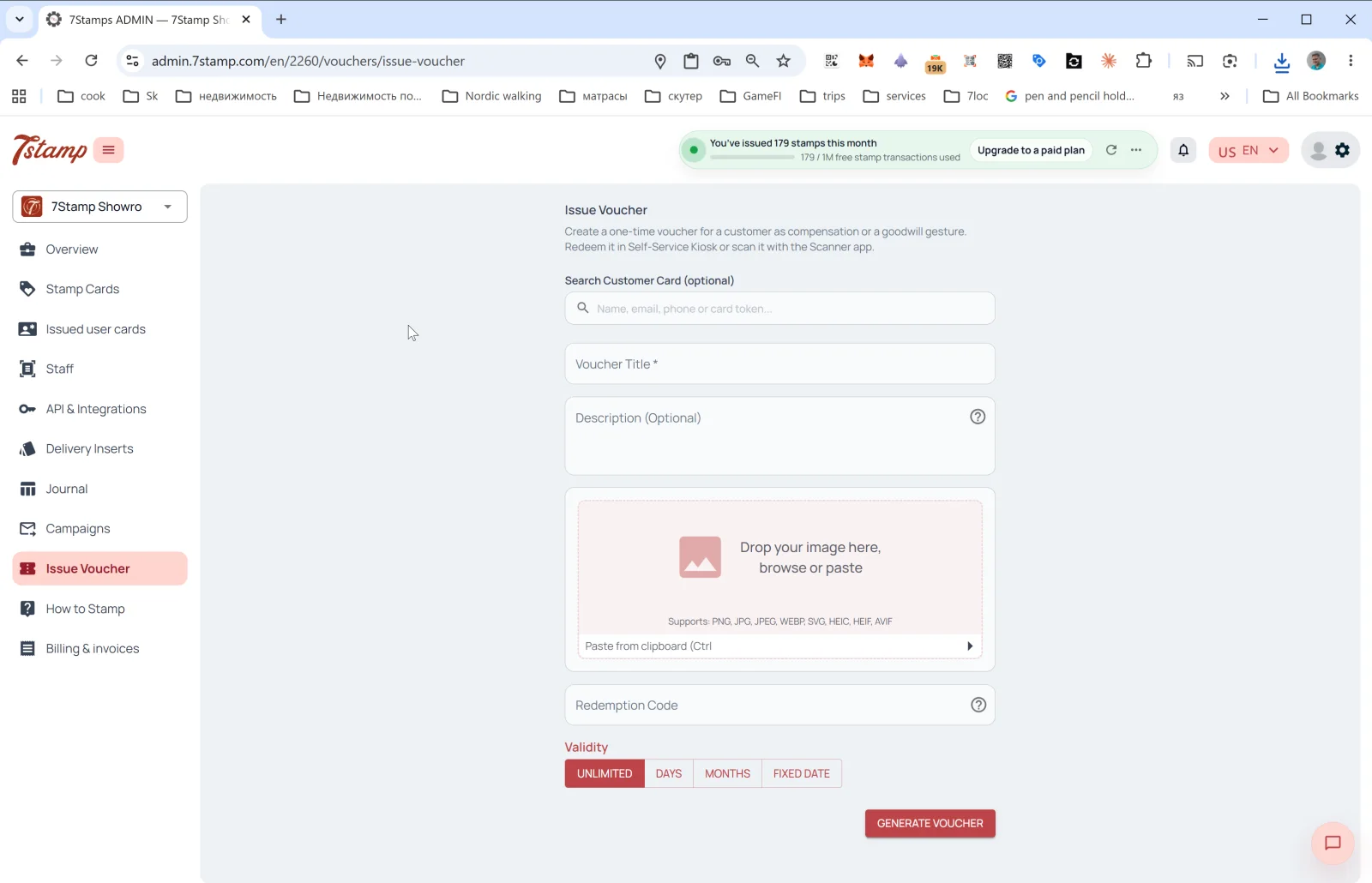
The Issue Voucher section in the side menu lets you issue a one-time voucher outside the main accumulation mechanic. The exact admin description: “Create a one-time voucher for a customer as compensation or a goodwill gesture. Redeem it in Self-Service Kiosk or scan it with the Scanner app.”
When to use Issue Voucher
- Birthday gift outside the main Birthday automation.
- Service-failure compensation (“sorry the order arrived cold”).
- B2B gift — for a journalist, blogger, partner.
- Event coupon — invite to a party, opening, tasting.
- Loyalty bonus — recognizing a loyal customer without tying it to a card.
- Printed coupon — generate a voucher and print it for physical hand-out.
Form fields
- Search Customer Card (optional) — find a specific customer by
Name, email, phone or card token. If you pick a customer — the voucher is tied to their card. If left empty — a “free” voucher is generated with a unique Redeem Code that you can hand to anyone. - Voucher Title * — voucher title (required).
- Description (Optional) — description.
- Image — voucher image. Supported formats: PNG, JPG, JPEG, WEBP, SVG, HEIC, HEIF, AVIF. Can be pasted from clipboard (Ctrl+V).
- Redeem Code — redemption code (optional). If enabled, the system automatically creates the QR and linear barcode for the code.
- Validity — validity period: UNLIMITED / DAYS / MONTHS / FIXED DATE.
Tap GENERATE VOUCHER — the voucher is created and (if you picked a customer) goes to them in Wallet. If no customer is selected — the voucher can be downloaded / printed and handed over manually.
Visual walkthrough
Use the screen sets below as a visual companion to the article. Open any image to inspect it at full size.